
12 Best Social Media Scheduling Tools for 2025 (Ultimate Guide)
Discover the 12 best social media scheduling tools to save time, automate posting, and boost engagement. We compare features, pricing, and pros vs. cons.
Navigating the crowded market of social media scheduling tools can be a significant drain on your time, pulling you away from the core task of creating compelling content and engaging with your audience. The constant pressure to maintain a consistent online presence across multiple platforms requires a streamlined, efficient workflow. Without the right system, social media management quickly becomes a chaotic mix of last-minute posts, missed opportunities, and inconsistent brand messaging. This is precisely the problem that the best social media scheduling tools are designed to solve. They provide the structure needed to plan, schedule, and analyze your social media content, transforming a reactive process into a proactive strategy.
This guide is built to cut through the noise. We've compiled a comprehensive list of the top platforms available, moving beyond generic feature lists to provide a practical analysis of what makes each tool unique. Whether you're a solopreneur, an e-commerce brand, a digital marketing agency, or a content creator, finding the right fit is crucial. This article will help you make an informed decision by breaking down the specific strengths, potential limitations, and ideal use cases for each option.
Inside, you will find detailed reviews for tools like Buffer, Hootsuite, Later, and Sprout Social, among others. Each review includes:
- A "Best For" recommendation to quickly identify if a tool matches your specific needs (e.g., e-commerce, agencies, creators).
- In-depth analysis of key features, from AI content generation and team collaboration to advanced analytics and platform integrations.
- Clear pricing breakdowns to help you compare costs and find a solution that fits your budget.
- Screenshots and direct links so you can see the interface and explore each platform for yourself.
Our goal is to equip you with the insights needed to select the best social media scheduling tool that not only saves you time but also elevates your entire social media strategy.
1. ViewPrinter
Best All-in-One AI Content Engine & Scheduler
ViewPrinter transcends the traditional definition of a social media scheduling tool, positioning itself as a comprehensive, AI-powered content engine. It's designed to collapse the entire content production workflow, from initial concept to final publication, into a single, unified workspace. This makes it a formidable choice for teams aiming to eliminate tool sprawl and accelerate their content velocity, particularly on visually-driven platforms like Instagram and TikTok.
The platform's core strength lies in its advanced AI stack, which leverages top-tier models like GPT-4o, Flux, and Gemini to auto-generate high-quality images, video scripts, and captions from simple inputs. Instead of just scheduling existing assets, users can create them from scratch in seconds, a significant advantage for lean teams and agencies managing multiple accounts. This end-to-end capability transforms it from a simple planner into a strategic content creation hub.
Standout Features & Use Cases
What truly sets ViewPrinter apart are its specialized creation studios. The Avatar Creation Studio allows brands to design characters modeled after their ideal customer profiles, creating relatable and consistent brand representatives for campaigns.
Even more impactful is the UGC Ad Studio. This feature enables users to stitch together these avatars, proven viral hooks, and product demos into short, high-conversion video ads. For an e-commerce brand, this means rapidly generating a dozen variations of a product ad for A/B testing on TikTok, all without hiring actors or a video team.
Practical Application: An agency managing five e-commerce clients can use ViewPrinter to generate unique, on-brand slideshows and UGC-style ads for each, then schedule them directly to Instagram and TikTok. The built-in collaboration tools allow for client review and approval within the same platform, streamlining the entire campaign lifecycle.
Pros and Cons
| Strengths | Considerations | | :--- | :--- | | End-to-End Workflow: Consolidates AI media generation, editing, scheduling, and analytics. | Pricing Opacity: Specific costs for Starter to Premium tiers are not listed publicly; requires contacting sales. | | Powerful AI Generation: Uses advanced models for rapid, high-quality creative output. | Platform Focus: Primarily optimized for Instagram and TikTok, which may not suit all social strategies. | | Unique Ad Creation Tools: Avatar and UGC ad studios are powerful for creating conversion-focused content. | Human Oversight Needed: As with any AI tool, outputs require human review to ensure brand voice and accuracy. | | Scalable for Teams: Offers unlimited connected accounts and collaboration features suitable for agencies. | |
Pricing
ViewPrinter offers flexible pricing tiers from Starter to Premium, catering to different team sizes and usage needs. However, the website does not list specific price points publicly. Prospective users will likely need to contact the sales team for a custom quote based on their requirements for AI credits and team seats.
Visit ViewPrinter
2. Hootsuite
Hootsuite is one of the most established and comprehensive names in social media management, making it a go-to choice for larger teams and enterprises that need robust control and analytics. It centralizes virtually every aspect of social media marketing, from content planning and scheduling to in-depth performance analysis and social listening. Its strength lies in its governance features, making it ideal for organizations with complex approval workflows and multiple team members.
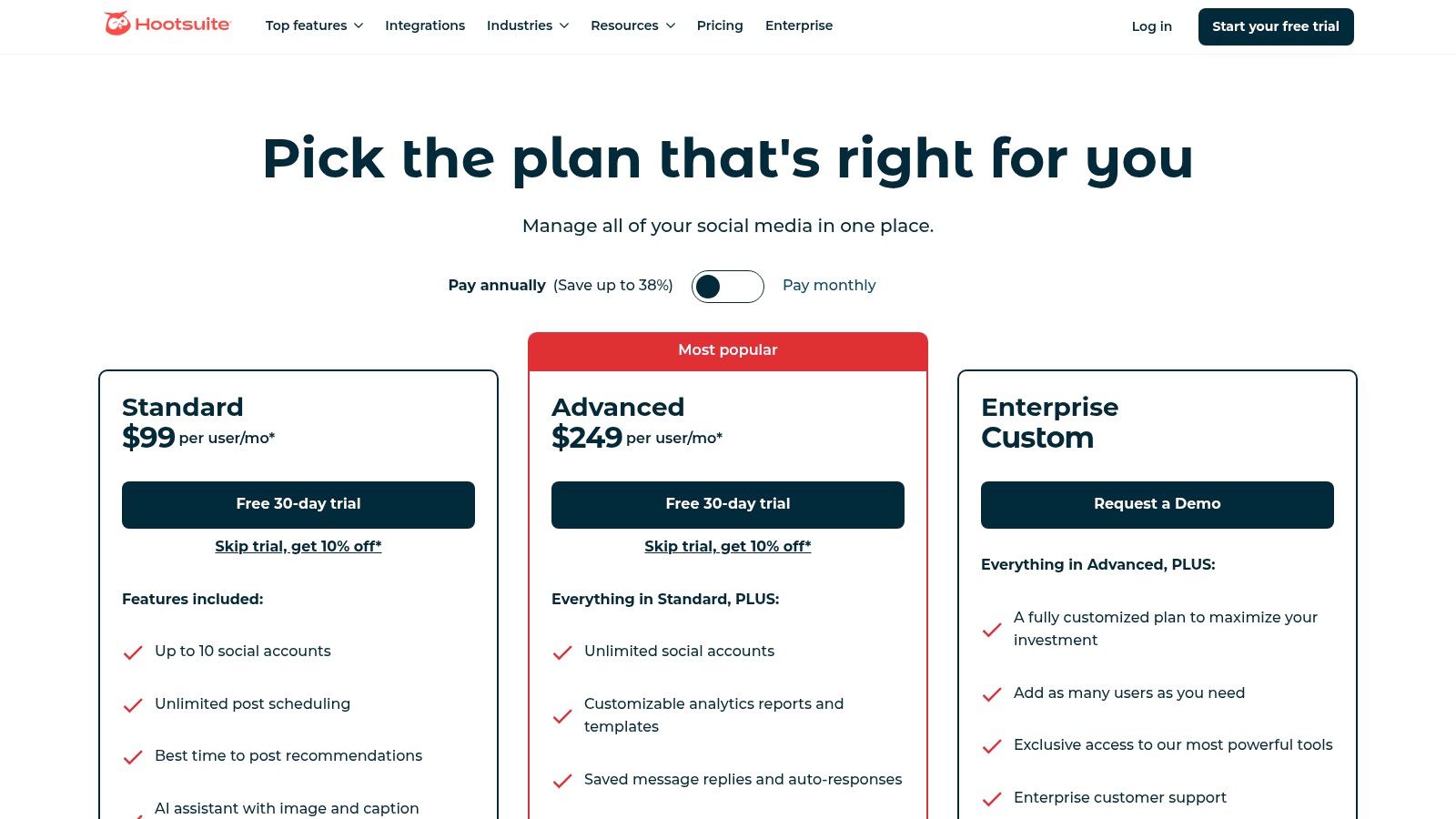
Unlike lighter tools, Hootsuite provides a suite of features designed for scale. This includes a unified inbox for all direct messages and comments, AI-driven content suggestions, and best-time-to-post recommendations. For agencies and competitive brands, the platform’s benchmarking tools are invaluable for tracking performance against competitors.
Key Details & Pricing
- Best For: Mid-to-large businesses, agencies, and enterprise teams requiring structured workflows and deep analytics.
- Unique Feature: Its advanced team management capabilities, including custom user permissions and multi-step approval processes, offer unparalleled control for regulated industries or large marketing departments.
- Pricing: Plans start with a Professional tier at $99/month (1 user, 10 social accounts). The Team plan is $249/month (3 users, 20 accounts), and custom Enterprise plans are available for larger needs.
- Website: https://www.hootsuite.com/plans
Pros & Cons
| Pros | Cons | | :--- | :--- | | Extensive network integrations and app ecosystem. | The interface can feel dated and complex for new users. | | Powerful reporting and analytics features. | Pricing is seat-based and can become expensive quickly. | | Strong governance with detailed permissions and approvals. | Some core features are only available on higher-tier plans. |
3. Buffer
Buffer is renowned for its clean interface and straightforward approach, making it one of the best social media scheduling tools for individuals and small businesses just starting out. It focuses on core scheduling, publishing, and basic analytics, removing the complexity found in enterprise-level platforms. Its intuitive design allows users to quickly connect accounts, fill their content queue, and establish a consistent posting cadence without a steep learning curve.
The platform's philosophy centers on simplicity and efficiency. Buffer offers a streamlined dashboard where you can manage all your scheduled content in a clear calendar view, engage with comments and mentions through its unified inbox, and track essential performance metrics. The recently added AI Assistant helps users quickly generate and repurpose content, further simplifying the content creation workflow for busy teams.
Key Details & Pricing
- Best For: Solopreneurs, content creators, and small businesses seeking an affordable, easy-to-use scheduler with a generous free option.
- Unique Feature: Its flexible and transparent per-channel pricing model allows users to scale their plan based on the exact number of social accounts they manage, avoiding large price jumps.
- Pricing: A generous Free plan is available (3 channels, 10 scheduled posts per channel). Paid plans start with the Essentials tier at $6/month per channel, and the Team plan at $12/month per channel, which includes unlimited users.
- Website: https://buffer.com/pricing
Pros & Cons
| Pros | Cons | | :--- | :--- | | Extremely clean UI and a very fast learning curve. | Advanced analytics and collaboration features are limited to higher plans. | | Generous free plan provides significant value. | The per-channel pricing can become costly for agencies managing many accounts. | | Scalable per-channel pricing is cost-effective for small-scale users. | Lacks the deep social listening and competitor analysis tools of larger platforms. |
4. Later
Later has cemented its reputation as the go-to platform for visually driven brands, particularly those focused on Instagram and TikTok. Its calendar-first interface allows users to drag and drop media to create a cohesive and aesthetically pleasing feed, making it one of the best social media scheduling tools for visual planning. Initially centered on Instagram, Later has expanded its capabilities to support a full suite of networks, including Threads, YouTube Shorts, and Snapchat, while adding powerful team collaboration features.
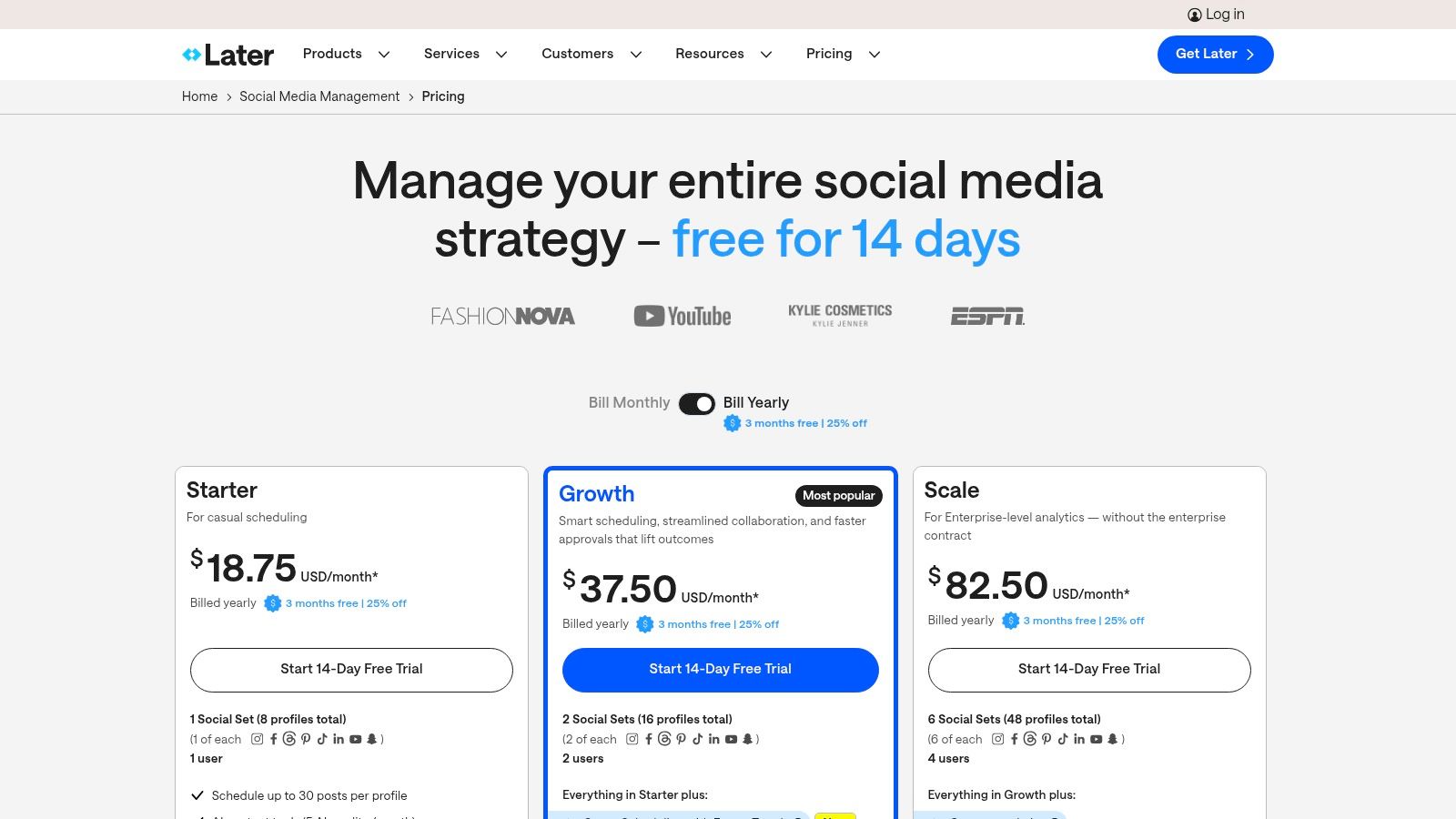
The platform excels at simplifying content workflows from planning to publication. Features like the Visual Planner, user-generated content (UGC) collection tools, and a built-in link-in-bio page make it an all-in-one solution for creators and e-commerce brands. Higher-tier plans introduce advanced functionalities such as competitor benchmarking and detailed analytics, helping teams refine their strategy based on performance data and emerging trends.
Key Details & Pricing
- Best For: Creators, e-commerce brands, and social media managers who prioritize visual content planning and a streamlined user experience.
- Unique Feature: Its highly intuitive Visual Planner, which allows you to preview your Instagram grid before posting, combined with smart scheduling and "Future Trends" insights for content ideas.
- Pricing: A free plan is available with limitations. Paid plans start with Starter at $25/month (1 user, 1 social set). The Growth plan is $45/month (3 users, 3 social sets), and the Advanced plan is $80/month (6 users, 6 social sets).
- Website: https://later.com/pricing
Pros & Cons
| Pros | Cons | | :--- | :--- | | Strong visual planning for short-form and multi-profile posting. | The lower-tier plan has tighter post caps per profile. | | Clear packaging for multi-network 'social sets'. | Some key features are gated to Growth/Advanced tiers. | | Excellent link-in-bio and UGC collection tools. | AI credits are limited, especially on lower-tier plans. |
5. Sprout Social
Sprout Social positions itself as a premium, all-in-one social media management suite, designed for brands and agencies that prioritize deep analytics and seamless team collaboration. It goes beyond simple scheduling by integrating sophisticated listening, publishing, and engagement tools into a single, polished interface. The platform's core strength lies in its ability to turn raw social data into actionable business intelligence, making it one of the best social media scheduling tools for data-driven teams.
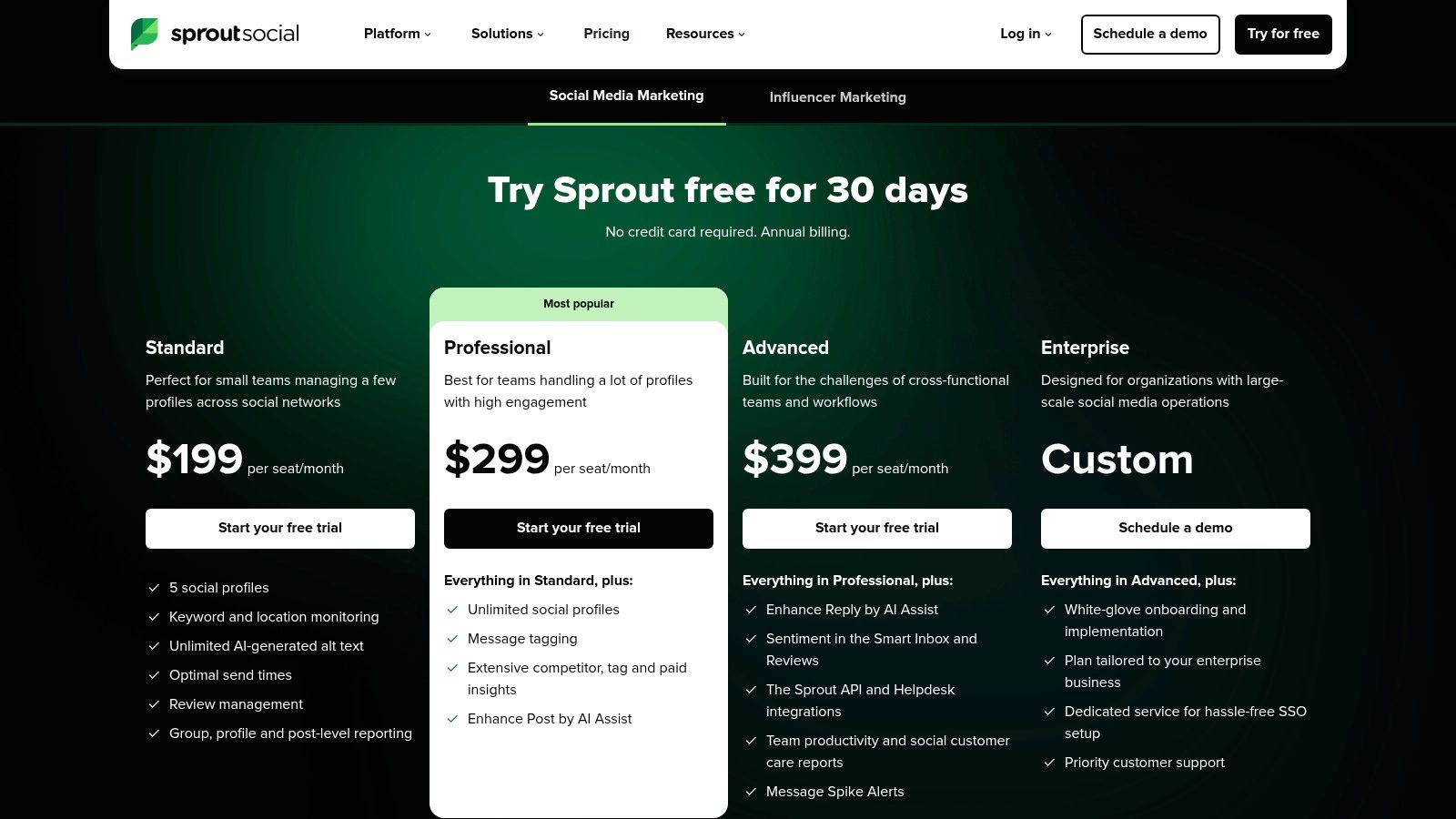
Its unified Smart Inbox is a standout feature, consolidating messages and comments from all connected profiles into a single stream where teams can collaborate on replies and track conversation history. Sprout Social also offers advanced features like optimal send times, AI-assisted content drafting, and powerful competitor benchmarking reports that provide a clear view of the competitive landscape. This focus on analytics and workflow efficiency makes it a top choice for organizations that need to prove ROI.
Key Details & Pricing
- Best For: Agencies and mid-to-enterprise level businesses that require best-in-class reporting, robust team collaboration features, and a polished user experience.
- Unique Feature: Its comprehensive and presentation-ready reporting suite, which offers deep insights into everything from post performance and audience growth to team productivity and competitive analysis.
- Pricing: The Standard plan starts at $249/month per user. The Professional plan is $399/month per user, adding more advanced features, and custom Advanced plans are available.
- Website: https://sproutsocial.com/pricing
Pros & Cons
| Pros | Cons | | :--- | :--- | | Best-in-class reporting depth and polished exports. | Per-seat pricing is higher than SMB-focused tools. | | Scales well for multi-team environments. | Add-ons for listening and analytics can increase total cost. | | Intuitive user interface and excellent customer support. | May be overly complex for solo users or small businesses. |
6. Sendible
Sendible is purpose-built for marketing agencies and teams managing multiple clients, positioning itself as a powerful, all-in-one productivity platform. Its core strength lies in its ability to streamline client management with features like customizable dashboards, white-label reporting, and dedicated content libraries for each brand. This agency-centric approach simplifies complex workflows, allowing users to manage dozens of social profiles from a single, organized interface.
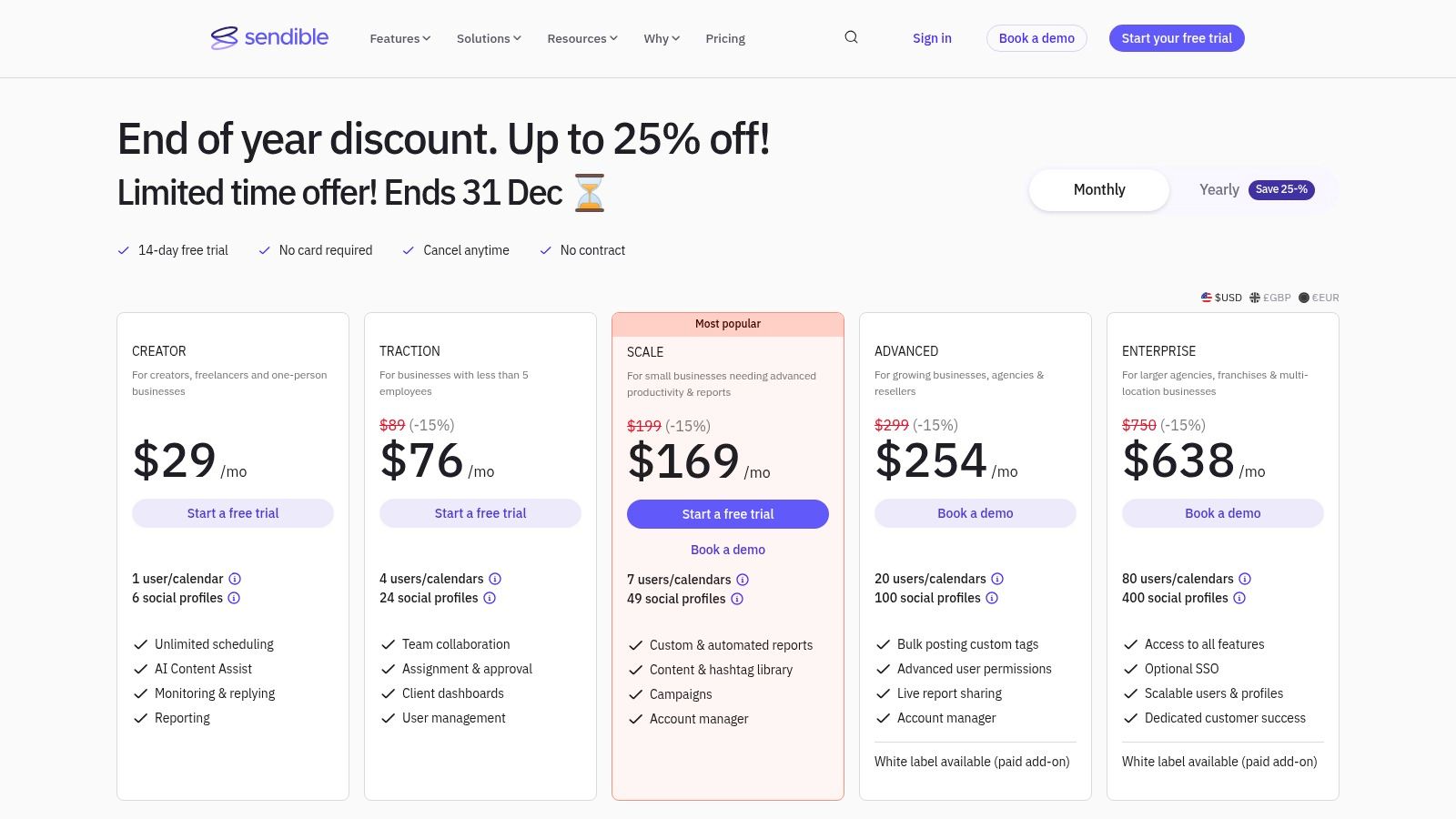
Unlike many competitors, Sendible offers a more inclusive pricing model that doesn't nickel-and-dime users for core features like a unified social inbox or Canva integration. The platform excels at bulk scheduling and content curation, with a built-in RSS feed reader and content suggestion engine to keep calendars full. Its comprehensive reporting tools are designed to be client-ready, making it one of the best social media scheduling tools for demonstrating ROI without extensive manual work.
Key Details & Pricing
- Best For: Digital marketing agencies, social media managers, and businesses managing multiple brands or client accounts.
- Unique Feature: Its white-label solution allows agencies to brand the entire platform as their own, providing a seamless and professional experience for their clients.
- Pricing: The Creator plan starts at $29/month (1 user, 6 profiles). The agency-focused Traction plan is $89/month (4 users, 24 profiles), and the Scale plan is $240/month (15 users, 105 profiles).
- Website: https://www.sendible.com/pricing
Pros & Cons
| Pros | Cons | | :--- | :--- | | Strong value for agencies with many profiles and users. | The interface can have a learning curve versus lighter tools. | | Flexible reporting and client-ready dashboards. | Some features, like the white-label option, require add-ons. | | Includes direct posting to Instagram and Google Business Profile. | User experience can feel less modern than some newer platforms. |
7. SocialBee
SocialBee excels at automating content workflows, particularly for solopreneurs, bloggers, and small businesses managing a robust content strategy. Its standout feature is category-based scheduling, which allows users to group posts by topic (like "Promotions," "Blog Posts," or "Quotes") and set a publishing schedule for each category. This system, combined with evergreen content recycling, ensures a balanced and continuous stream of content with minimal manual effort.
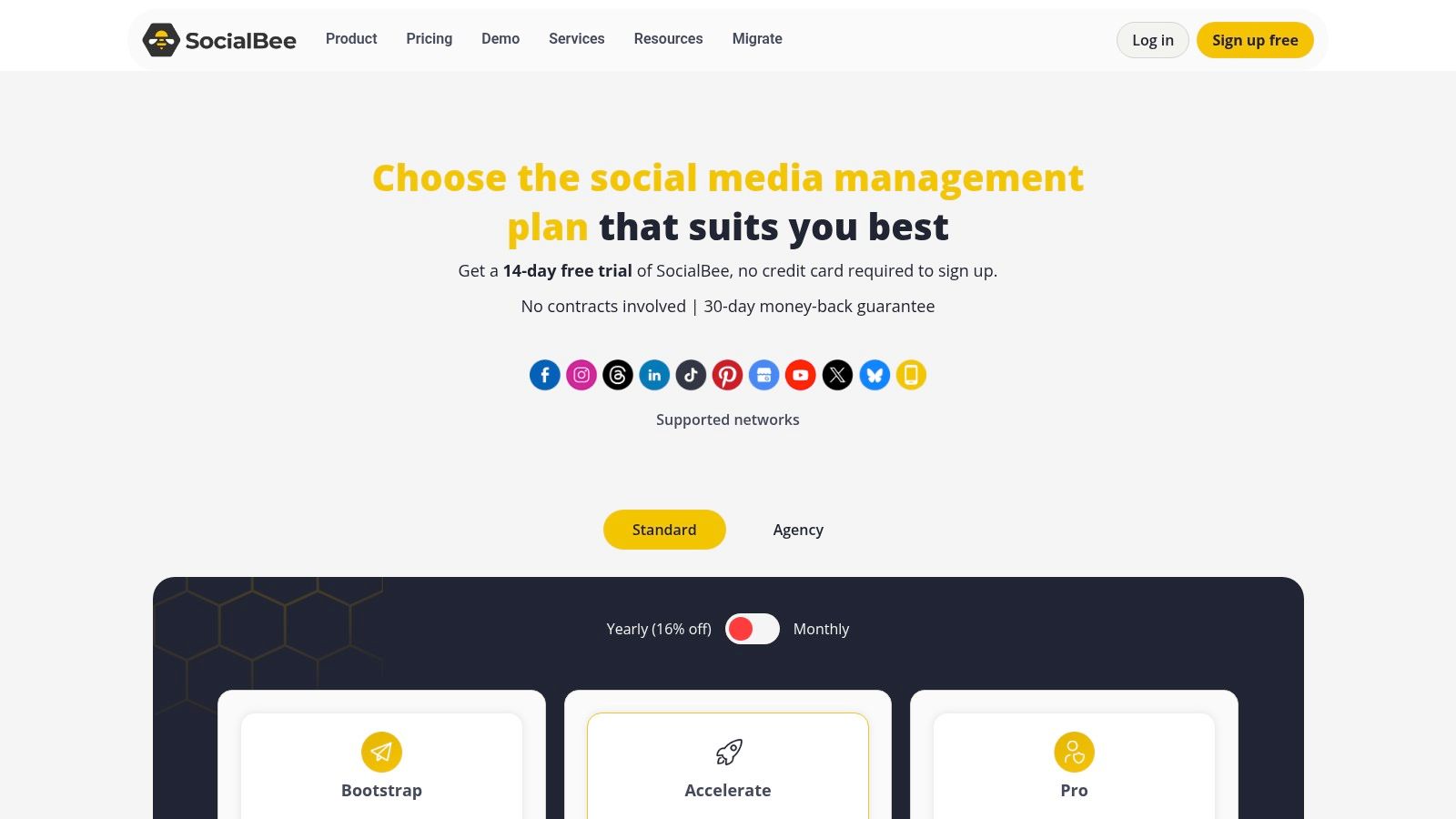
Unlike many other best social media scheduling tools that focus solely on one-off posts, SocialBee is built for longevity. Its evergreen reposting feature automatically re-shares your best-performing content over time, maximizing its lifespan and reach. The platform also includes a helpful AI assistant for generating post variations and an integrated engagement inbox to manage comments and mentions, making it a comprehensive solution for those focused on efficiency.
Key Details & Pricing
- Best For: Solopreneurs, small businesses, and agencies that want to automate evergreen content and streamline their publishing schedule.
- Unique Feature: Its powerful category-based evergreen content recycling system ensures your content calendar is always full and your best posts are continuously re-shared.
- Pricing: Plans start with the Bootstrap tier at $29/month (1 user, 5 social accounts). The Accelerate plan is $49/month (1 user, 10 accounts), and the Pro plan is $99/month (3 users, 25 accounts).
- Website: https://socialbee.com/pricing
Pros & Cons
| Pros | Cons | | :--- | :--- | | Competitive pricing offers strong value for the features. | Advanced collaboration features are limited to higher-tier plans. | | Quick to deploy with category templates and automation. | Pay attention to promotional pricing versus standard renewal rates. | | Excellent for maintaining an active presence with less effort. | The user interface can feel busy with all the category options. |
8. Loomly
Loomly shines as a brand success platform that puts collaboration and content planning at its forefront. It is designed for marketing teams that prioritize a structured, approval-based workflow, making it an excellent choice for agencies managing client accounts or internal teams with strict brand guidelines. Its clean, calendar-centric interface provides an intuitive overview of all scheduled content, complete with post mockups that show exactly how content will appear on each network.
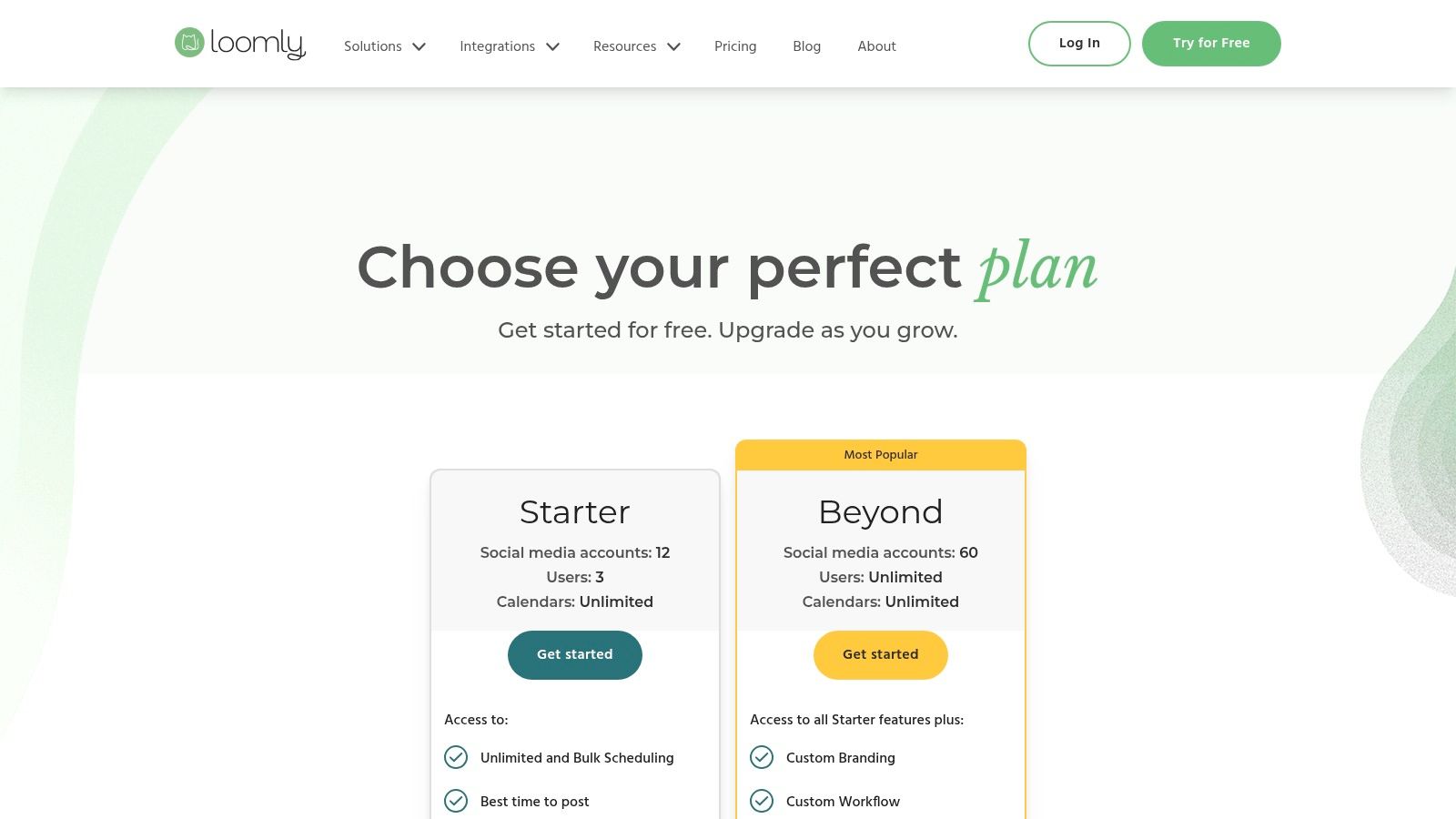
More than just a scheduler, Loomly guides users from post idea to publication. It offers content suggestions, a centralized asset library, and per-network post customization to ensure every piece of content is optimized for its platform. The emphasis on collaboration makes it one of the best social media scheduling tools for teams seeking a "brand-safe" environment where every post can be reviewed, commented on, and approved before going live.
Key Details & Pricing
- Best For: Agencies, marketing teams, and brands that require a streamlined collaboration and client sign-off process.
- Unique Feature: Its robust, multi-step approval workflow combined with automatic post mockups makes stakeholder reviews simple and visual, reducing miscommunication.
- Pricing: The Base plan starts at $42/month (2 users, 10 social accounts). The Standard plan is $84/month (6 users, 20 accounts), with Pro and Advanced tiers available for larger teams. A significant discount is offered for annual billing.
- Website: https://www.loomly.com/pricing
Pros & Cons
| Pros | Cons | | :--- | :--- | | Excellent for stakeholder review and client approvals. | Fewer built-in social listening features versus larger suites. | | A great balance of content planning and publishing tools. | Exact enterprise pricing is not public and requires a quote. | | Clean interface with post mockups and a shared asset library. | Advanced analytics are reserved for higher-priced plans. |
9. Metricool
Metricool stands out as an all-in-one social media management tool that masterfully combines scheduling with powerful analytics and reporting. It is particularly appealing to freelancers, small businesses, and agencies looking for a data-centric approach to their social strategy without the enterprise-level price tag. Its core strength is making complex data accessible, offering competitor analysis, hashtag tracking, and ad campaign reporting directly within its dashboard.
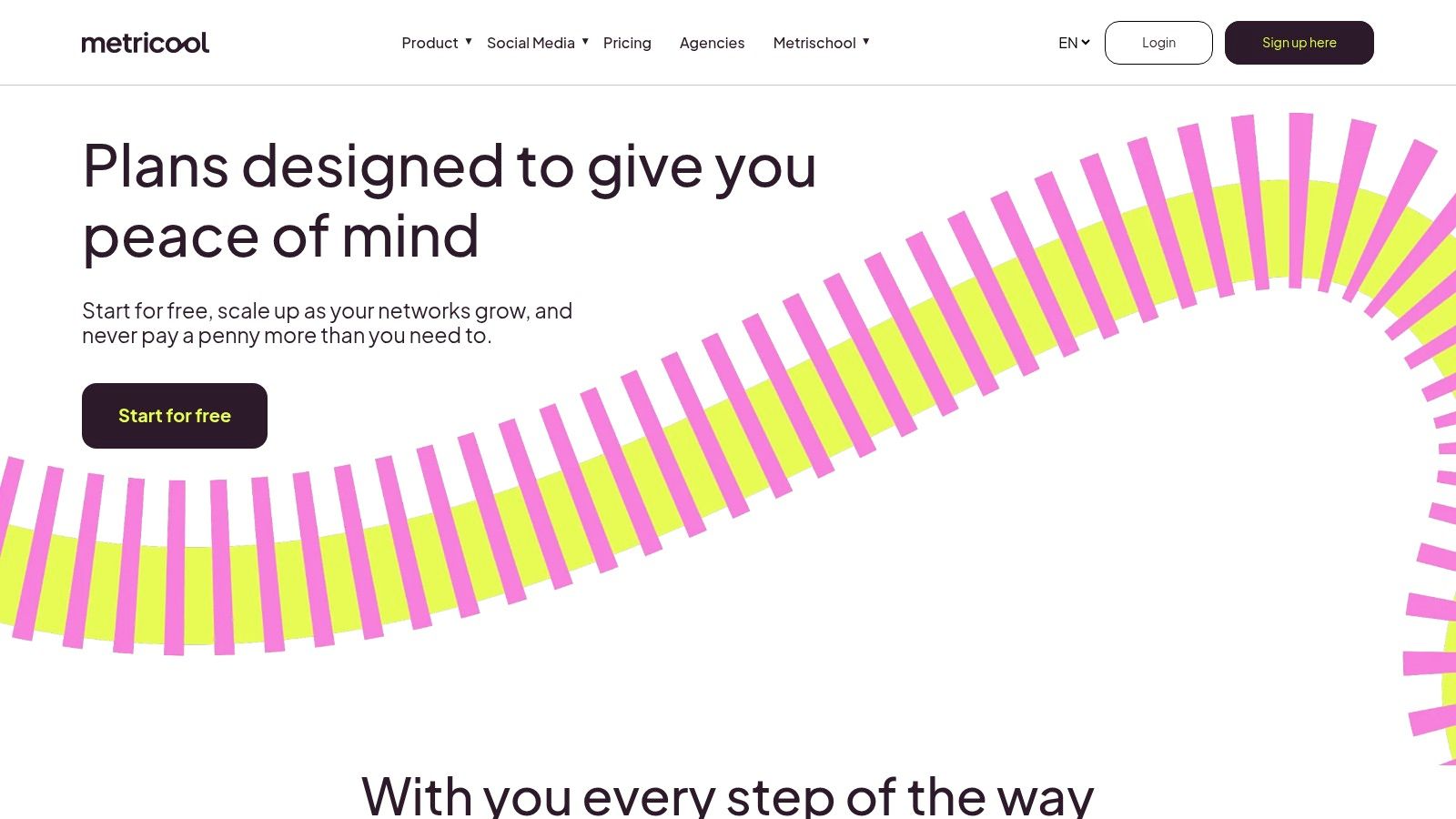
Unlike many tools that prioritize scheduling alone, Metricool integrates performance metrics directly into the planning process. Users can see the best times to post based on their audience's activity and analyze content performance to refine future posts. This blend of scheduling and deep analytics makes it one of the best social media scheduling tools for users who want to prove ROI and make informed decisions based on hard data.
Key Details & Pricing
- Best For: Data-driven marketers, freelancers, and small-to-midsize agencies needing comprehensive analytics alongside scheduling.
- Unique Feature: Its robust free plan provides scheduling, analytics, and a link-in-bio tool for one brand, offering immense value for those just starting out. The integration with Looker Studio is also a key differentiator for advanced reporting.
- Pricing: A generous Free plan is available (1 brand, 50 posts/month). Paid plans start with Starter at $22/month (5 brands, 2,000 posts/month) and Advanced at $59/month (15 brands, 5,000 posts/month). Custom agency plans are also offered.
- Website: https://metricool.com/pricing/
Pros & Cons
| Pros | Cons | | :--- | :--- | | Strong analytics and reporting capabilities. | X/Twitter functionality requires a paid add-on. | | Excellent value, especially with the comprehensive free plan. | Feature limits and names can vary by currency and region. | | Useful integrations like Looker Studio, Zapier, and Make. | The interface can feel less intuitive than some competitors. |
10. Planable
Planable is a collaboration-first social media scheduling tool designed for agencies and marketing teams that thrive on feedback and streamlined approvals. It shifts the focus from simple scheduling to a visual planning process where content is created, reviewed, and approved in a shared workspace. The platform excels at providing pixel-perfect previews, allowing stakeholders to see exactly how posts will look on platforms like Instagram, Facebook, and LinkedIn before they go live.
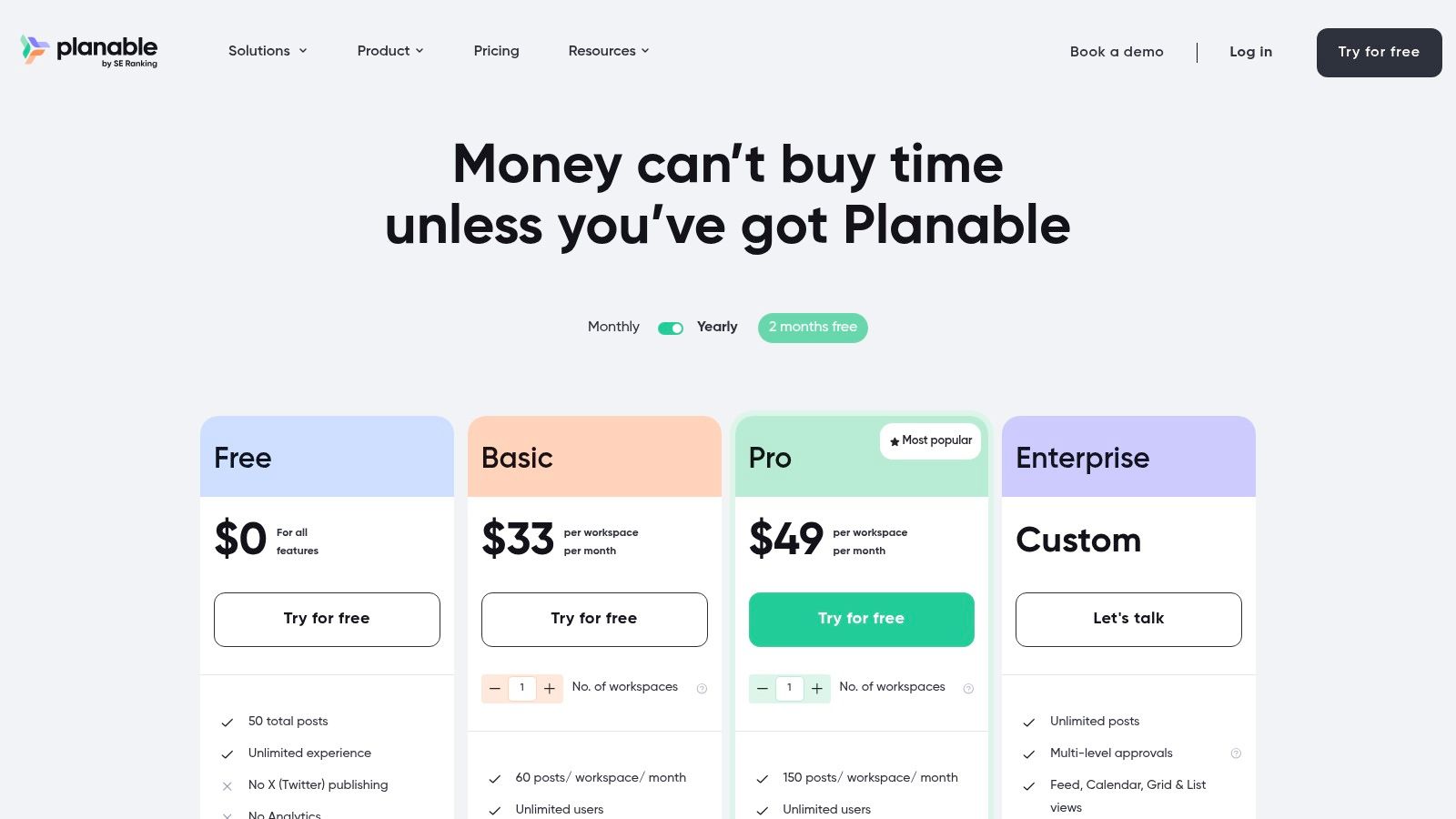
This focus on collaboration makes it one of the best social media scheduling tools for client-facing work. Instead of messy email chains or spreadsheet comments, all feedback is left directly on the post mock-up. With calendar, feed, and grid views, teams can visualize entire campaigns and ensure brand consistency. Its modular approach allows users to add analytics or engagement features only when needed, keeping the core experience clean and focused.
Key Details & Pricing
- Best For: Agencies, marketing teams, and freelancers who need an efficient client and internal approval workflow.
- Unique Feature: Its commenting and multi-level approval system is built directly on top of live post previews, making the feedback loop incredibly intuitive and fast for non-technical stakeholders.
- Pricing: A generous Free plan includes 1 user and 50 posts. The Basic plan starts at $11/user/month (billed annually) with unlimited posts. Optional add-ons for Analytics and Engagement are available for an extra fee per workspace.
- Website: https://planable.io/pricing/
Pros & Cons
| Pros | Cons | | :--- | :--- | | The client review and approval process is exceptionally smooth. | Analytics and the social inbox are paid add-ons. | | Clear per-workspace pricing with modular feature add-ons. | Publishing to X/Twitter is not included on the free plan. | | Unlimited users can be invited to workspaces for collaboration. | Primarily focused on planning; less robust on deep analytics. |
11. Publer
Publer stands out in the crowded market of social media scheduling tools with its highly flexible and transparent pricing model. It allows users to build a custom plan by selecting the exact number of social accounts and team members they need, making it an incredibly cost-effective solution for freelancers, small agencies, and growing businesses who want to avoid paying for unused slots. This à-la-carte approach provides granular control over expenses without sacrificing powerful features.
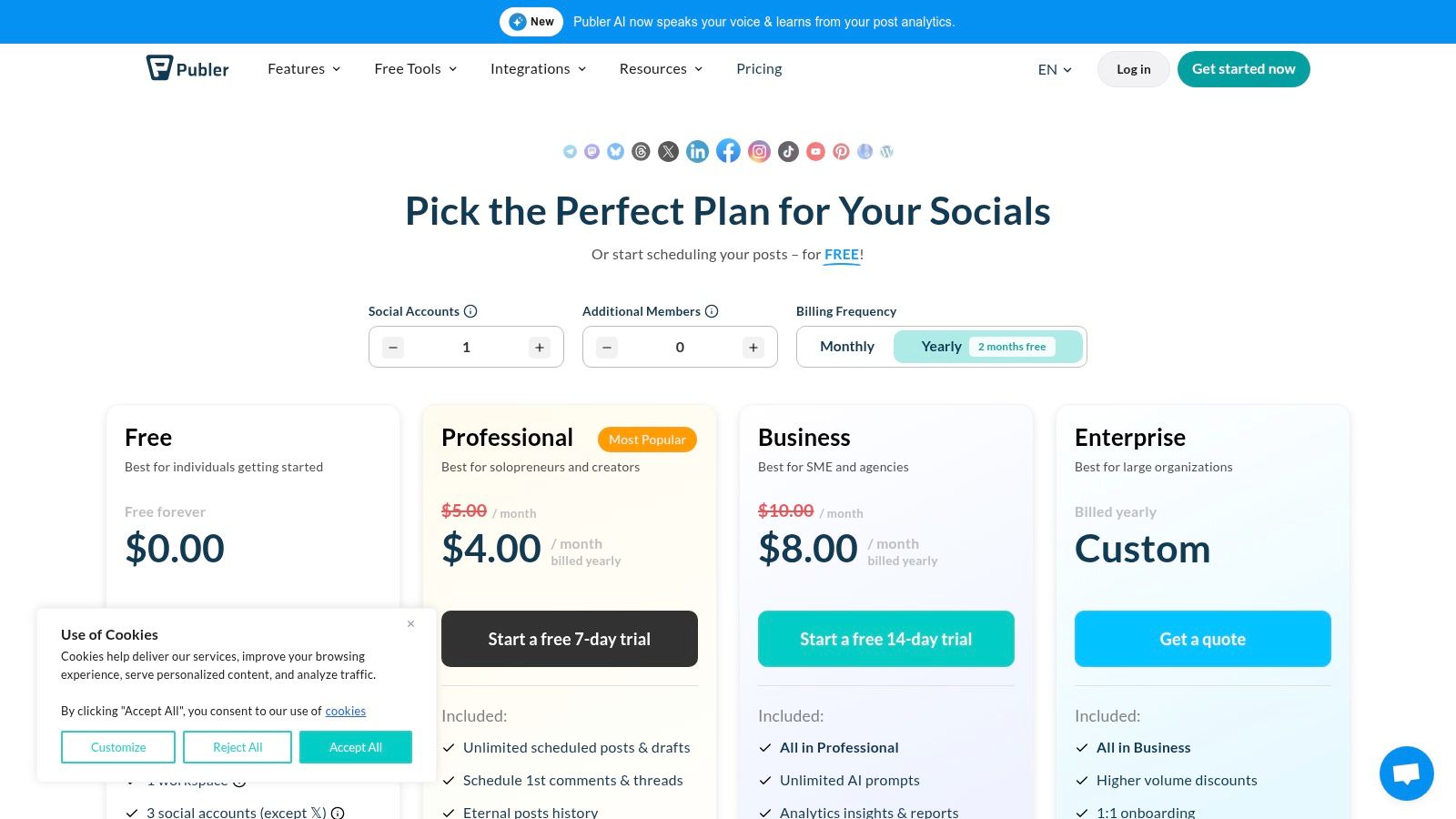
Beyond its unique pricing, Publer offers a robust feature set, including unlimited post scheduling on all paid plans, bulk scheduling capabilities, and a comprehensive link-in-bio tool. It also integrates useful automations like RSS feeds to auto-post content and AI-powered assistance for generating post ideas and captions. This combination of affordability, flexibility, and automation makes it an excellent choice for budget-conscious teams who still require efficiency.
Key Details & Pricing
- Best For: Freelancers, small agencies, and businesses looking for a highly scalable and budget-friendly scheduling solution.
- Unique Feature: Its per-account and per-member pricing structure is exceptionally flexible, even offering every 10th social account or team member for free, which is unique among social media scheduling tools.
- Pricing: A Free plan is available (3 accounts, limited features). Paid plans are fully customizable; the Professional plan starts at $12/month for 3 social accounts, and the Business plan starts at $21/month for 3 accounts with more advanced features like AI assist.
- Website: https://publer.io/pricing
Pros & Cons
| Pros | Cons | | :--- | :--- | | Highly granular and scalable pricing model. | The free plan excludes scheduling for X (formerly Twitter). | | Broad network support and useful automations. | Pricing can be less predictable if accounts/users fluctuate. | | Unlimited scheduling is included on all paid plans. | The user interface can feel less polished than some competitors. |
12. CoSchedule (Social Calendar)
CoSchedule excels at integrating social media scheduling into a broader marketing calendar, making it a powerful choice for content teams that need to align their social promotions with blog posts, email campaigns, and other marketing initiatives. Its clean, color-coded calendar view provides a unified timeline of all marketing activities, helping to prevent content silos and ensure a cohesive brand message across all channels. The platform is built for efficiency, with features designed to automate and optimize the entire content lifecycle.
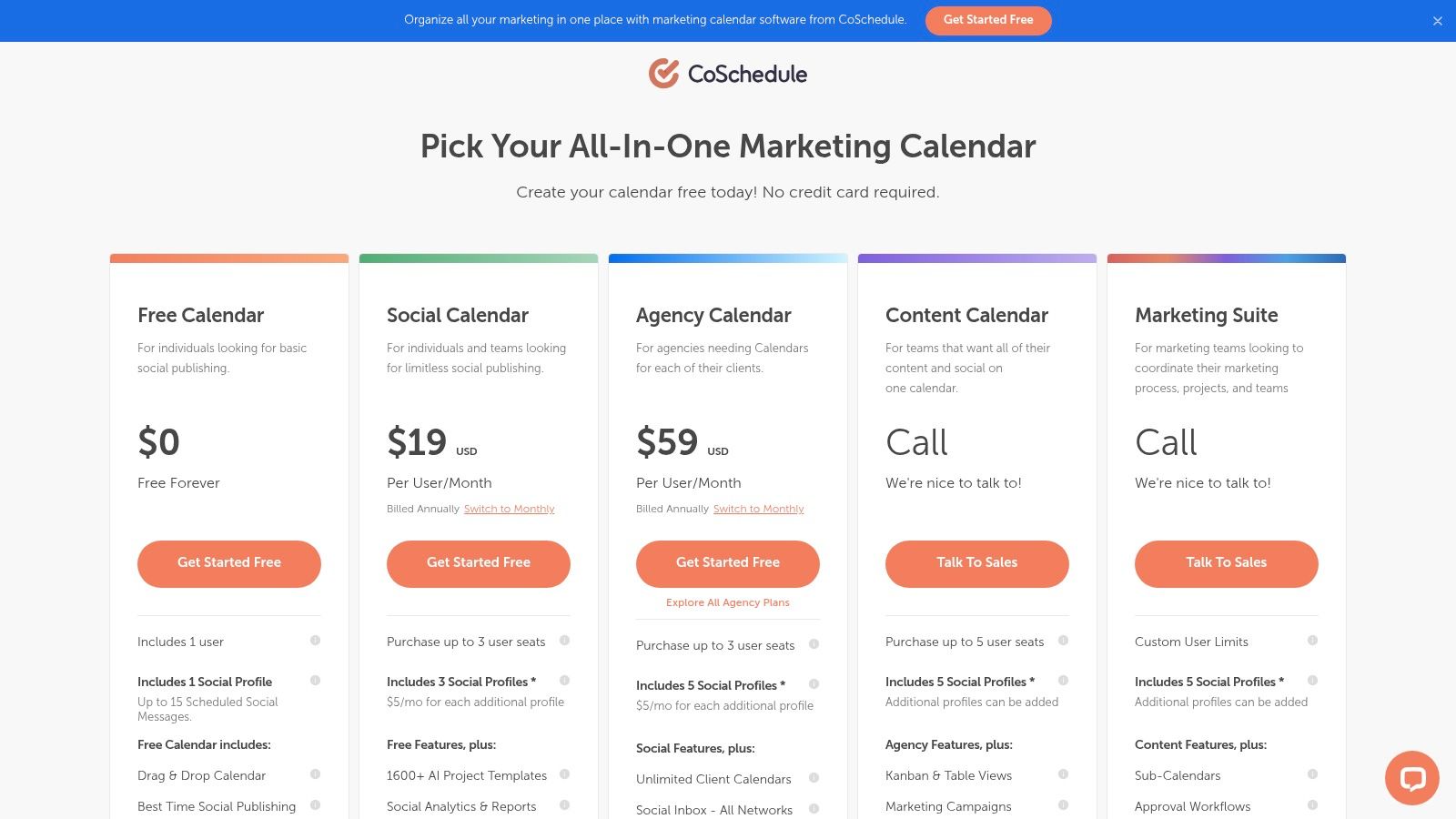
Unlike many standalone scheduling tools, CoSchedule's strength is its holistic approach. It provides intelligent Best Time Scheduling recommendations to maximize engagement and includes a powerful ReQueue feature to automatically re-share your best-performing evergreen content. This focus on content optimization and workflow integration makes it one of the best social media scheduling tools for teams seeking to improve their overall marketing productivity, not just their social media posting.
Key Details & Pricing
- Best For: Content marketing teams, agencies, and businesses that need to coordinate social media schedules with a comprehensive marketing calendar.
- Unique Feature: The unified Marketing Calendar that displays all projects (social media, blog posts, emails, etc.) in one place, providing unparalleled organizational clarity.
- Pricing: A free plan is available for personal use. The Social Calendar plan is $29/month per user (10 social profiles). An Agency plan with more features is also offered.
- Website: https://coschedule.com/pricing
Pros & Cons
| Pros | Cons | | :--- | :--- | | Excellent automation and analytics at accessible pricing. | X/Twitter profiles are billed separately from other networks. | | Clean calendar UI integrates broader marketing workflows. | Seat-based pricing can become expensive for larger teams. | | ReQueue feature is great for recycling evergreen content. | The Social Inbox is limited on the standard Social plan. |
Top 12 Social Media Scheduling Tools Comparison
| Platform | Key features | AI & unique selling points ✨ | UX & Quality ★ | Target audience 👥 | Price & Value 💰 | |---|---|---:|---:|---|---| | 🏆 ViewPrinter | End-to-end content engine: generation, editing, scheduling, analytics | ✨ Avatar studio + UGC ad studio; GPT‑4o/Flux/Gemini/Grok-powered media & copy | ★★★★★ — rapid output; needs light human tuning | 👥 E‑commerce, agencies, creators, SMBs | 💰 Starter→Premium; AI credits; contact sales (no public MSRP) | | Hootsuite | Planning, scheduling, engagement, listening, approvals | ✨ Governance, broad network integrations | ★★★★☆ — enterprise-grade, steeper learning curve | 👥 Mid→large teams, enterprises | 💰 Seat-based; premium for small teams | | Buffer | Simple scheduling, publishing, basic analytics | ✨ Per-channel pricing; clean UI & fast onboarding | ★★★★☆ — easy, reliable | 👥 Creators, solopreneurs, small teams | 💰 Free tier; paid per-channel tiers | | Later | Visual planner, calendar-first scheduler, UGC collection | ✨ Visual composer + "Future Trends" insights | ★★★★☆ — best for visual workflows | 👥 Instagram/TikTok creators & brands | 💰 Tiered plans; caps on lower tiers; gated AI credits | | Sprout Social | Advanced reporting, unified inbox, collaboration | ✨ Best-in-class analytics & exports | ★★★★★ — polished, insight-driven | 👥 Brands, agencies, multi-team orgs | 💰 Per-seat premium; add-ons increase cost | | Sendible | Agency dashboards, bulk publishing, white-label | ✨ Client-ready reports & multi-calendar support | ★★★★☆ — agency-focused, more features to learn | 👥 Agencies, multi-client teams | 💰 Strong agency value; some features in higher tiers/add-ons | | SocialBee | Category queues, evergreen reposting, automation | ✨ Category-based recycling for evergreen content | ★★★★☆ — quick deploy, template-rich | 👥 Solopreneurs, SMBs, small agencies | 💰 Competitive pricing; advanced on Pro/Agency tiers | | Loomly | Collaborative calendar, post mockups, approvals | ✨ Pixel-perfect previews & asset library | ★★★★☆ — excellent stakeholder reviews | 👥 Agencies, client-facing teams | 💰 Per-workspace pricing; nonprofit/annual discounts | | Metricool | Scheduling + analytics + competitor tracking | ✨ Strong analytics at lower price points | ★★★★☆ — good reports & integrations | 👥 Creators, SMBs, agencies | 💰 Free plan; affordable paid tiers; some add‑ons | | Planable | Collaboration-first: previews, approvals, workflows | ✨ Pixel-perfect previews & flexible approval types | ★★★★☆ — smooth review/approval flow | 👥 Agencies, teams needing quick sign-off | 💰 Clear per-workspace pricing; analytics add-ons | | Publer | Flexible per-account/member pricing, bulk scheduling | ✨ À‑la‑carte account pricing; generous automations | ★★★★☆ — budget-friendly, flexible | 👥 Budget teams, multi-account users | 💰 Granular pricing by accounts/members; free limitations | | CoSchedule (Social Calendar) | Marketing calendar, ReQueue evergreen, best-time posting | ✨ ReQueue automation integrates social + marketing calendars | ★★★★☆ — clean calendar UX | 👥 Content teams coordinating broader marketing | 💰 Accessible plans; seat-based can add up |
Final Thoughts
Navigating the extensive landscape of social media scheduling tools can feel overwhelming, but the right platform is a powerful catalyst for growth, consistency, and efficiency. We've explored a dozen of the best social media scheduling tools, from enterprise-grade powerhouses like Sprout Social to agile, creator-focused platforms like Later and the all-in-one content engine of ViewPrinter. The core takeaway is that there is no single "best" tool for everyone; the ideal choice is deeply personal, tied directly to your specific goals, team size, and operational workflow.
Your decision should not be based on feature lists alone. Instead, it should be a strategic choice that aligns with your business's unique trajectory. An e-commerce brand might prioritize tools like Later or Planable for their strong visual planning and collaboration features, while a digital marketing agency will find Sendible's white-label reports and client management dashboards invaluable. Solopreneurs and small businesses, on the other hand, might lean towards the affordability and evergreen content features of SocialBee or the comprehensive analytics of Metricool.
How to Choose the Right Tool for You
To make a confident decision, distill your needs down to the essentials. Before committing to a subscription, map out your must-have features and pain points.
- For Analytics-Driven Teams: If deep reporting, competitor analysis, and ROI tracking are paramount, Sprout Social and Metricool offer robust analytics suites that provide actionable insights to refine your strategy.
- For Visual-First Brands: If your content strategy is heavily reliant on Instagram, Pinterest, and TikTok, the visual calendars and media libraries in Later, Planable, and Loomly are designed to streamline your visual content workflow.
- For Agencies and Freelancers: Managing multiple clients requires efficiency and organization. Sendible and Hootsuite excel in this area, offering client dashboards, team workflows, and comprehensive permissions to keep everything secure and organized.
- For Content Creators & Solopreneurs: If you need an affordable, straightforward solution to maintain a consistent presence, Buffer, Publer, and SocialBee provide excellent value, focusing on core scheduling and content curation features without unnecessary complexity.
Implementation and Beyond
Once you've selected a tool, implementation is more than just connecting your social profiles. It's an opportunity to redefine your entire content workflow. Use this transition to build a structured content calendar, establish approval processes if you're part of a team, and set up automated reports to track your performance from day one.
Remember that scheduling is just one piece of the puzzle. A truly optimized social media strategy also involves maximizing the potential of every touchpoint. For instance, once you've scheduled your posts, ensure your profile is equipped to convert that engagement. A well-structured 'link in bio' page is crucial for directing your audience to your most important content. To perfect this, you might want to explore the best Linktree alternatives that offer more customization and analytics.
Ultimately, the goal is to transform your social media management from a reactive, time-consuming task into a proactive, strategic engine for growth. The right scheduling tool doesn't just post for you; it frees up your time to engage with your audience, analyze performance, and create higher-quality content. Let automation handle the logistics so you can focus on what truly matters: building a thriving community around your brand.
Ready to move beyond just scheduling and unify your entire content creation process? ViewPrinter combines a powerful social media scheduler with an AI content generator and a UGC ad creator, allowing you to ideate, create, schedule, and analyze your campaigns from a single, intuitive platform. Start streamlining your social media with ViewPrinter today.