7.8Mviews22× usual
“Eating at my 9-5”
Office worker logs meals with calorie and protein counters.
@slightly_enhanced48.4k followers4,121,723posts delivered
Link your accounts once. Then ask Claude, ChatGPT, Grok Bot or any other AI assistant what is working, post ten cuts of it across your accounts, and ask which one worked.
Nothing due today. 7 days free, then $19 a month, cancel any time from inside the app.
What’s working for calorie tracking apps on TikTok this week?
Three formats are working: the plate with the calories on screen, lunches under 500, and the 30 day diaries. The best ten are all plate shots, averaging 14k views; the diaries take the saves.
Give me ten hooks on the plate format.
Ten, in the order I’d test them: what 1,800 calories actually looks like · the snack that quietly costs you 400 · three lunches, all under 500 · and seven more below.
Make the ten. I’ll check them after lunch.
Ten clips, nine to fourteen seconds each, the hook on screen for the first second.
Post them across the test accounts, two a day at 7, starting tomorrow.
Scheduled. The first goes out tomorrow at 7:00 pm, the last on Saturday. Nothing else is due this week.
It’s been a week. Which one worked?
“what 1,800 calories actually looks like” won: 12.4k views and 210 saves, four times the next. Two never passed 1k. Want five more in that format for next week?
What it does
No flows to build and no keyword triggers. The assistant that posts for you reads what comes back and answers it the way you would.
Post
Answer
TikTok comments today. Instagram and Facebook from October 2026. What works where
Read and reply to Instagram and Facebook comments and messages from the same conversation you post from, and answer a comment with a private DM. Leave an always-on agent like Grok Bot or OpenClaw running and it hears about each new comment or message as it arrives, then does what you told it: send the link someone asked for, answer the common question, flag the one you should see.
An account connected before October 2026 needs reconnecting once to allow it.
Set it up with Grok BotPlatforms
Publishing and post stats work everywhere today. Analytics, comments and messages arrive platform by platform, each with the month we expect it.
| Platform | Publish posts | Post stats | Detailed analytics | Comments | Direct messages |
|---|---|---|---|---|---|
| TikTok | Supported | Supported | See metrics | Supported | Coming October 2026 |
| Supported | Supported | See metrics | Supported | Supported | |
| Supported | Supported | See metrics | Supported | Supported | |
| YouTube | Supported | Supported | Planned November 2026 | Planned November 2026 | Planned November 2026 |
| X | Supported | Supported | Not available | Not available | Not available |
Post it once. It goes out everywhere, on time, and every comment gets an answer.
After it goes out
A week after the posts go out, the numbers are in. Ask what to make next: more of what worked, or a new format where nothing did. The research tool searches TikTok and Instagram in your audience’s own words and brings back the posts that answer, with how far each beat its creator’s usual.
How the ten did, by views
 what 1,800 calories actually looks like12.4k views · 210 saves
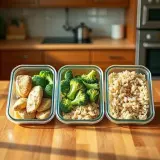 three lunches, all under 5003.1k views · 41 saves
 the snack that quietly costs you 4001.6k views · 12 saves
 I tracked every bite for 30 days904 views · 4 saves
Real creators (not brand or app accounts) who are losing weight or eating to a daily calorie number, posting about what they actually eat: weighed portions, plates with the calories on screen, equal-calorie comparisons, grocery hauls, full days of eating. Which of these posts clearly outperformed the creator’s usual views this month, and what do they put on screen in the first two seconds?
research_ask · 49 searches · 1,190 posts read · 48 videos watched · last 30 days
7.8Mviews22× usual
“Eating at my 9-5”
Office worker logs meals with calorie and protein counters.
@slightly_enhanced48.4k followers598.6kviews509× usual
“Just in case you were wondering, this is a serving of pasta.”
Creator weighs dry pasta and shows its nutrition label.
@angellnthecity8k followers138.2kviews
“what I eat in a day to lose fat on 1,500 calories”
Creator’s 1,500-calorie fat-loss vlog.
@bethanyydobson1.1M followersOther things to ask it
Real posts from one question asked in October 2026, played from our stored copy; each links to its creator. The multiple is a post’s views against its creator’s usual. A question takes a few minutes and uses the credits your plan includes. The four posts in the week above are an illustration.
Setup
One address, and you are connected. There is no key to generate and nothing to keep secret — you sign in the same way you would on any site.
Or add it by hand
https://viewprinter.tech/api/mcpOr add it by hand
https://viewprinter.tech/api/mcpConnectors
What you paste
https://viewprinter.tech/api/mcpThe plugin, one command
What you paste
claude plugin install viewprinter --marketplace 1vmgm/viewprinter-pluginOne extra flag
What you paste
openclaw mcp add viewprinter \
--url https://viewprinter.tech/api/mcp \
--transport streamable-http --auth oauth \
--oauth-scope "mcp:tools offline_access" \
--oauth-client-metadata-url https://viewprinter.tech/.well-known/openclaw-client.jsonFor agents that cannot sign in
Agent only runs local servers? The dashboard has a version for that.
What you paste
{
  "mcpServers": {
    "viewprinter": {
      "type": "http",
      "url": "https://viewprinter.tech/api/mcp",
      "headers": {
        "Authorization": "Bearer ${VIEWPRINTER_API_KEY}"
      }
    }
  }
}
Server config
What you paste
{
  "mcpServers": {
    "viewprinter": {
      "type": "http",
      "url": "https://viewprinter.tech/api/mcp"
    }
  }
}
Meta AI
ViewPrinter for Meta’s new assistant is on its way. Until it lands, every other assistant here works today.
Questions
Why this exists
We run organic social accounts for mobile apps. That is the actual job — a lot of accounts, a lot of platforms, the same clip going to five places on the same morning.
Our agents were already doing most of the work. The one thing they could not do was post. So every day ended the same way: somebody opening five tabs, signing in and out, uploading the same file over again.
Nothing we could buy fixed it. The schedulers were built for a person clicking, not an assistant asking, and the ones with a real API wanted enterprise money for it. So we built what we needed, and we run our own accounts on it every day.
That is why it is shaped like this. No caption writer, no content studio, no AI inventing posts for you — your assistant already does that better than anything we would ship. We are the part that gets it published and tells you what happened.
Pricing
Both plans start with a 7-day free trial. After that it is one price a month for posting and replies, with no charge per person you answer. Research uses the credits your plan includes — cancel any time from inside the app.
$19a month
After a 7-day free trial
$99a month
After a 7-day free trial
Need more posts than Team? See mass posting. Need your team set up? hello@vmgmsoftware.com.
Link your accounts once, then tell your assistant what to post and when.
Nothing due today. Cancel any time.