How to Make a Marketing Video Customers Love
Learn how to make a marketing video that drives results. This guide covers strategy, scripting, production, and promotion with actionable tips.
So, you want to make a marketing video that actually gets results? It’s not just about pointing a camera and hitting record. A truly effective video requires a solid game plan that takes you from the initial spark of an idea all the way through to getting it in front of the right eyeballs.
This guide walks you through that entire process—strategy, production, and promotion—breaking down each stage into practical, manageable steps.
Why Video Is Your Most Powerful Marketing Tool
Let's be clear: video isn't just a "nice-to-have" anymore. It's become the primary way modern brands connect with their audience and drive real growth. Why? Because more than any other format, video builds trust, makes complex ideas simple, and flat-out inspires people to take action.
Think of it as the closest you can get to a face-to-face chat with your customers, but at a massive scale. That's what makes it so essential for building relationships and, ultimately, boosting your bottom line.
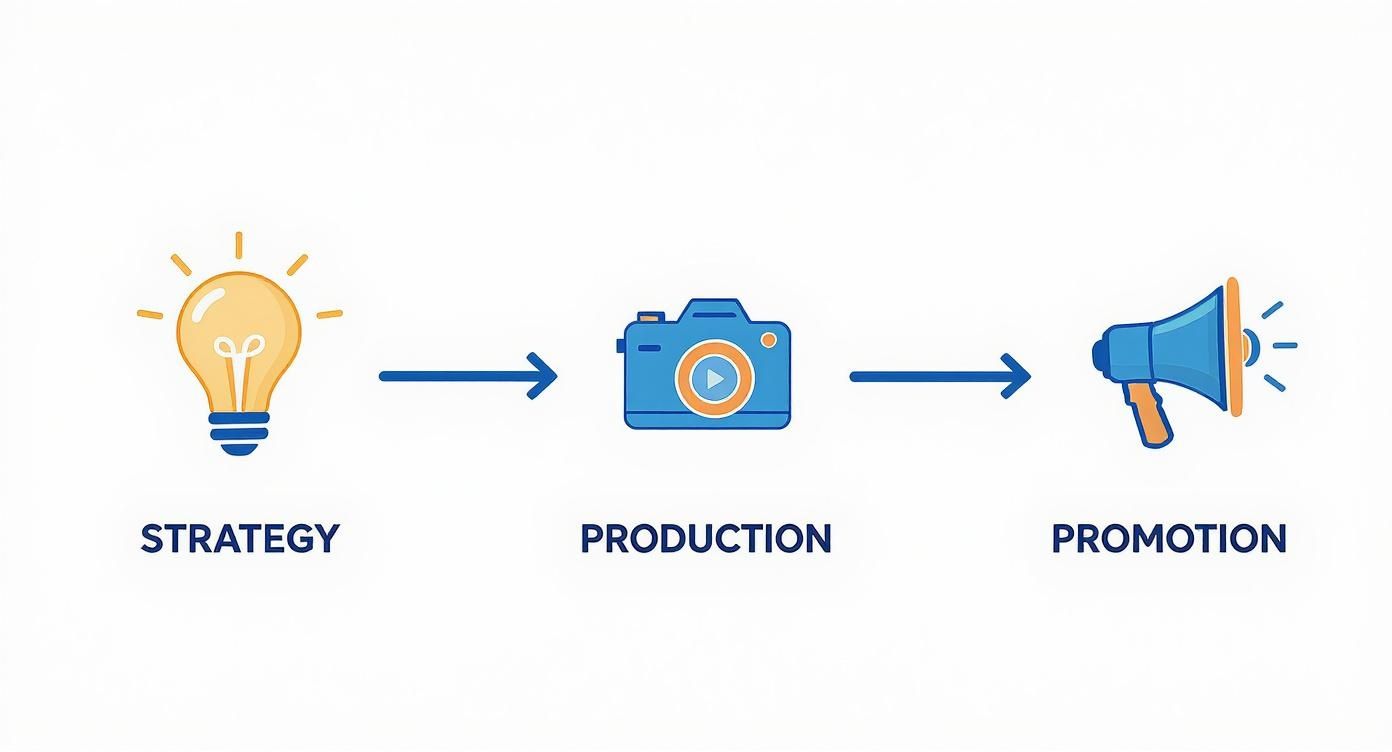
This whole process can feel a bit overwhelming, so it helps to think of it in a few core stages. We've mapped them out below to give you a clear roadmap of what's ahead.
The 5 Core Stages of Marketing Video Production
| Stage | Key Objective | Primary Output | | :--- | :--- | :--- | | Strategy & Ideation | Define goals, audience, and the core message. | A creative brief and video concept. | | Pre-Production | Plan all the logistics for a smooth shoot. | A final script, storyboard, and shot list. | | Production | Capture all the visual and audio elements. | Raw video footage and audio recordings. | | Post-Production | Assemble and polish the final video. | A fully edited video with graphics and sound. | | Distribution & Promotion | Get the video seen by the target audience. | A launch plan and analytics reports. |
Each stage builds on the last, so getting the early parts right is crucial for success down the line. A strong strategy makes production easier, and great production makes your promotion efforts far more effective.
The Numbers Don't Lie
If you're still on the fence, the data speaks for itself. In 2025, a staggering 95% of marketers see video as a critical part of their strategy. That’s a huge jump from 88% just the year before, showing just how essential this medium has become.
What's really interesting, though, is how people are making these videos. The use of AI in video production has exploded from 18% to 41% in a single year. This isn't a fad; it's a massive shift toward smarter, faster ways to create high-quality content.
Video marketing gives you the chance to forge a real, personal connection with your audience. When people see a face and hear a voice, it humanizes your brand. That's a game-changer for improving brand awareness and building loyalty that lasts.
For small businesses just getting started, diving into video can seem like a big leap. But with the right approach, it’s one of the most powerful moves you can make.
- It Builds Trust: Video lets you show people what you mean instead of just telling them. That authenticity is incredibly powerful and believable.
- It Skyrockets Engagement: People remember 95% of a message they see in a video. Compare that to just 10% when they read it in text. The difference is massive.
- It Drives Conversions: Simply adding a video to a landing page can boost conversion rates by over 80%. It’s one of the quickest wins you can get.
If you’re an entrepreneur ready to put this power to work, this dedicated small business video marketing guide offers some great advice tailored for growing on a budget.
Building Your Video Strategy and Script
A killer marketing video never happens by accident. It's the product of a sharp, deliberate strategy that you lock in long before a camera ever enters the picture. This is the foundational work that separates videos that get real results from those that just become more noise online.
Think of your strategy as the blueprint. Without one, you're flying blind.
The first move is to get razor-sharp on who you’re talking to. Don't just settle for "millennials" or "small business owners." Go deeper. What are their actual pain points? What gets them excited? What kind of videos are they already watching and sharing with their friends?
Building out a detailed customer persona is your key to crafting a message that feels like it was made just for them. That’s how you earn their attention.
Defining Your Video's Purpose
Once you know your audience, you need to decide what you want them to do after they watch. Every single video needs one primary goal. If you try to do too much, you'll just dilute your message and leave people confused.
So, what’s the objective?
- Brand Awareness: Get your name in front of a totally new crowd.
- Lead Generation: Snag contact info with a valuable offer.
- Customer Education: Show people how to get the most out of what they bought.
- Driving Sales: Convince viewers to pull the trigger and buy right now.
Your goal dictates everything that comes next—from the script's tone to the final call-to-action. A brand awareness video for TikTok will look and feel completely different from a deep-dive product tutorial living on your website.
Crafting a Script That Connects
With your audience and goal locked in, it’s time to write. Honestly, this is where most marketing videos fall apart. A weak script guarantees a weak video, no matter how slick the production looks. You have about 3-5 seconds to hook someone before they scroll away, so your opening has to be magnetic.
A great script follows a simple, time-tested formula: hook, problem, solution, and call-to-action (CTA).
The hook is your video's first impression. It needs to grab the viewer immediately by asking a tough question, dropping a surprising statistic, or hitting on a problem they know all too well.
From there, you build a story. Really dig into the problem your audience is facing so they feel like you get them. Then, position your product or service as the obvious, elegant solution.
Finally, you have to tell them exactly what to do next. A lazy CTA like "learn more" won't cut it. Be direct: "Download our free guide," "Schedule your demo today," or "Shop the collection now." This is your shot to turn a viewer into a customer. If you're stuck, looking at a proven advertisement script example can give you a great starting point.
This whole planning phase—nailing down your audience, setting a clear goal, and writing a script that hits hard—is the most crucial part of making a great marketing video. It’s what ensures your final cut isn't just pretty, but is engineered to hit a specific business goal.
Your Guide to Video Production and Filming
Okay, you’ve got a solid script. Now for the fun part: bringing it to life. This is where your ideas stop being words on a page and start becoming actual footage. If that sounds intimidating, don't worry. Getting a professional look is easier and more affordable than ever.
Honestly, it all boils down to three things: a clear picture, clean audio, and good lighting. Get those right, and you're 90% of the way there. You don’t need a RED cinema camera to start—that phone in your pocket probably shoots in stunning 4K.
Assembling Your Essential Toolkit
What gear you need really depends on your budget and the type of video you're making, but a few basics make a massive difference. Think of these as small investments that take your content from looking homemade to looking polished.
- Camera: A modern smartphone is a fantastic place to begin. If you've got some budget to play with, a DSLR or mirrorless camera will give you way more control over things like focus and depth of field.
- Audio: This is the one thing you can't skimp on. People will forgive so-so video quality, but they will click away instantly if the audio is bad. A simple lavalier (lapel) mic or an external shotgun mic is a total game-changer for clear dialogue.
- Lighting: Natural light is your best friend. Film near a window and you'll get great results for free. For more control, a basic three-point lighting kit (a key light, fill light, and backlight) will make your subject pop and kill any harsh shadows.
- Stability: Nobody likes shaky-cam. A simple tripod is one of the cheapest, most effective tools you can buy to stabilize your shots and instantly look more professional.
Doing this all in-house is becoming the norm. By 2025, it's expected that nearly three-quarters of companies will be producing their own videos with their own teams. This shift gives brands way more control and makes it easier to pump out the educational videos and product demos that audiences are looking for. You can discover more insights about these video marketing statistics to see just how big this trend is.
Mastering Your Shots and Angles
How you frame your shots completely changes the energy of your video. Don't just point and shoot—think like a director. A little variety in your camera angles goes a long way in keeping things visually interesting.
A classic rookie mistake is filming everything from one static spot. You need to mix it up. Use wide shots to establish the scene, medium shots for conversations, and close-ups to capture emotion. It makes the whole thing feel more dynamic.
Pay attention to your shot composition, too. A super simple but effective trick is the "rule of thirds." Just imagine your screen has a 3x3 grid on it, and place your subject along one of the lines or where they intersect. It just makes the frame feel more balanced and pleasing to the eye.
Finally, you'll want to capture plenty of B-roll. This is all the extra footage you can cut to while your main subject is talking—shots of the product, the office, people working, you name it. It adds context and keeps the video moving. Diving into some great B-roll examples is a perfect way to get ideas flowing.
When you nail these production fundamentals—good gear, smart framing, and varied shots—you'll capture footage that not only looks great but also makes the editing process a whole lot smoother.
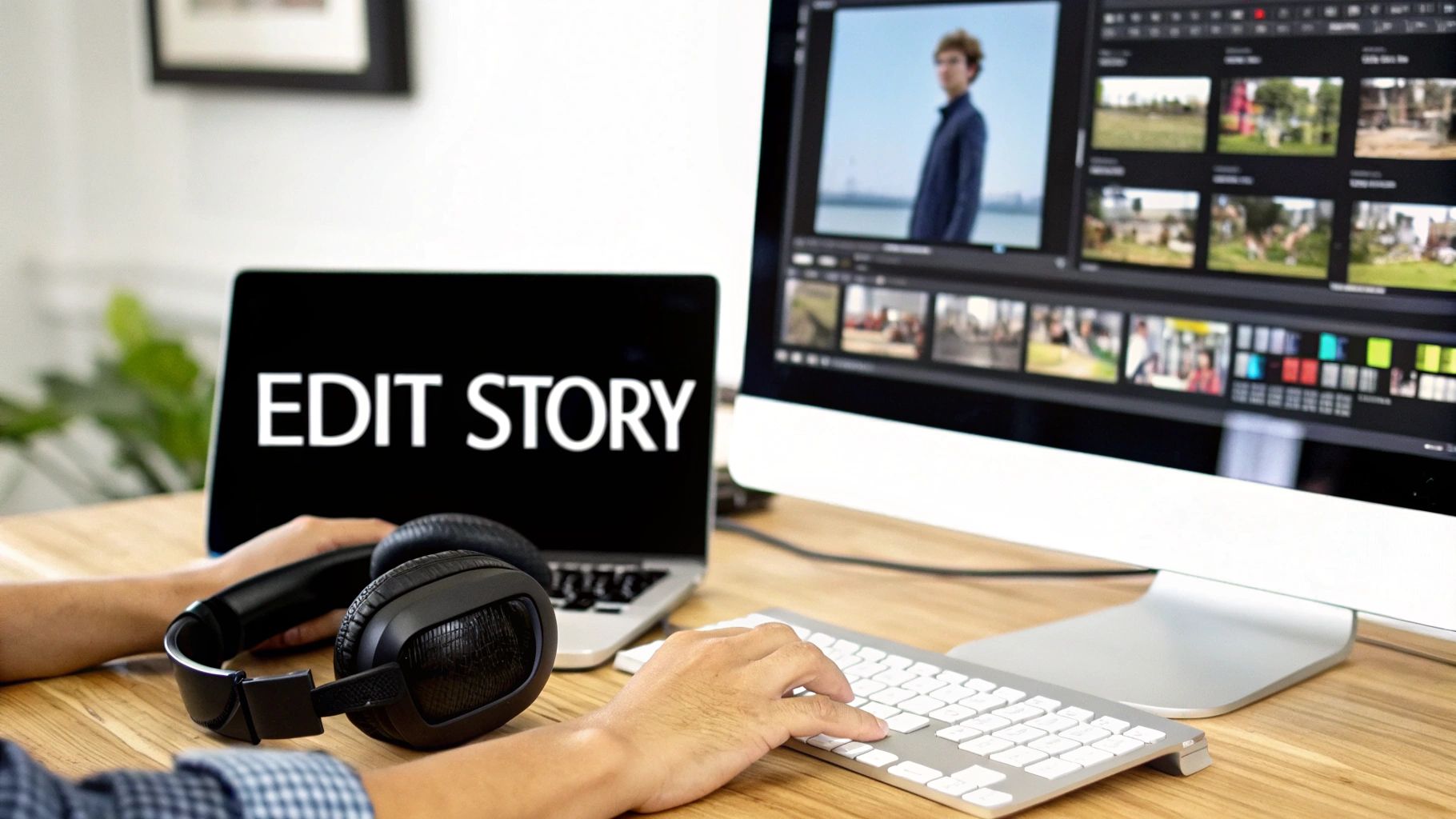
Alright, you've got a hard drive full of footage. Now for the fun part—or the intimidating part, depending on how you look at it. The edit is where your project really comes to life. It's less about the software you use and more about the story you tell.
This is where all those raw clips, audio snippets, and graphics start to feel like a real marketing video.
The first thing I always do—and I can't stress this enough—is get organized. Seriously, don't even think about dragging a single clip into your timeline until you've sorted everything out. I create dedicated folders for A-roll (my main footage), B-roll (the cutaway shots), audio, and graphics.
Then, I scrub through every single take and label the good ones. It might feel like a chore, but trust me, this little bit of prep work will save you from a massive headache later when you're hunting for that one perfect shot.
Weaving Your Story Together
Once everything is neatly organized, it's time to build your timeline. I always start by laying down the A-roll—the interview, the core presentation, or whatever forms the spine of your video.
From there, it's all about cutting the fluff. Be ruthless. Get rid of awkward pauses, mistakes, and anything that doesn't push the story forward. Pacing is critical. A snappy, energetic video will keep people watching way longer than something that drags its feet.
The goal here is a seamless flow. Every single clip should feel like it belongs, leading naturally to the next and building momentum all the way to your call-to-action. If a shot feels jarring or out of place, it probably is.
With the main story in place, I start layering in the B-roll. These secondary shots are what make a video feel dynamic and professional. For instance, if your speaker is talking about a new product feature, cut to a slick close-up of that feature in action. It's classic "show, don't tell," and it works every time.
Choosing the right editing software is a big decision, but it doesn't have to be overwhelming. The "best" tool really just depends on your budget, your experience level, and what you're trying to create.
Choosing Your Editing Software
| Software Type | Examples | Best For | Key Feature | | :--- | :--- | :--- | :--- | | Professional Grade | Adobe Premiere Pro, Final Cut Pro, DaVinci Resolve | Experienced editors and complex projects that require deep control over color, sound, and effects. | Industry-standard features, extensive plugin support, and precise timeline control. | | Prosumer / Intermediate | Filmora, Camtasia | Marketers and creators who need powerful features without the steep learning curve of pro software. | Balanced blend of user-friendly interface and advanced capabilities like screen recording. | | Beginner / AI-Powered | ViewPrinter, Descript, Canva Video | Quick social media content, simple marketing videos, and anyone new to editing. Great for speed. | AI-driven features, template libraries, and intuitive drag-and-drop interfaces. |
Ultimately, pick the tool that you feel most comfortable with. The fanciest software in the world won't help if you can't figure out how to use it.
The Final Polish: Sound and Graphics
Don't sleep on sound design. It's the unsung hero of great video. The right background music can completely shift the mood, turning a dry explainer into something genuinely inspiring. Spend some time finding a royalty-free track that matches the vibe you're going for.
Just as important is the sound mix. Make sure your speaker’s voice is always crisp, clear, and sits comfortably above the music. Nothing screams "amateur" like bad audio.
Finally, add your branding and key info:
- Your Logo: A subtle logo in the corner (often called a "logo bug") is a great way to maintain brand presence.
- Text Overlays: Use clean, readable text to highlight important points or introduce speakers. Stick to your brand fonts and colors.
- A Clear Call-to-Action: End with a strong, full-screen graphic that tells people exactly what to do next and includes your website.
If you need to move fast, it's worth looking into automated video editing software and AI tools for marketing. Many of these can handle the tedious parts like trimming, adding transitions, and even suggesting music, letting you focus on the creative side of things. At the end of the day, every cut, every graphic, and every sound choice should serve one purpose: telling a great story that gets your viewer to act.
Promoting Your Video for Maximum Impact
You've done the hard work and created an amazing marketing video. That's a huge win, but it's only half the battle. A brilliant video that no one sees is just a file on a server. The real magic happens in the promotion phase—getting your creation in front of the right eyeballs to drive the results you've been aiming for.
Don’t just upload your video to YouTube and hope for the best. You need a launch plan. A smart, multi-channel approach is what ensures your video works as hard for your brand as you did making it. This means tweaking your video for the specific platforms where your audience actually hangs out.
Tailor Your Video for Each Platform
One size definitely does not fit all when it comes to video promotion. Every social platform has its own unwritten rules, formats, and audience expectations. That polished, professional video you made for LinkedIn will completely bomb if you just dump it onto TikTok without any changes.
Here’s how to adapt your content so it feels native to each platform:
- Optimize for YouTube: Treat YouTube like the search engine it is. You need a keyword-rich title, a detailed description packed with relevant links, and a solid mix of broad and specific tags to help people find you. And please, don't skip the custom thumbnail—it's the single biggest factor in getting that click.
- Go Vertical for Instagram & TikTok: These platforms are all about vertical video (9:16 aspect ratio). Your clips need to be short, punchy, and grab attention in the first second. Captions are non-negotiable, since most people are watching with the sound off.
- Upload Natively to LinkedIn & Facebook: Experience shows that uploading your video directly to these platforms almost always gets you better reach than just sharing a YouTube link. On LinkedIn, keep the tone professional and focus on adding value. For Facebook, aim for content that sparks conversation and encourages shares.
Don't forget about the channels you already own. Embedding the new video on your website's homepage or a relevant product page is a no-brainer. This can seriously boost engagement and how long people stick around, which are great signals for your SEO.
Look Beyond Organic Reach
Your email list is another goldmine. Send out an announcement to your subscribers. It’s a fantastic way to re-engage your audience with fresh, high-value content that they’ll actually appreciate.
If you want to guarantee your video reaches a specific group of people, running targeted ad campaigns is the way to go. Platforms like Facebook and Instagram let you get incredibly precise with your targeting, making sure your ad budget is spent on showing your video to people who are most likely to become customers.
The sheer volume of video people are watching is mind-boggling. By 2025, video is projected to make up 82% of all internet traffic globally. This just hammers home how critical a solid promotion strategy is if you want to cut through the noise.
The demand is clearly there. In 2024, daily social video consumption in the U.S. averaged 52 minutes per person, and that number is only going up. You can learn more about these video marketing trends and see for yourself why this is a wave you need to be riding.
Finally, you have to track your performance. Metrics like watch time, click-through rate (CTR), and conversion rate are your report card. Analyzing this data doesn’t just prove your video's ROI; it gives you priceless feedback that will make your next marketing video even better.
Common Questions About Making Marketing Videos
Even with the best plan, you're bound to have questions when you start making marketing videos. It happens to everyone. Let's walk through a few of the most common ones that come up, so you can move forward with confidence.
So, How Long Should My Marketing Video Be?
The real answer? It depends. There's no single perfect length, but where you post it and what you want to achieve are everything.
On platforms like TikTok and Instagram Reels, you’re fighting the scroll. You have seconds to grab someone. Keep it snappy—think 15 to 60 seconds max. But on a platform like YouTube, people are often there to learn. An in-depth tutorial or a product deep-dive can easily run from 2 to 10 minutes without losing your audience.
The rule of thumb I always follow: your video should be exactly as long as it needs to be to tell your story, and not one second longer.
Your analytics are your best friend here. If you notice a big drop-off at the 45-second mark on your videos, that’s not a failure—it's gold. It's your audience telling you exactly where the sweet spot is.
What’s This Going to Cost Me?
Ah, the million-dollar question. Or the zero-dollar question. The budget for a marketing video can be anything from the cost of a coffee to more than a new car. It all boils down to what you're trying to create.
Believe it or not, you can make a killer video with just your smartphone and some good window light. The only real cost is your time. If you want to level up a bit, grabbing a decent microphone and a simple ring light might set you back a few hundred dollars, but the jump in quality is massive.
Things get pricier when you bring in the pros—actors, a film crew, animators, and custom music. That's when the budget starts to climb.
Here’s a rough idea of what to expect:
- DIY / In-House: $0 – $1,500. This covers your time, some basic gear, and editing software.
- Freelancer / Small Agency: $2,000 – $10,000. For a professionally shot and edited video, this is a pretty standard range.
- High-End Production: $15,000+. This is for the big stuff—multiple shoot locations, advanced motion graphics, the works.
How Do I Know if My Video Is Actually Working?
Success is so much more than the view count. I've seen videos with 10,000 views that didn't sell a single thing. I've also seen videos with 500 views that brought in 20 amazing, high-quality leads. Which one would you rather have?
The key is to measure what matters for your specific goal.
- Building Brand Awareness? Keep an eye on views, reach, and impressions.
- Driving Engagement? You need to be watching your watch time, audience retention, and shares.
- Aiming for Conversions? It's all about the click-through rate (CTR) on your call-to-action and, most importantly, the conversion rate on the page you send them to.
These are the numbers that tell you the real story and show you exactly what to do next.
Ready to create scroll-stopping videos faster than ever? ViewPrinter gives you an all-in-one platform with AI-powered tools to generate, edit, and schedule your social media content in minutes. Start building your viral videos today!