How to Make Marketing Videos That Actually Convert
A practical guide on how to make marketing videos that drive results. Learn proven strategies for planning, scripting, production, and distribution.
You can have the best camera in the world, but if you don't have a plan, your marketing video will fall flat. A truly effective video isn't about production value—it's about strategy. It all boils down to three simple things: having one clear goal, knowing exactly who you're talking to, and picking the right video format for the job. Get this foundation right, and you're already halfway to creating something that actually works.
Build Your Video Strategy Before You Hit Record
Jumping straight into filming without a strategy is like starting a road trip without a map. You might end up somewhere interesting, but it probably won't be your intended destination. A successful marketing video is built on a foundation of clear objectives and a deep understanding of who you're talking to.
The numbers don't lie. While video marketing is now used by a whopping 89% of businesses, a significant 37% of non-users say they just don't know where to start. This is a classic case of analysis paralysis, but a simple, clear strategy is the cure. You can dig into more of these video marketing statistics and trends from Idomoo.
Define One Measurable Goal
Before you even think about writing a script, stop and ask yourself one simple question: "What do I really want this video to achieve?" It's tempting to try and make one video do everything, but that’s a recipe for a muddled message. A single, focused objective is always more powerful.
Are you trying to:
- Generate qualified leads? Then your goal is getting viewers to sign up for a demo or download a guide.
- Build brand trust? The video should be all about showcasing your expertise, sharing customer stories, or highlighting what your company stands for.
- Simplify a complex product? Your objective is purely educational—to clear up confusion and make the buying decision easier.
Think of it like a decision tree. Your main goal—whether it's awareness, leads, or sales—dictates every single choice you make from here on out.
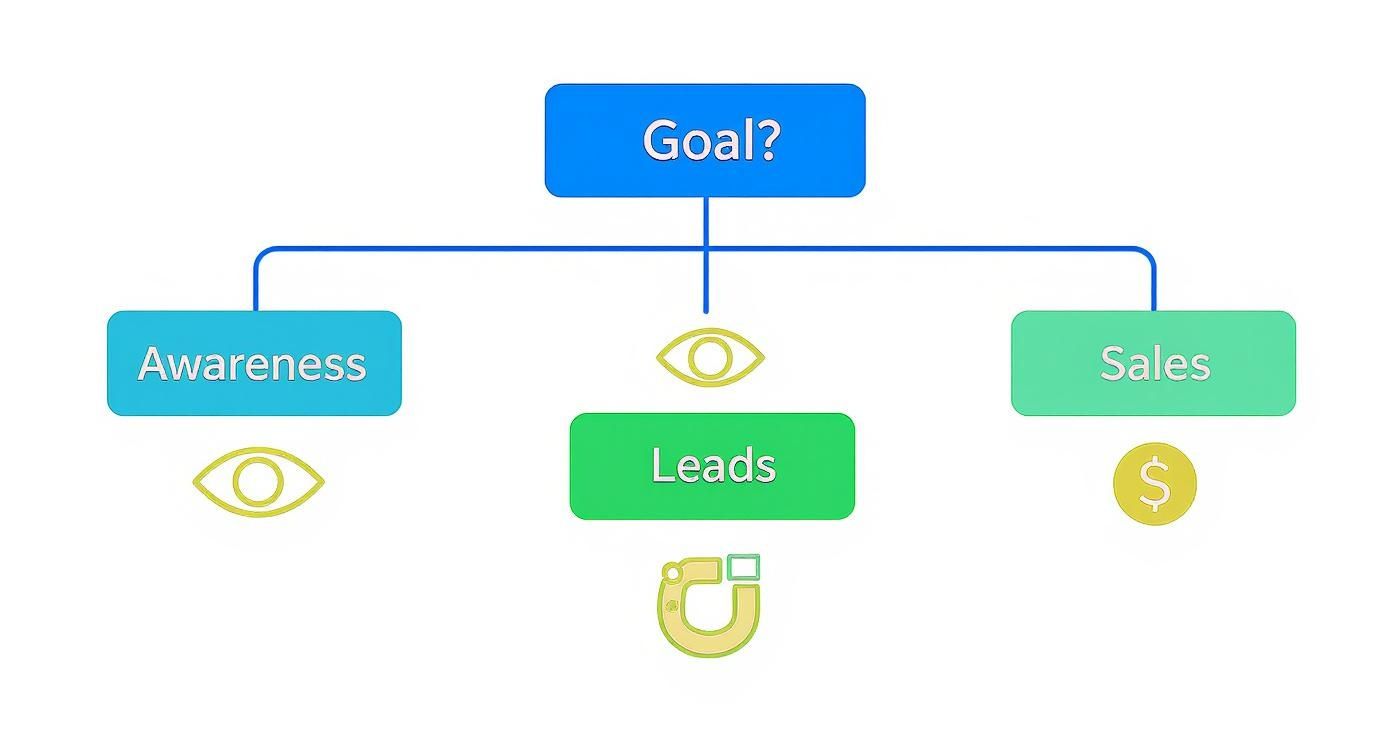
When you stick to a single path, every element of your video, from the first line of the script to the final call-to-action, pulls in the same direction.
Understand Your Ideal Viewer Deeply
Once your goal is set, you need to get crystal clear on who you're talking to. And I don’t mean just basic demographics. You have to go deeper and understand their psychographics—what keeps them up at night? What are their biggest frustrations and secret desires?
Don't just think "Marketing Manager, 30-45." Instead, picture "Sarah, a marketing manager at a mid-sized tech company. She's completely overwhelmed by her content calendar and desperately needs a way to create high-quality videos without burning out her team." See the difference? That level of detail is what helps you craft a message that actually connects.
If you need help with this, our guide on how to identify your target audience walks you through the whole process.
When you start by focusing on your viewer's problem, the whole conversation changes. It's no longer, "Here's what our product does." It becomes, "Here's how we solve your specific challenge." That customer-first mindset is the secret to making videos people genuinely want to watch.
Match the Video Format to Your Goal
Different goals require different tools. The video format you choose should be a direct extension of your objective and what your audience actually likes to watch. An explainer video is perfect for breaking down a complex service, but a customer testimonial is what you need to build social proof and trust.
Picking the right format is key, and it’s something we’ve spent a lot of time thinking about. Here's a quick cheat sheet I use to help map goals to video types.
Matching Your Video Type to Your Marketing Goal
| Marketing Goal | Recommended Video Type | Why It Works | | :--- | :--- | :--- | | Build Brand Awareness | Brand Story Video, Animated Explainer | These formats are great for telling a memorable story and simplifying big ideas, making your brand stick in people's minds. | | Generate Leads | Webinar, How-To/Tutorial | Offering valuable, gated content like a webinar or a detailed tutorial is a classic way to capture high-intent leads. | | Drive Sales | Product Demo, Customer Testimonial | Demos show your product in action, removing doubt. Testimonials provide social proof, which is often the final nudge someone needs to buy. | | Improve Customer Onboarding | Welcome Video, Feature Tutorial | These videos make new customers feel supported and help them get value from your product faster, reducing churn. | | Build Trust & Authority | Expert Interview, Case Study | Showcasing expertise and real-world results positions your brand as a credible leader in your industry. |
Choosing the right format from the start makes everything that follows—from scripting to editing—so much easier and more effective.
For instance, ViewPrinter's AI Script Generator is built to help you structure your message based on the specific video type and goal you’ve chosen. It's designed to ensure your script and format are perfectly aligned, which saves a ton of time and guesswork.
Once you’ve locked in your goal, your audience, and your format, you've built the strategic pillars that will hold up your entire video production. Now, the fun part can begin.
Scripting a Story That Connects and Persuades

Let’s be honest. The one thing separating a video that gets skipped from one that gets clicks is almost always the script. A great script is the soul of your video; it’s what turns a simple recording into a story that actually sticks with someone and nudges them to act.
Before you even think about writing, burn this into your brain: you have about three seconds to grab someone's attention. That's it. Your opening needs to be sharp, surprising, and instantly speak to a problem they're facing. Ditch the slow, branded intros and jump right into the good stuff.
Start with a Proven Framework
You don't need to be a Hollywood screenwriter to craft a script that converts. The best marketing videos rely on simple storytelling formulas that tap into basic human psychology. My favorite, and one of the most reliable, is the Problem-Agitate-Solve (PAS) framework.
It’s as simple as it is effective:
- Problem: Kick things off by hitting on a pain point your ideal customer knows all too well. Be specific.
- Agitate: Now, twist the knife a little. Don't just mention the problem; describe the frustration, the annoyance, the negative feelings that come with it.
- Solve: Finally, position your product as the hero—the clear, easy solution that makes all that frustration disappear.
Imagine you're scripting a video for a project management tool. It might go like this: "Tired of juggling endless spreadsheets and losing track of project deadlines?" (Problem). "It feels like chaos, right? Important tasks are slipping through the cracks, and your team is starting to look disorganized." (Agitate). "Our tool brings everything into one place, giving you a crystal-clear view of every project so you never miss a deadline again." (Solve).
A great script isn’t about listing features; it’s about mapping those features to a customer’s emotional journey. When you frame your product as the hero that resolves their conflict, you create a narrative they can’t help but follow.
This approach just works. It puts the viewer's experience front and center, validating their struggles before you ever ask for a sale.
Using AI as Your Creative Partner
We’ve all been there—staring at a blinking cursor on a blank page, trying to come up with a fresh angle for a new video. This is exactly where AI script generators, like the one built into ViewPrinter, can be a game-changer. Think of it not as a replacement for your creativity, but as a powerful assistant.
Here’s how I use it to speed up my workflow:
- Brainstorm Hooks: Instantly generate a dozen different opening lines to find the one that hits the hardest.
- Outline Frameworks: Plug in your product info and target audience, and let the AI map out a solid PAS or AIDA (Attention-Interest-Desire-Action) structure for you.
- Generate a First Draft: Get a complete script in seconds. This gives you a solid foundation to build on, saving you hours of work.
The trick is to treat the AI-generated script as a starting point. Your job is to inject your brand's personality and authenticity into it. Read it aloud. Does it sound like something a real person would say? Cut the jargon. Trim the corporate-speak. Add a specific customer story or a personal anecdote that an AI could never invent. The best scripts are a perfect blend of AI efficiency and human empathy. For complex services, a clear visual plan is just as important as the words. You can learn more about explainer videos and storyboarding clarity for complex products to see how visuals and script work together.
Write for the Ear Not the Eye
This is a rookie mistake I see all the time. A video script is meant to be heard, not read. What looks great on paper can sound incredibly stiff and unnatural when spoken.
As you polish your script, keep these simple rules in mind:
- Use Short Sentences: They’re easier to deliver with energy and much easier for a viewer to digest.
- Embrace Contractions: Say "you're" and "it's" instead of "you are" and "it is." It’s how people actually talk.
- Read It Out Loud: This is the ultimate test. If you stumble over a line or it feels awkward, rewrite it. Simplify until it flows naturally off the tongue.
For a little more inspiration, take a look at our breakdown of a real-world advertisement script example to see these principles in practice. At the end of the day, a script that persuades feels less like a pitch and more like a helpful conversation.
Producing High-Quality Video on a Real-World Budget
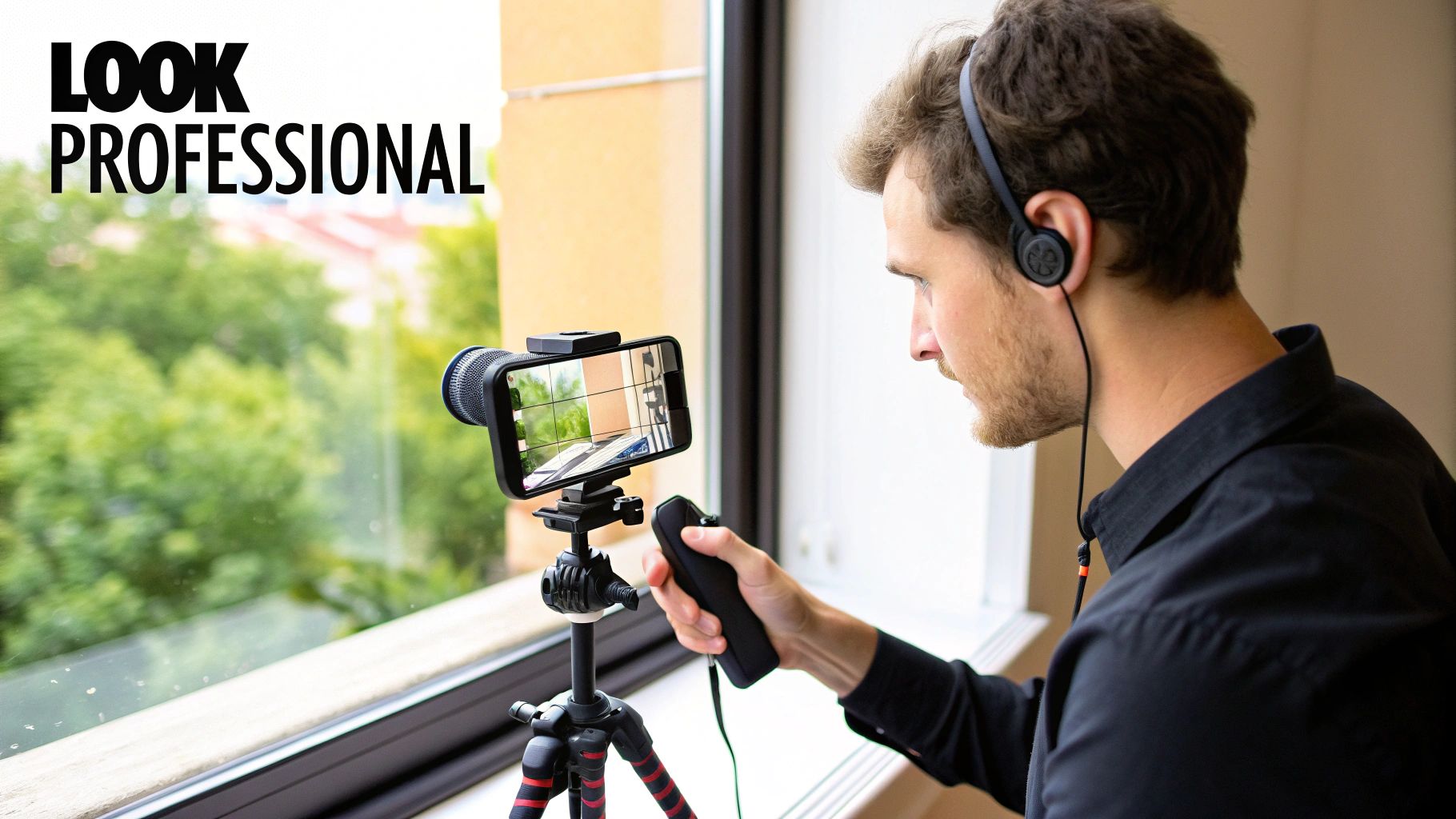
You absolutely do not need a Hollywood-sized budget to create a marketing video that looks and sounds incredible. The gear you already have in your pocket is more than powerful enough to get the job done, as long as you focus on the fundamentals that actually matter to your audience.
Forget the fancy cameras for a second. The three pillars of high-quality, low-budget video production are always the same: clean audio, stable shots, and good lighting. If you nail these three things, you'll be miles ahead of competitors who just hit record without a second thought.
This isn't just a hunch; it's what viewers expect. With 75% of users watching videos on their phones, a mobile-first approach is non-negotiable. More importantly, 91% of consumers say video quality directly impacts their perception of a brand. You can dig into more of the latest numbers in this video marketing statistics roundup from Teleprompter.com.
Master Your Audio First
Here’s a hard truth: if viewers have to choose between grainy video with crisp audio and stunning 4K footage with terrible sound, they'll pick the good audio every single time. Your audience will forgive a less-than-perfect picture, but they absolutely will not tolerate sound that’s muffled, echoey, or full of distracting background noise.
The built-in microphone on your smartphone is designed to pick up sound from all directions, which is why it’s so good at capturing room echo and the hum of your air conditioner. A simple upgrade can make a world of difference.
Affordable Audio Solutions:
- Lavalier Microphone: These tiny clip-on mics are the easiest way to get professional-sounding audio for under $30. They capture your voice directly and cut out most of that distracting ambient noise.
- USB Microphone: If you’re recording at a desk for a tutorial or screen share, a quality USB mic is a fantastic plug-and-play option that offers rich, clear sound.
Just as important is finding a quiet space. A small room with soft surfaces—think carpets, curtains, or even a closet full of clothes—can absorb sound and kill echo, giving you a clean recording for free.
Achieve Stable Shots and Flattering Light
Shaky camerawork is an instant giveaway of an amateur video. The good news? It’s one of the easiest problems to solve without spending much money.
A simple tripod for your smartphone is a non-negotiable investment. It keeps your shots steady and professional, letting you focus on your performance instead of trying to hold the camera still. In a pinch, even propping your phone against a stack of books is a huge improvement over a shaky, handheld shot.
Lighting is the next piece of the puzzle. Bad lighting can make even the best camera look cheap. You don't need a complex three-point lighting kit to get started.
The best and cheapest light source you have is a window. Position yourself facing it, with your camera between you and the natural light. This setup provides soft, even, and flattering light that will instantly make your video look more professional. Just avoid sitting with the window behind you, or you’ll turn into a dark silhouette.
For more control, an affordable ring light is a great investment. It provides consistent, soft lighting no matter the time of day and is perfect for those talking-head videos filmed at a desk.
Nail Your On-Camera Delivery
Once your tech is sorted, the final element is you. Looking confident and connecting with the audience through the lens is a skill you can learn, and it often boils down to one simple thing: not having to memorize your lines.
This is where a teleprompter app becomes your secret weapon. You can find plenty of free or low-cost apps that turn your smartphone or tablet into a personal teleprompter. This lets you read your script while looking directly into the camera lens, creating a powerful sense of eye contact with your viewer.
Of course, practice your script a few times. The goal isn't to just read words, but to deliver them with the same energy and personality you'd use in a real conversation. That confident delivery, combined with great audio and lighting, is the secret to producing marketing videos that command attention and build real trust.
Editing Your Footage Into an Engaging Final Cut
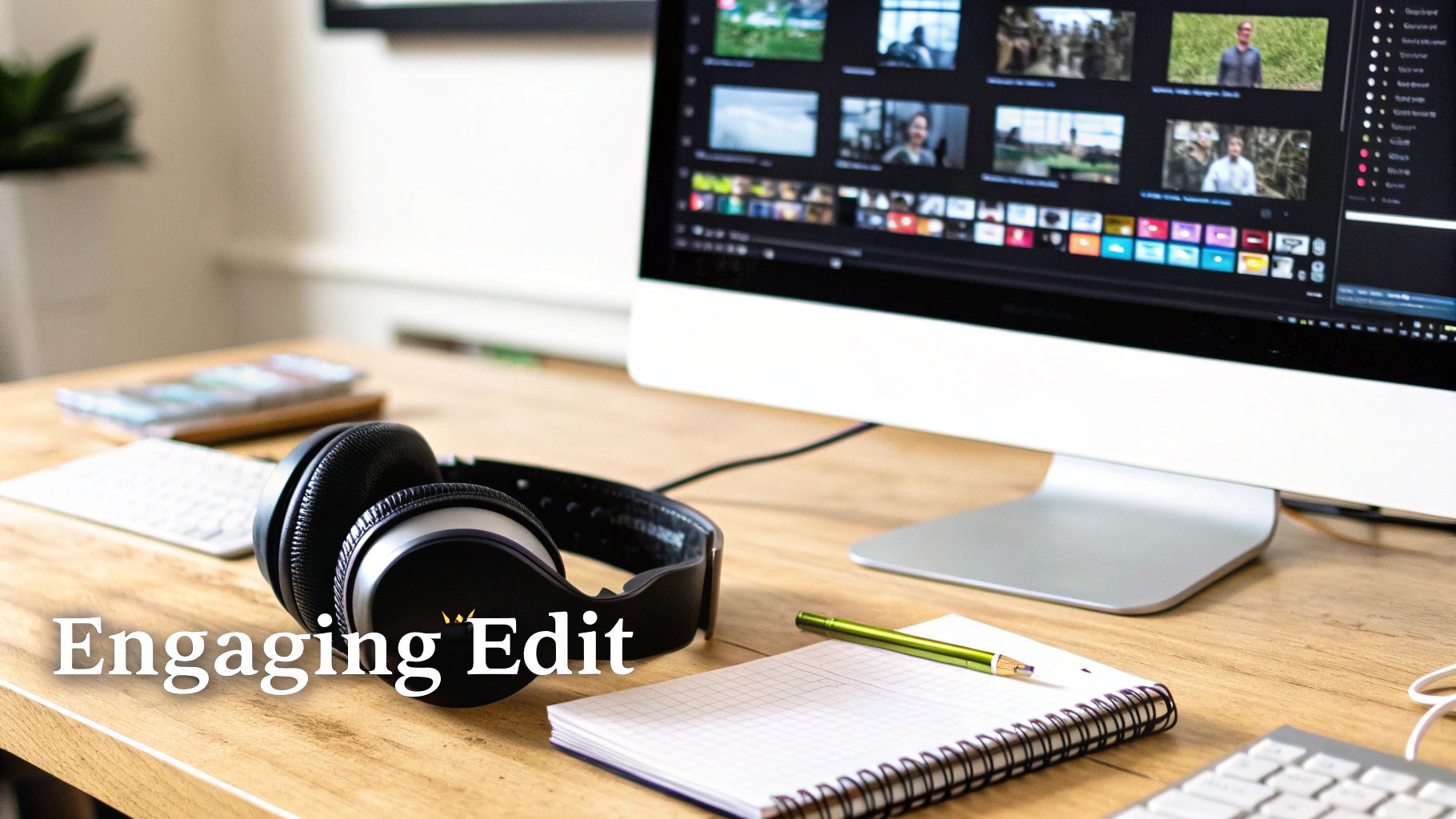
Okay, you’ve captured all your footage, and the raw files are ready to go. This is where the real work—and the real magic—begins. Post-production is how you transform a pile of clips into a coherent story that hooks your audience from the first frame.
This isn’t just about snipping out the mistakes. Editing is where you shape the narrative, dictate the pace, and add a layer of polish that makes your video feel professional and persuasive. A sharp edit can be the difference between a viewer scrolling past and a viewer taking action.
Let AI Do the Heavy Lifting
Gone are the days of manually scrubbing through hours of footage. Modern AI-powered tools, like the ones built right into ViewPrinter, are designed to handle the tedious stuff so you can focus on the creative side of things.
A huge time-saver is automatic subtitle generation. Think about it: a massive chunk of social media videos are watched on silent, making captions non-negotiable. AI can transcribe your audio with stunning accuracy in just a few minutes—a task that used to be a mind-numbing manual job.
Another game-changer is smart trimming. The AI can analyze your footage to find and suggest cuts for dead air, filler words like "um" and "uh," or clunky repeated takes. This not only gets you to a solid first draft faster but also helps you create a much tighter, more professional video.
Finding Your Rhythm with Pacing and Flow
Pacing is the heartbeat of your video. If it’s too slow, you’ll bore people. Too fast, and you’ll just confuse them. The trick is to vary the rhythm to keep the energy up and hold their attention.
Try thinking of your video in scenes. You might start with a few quick cuts to grab attention, then slow things down a bit to explain your core message, and finally build the momentum back up for your call-to-action. Short, punchy clips create urgency, while longer, steadier shots can add emotional weight or emphasize a key point.
If you’re just starting out, checking out some essential video editing tips for beginners can really help you polish your raw footage into a captivating story.
The best pacing is invisible. When the flow is just right, the viewer gets so absorbed in your story that they forget they’re even watching a video. That’s when your message really lands.
Add Visual Punch with B-Roll
You know those videos where it's just a single person talking at the camera for three minutes straight? They get old, fast. That's where B-roll saves the day.
B-roll is simply supplemental footage you cut to while the main audio (the A-roll) keeps playing. It's what you use to show what the speaker is talking about, adding visual flavor and keeping the viewer from getting bored.
Let's say your main shot is you explaining your software’s cool new feature. Your B-roll could include:
- Quick screen recordings of that feature in action.
- Close-up shots of a customer smiling while using the app.
- Animated text graphics that pop up to highlight key benefits.
Effective B-roll breaks up the monotony and makes your video far more dynamic. You’re not just telling them—you're showing them. For more on this, our guide on video editing for social media has some great ideas for creating thumb-stopping content.
Using Music and Sound to Set the Mood
Never, ever underestimate the power of good audio. The right background music can completely shift the emotional tone of your video. An upbeat, driving track can make your product feel exciting and innovative, while a softer, more inspiring melody can help build a sense of trust and connection.
Just make sure you choose royalty-free music that fits the vibe you’re going for, and keep the volume low enough so it supports your voiceover without overpowering it. A few well-placed sound effects can also add a nice touch of polish, emphasizing key moments or making on-screen actions feel more real.
Finally, wrap it all up with your branding. A subtle logo watermark and text overlays that use your brand colors create a cohesive look. And always, always end with a clear call-to-action (CTA)—a simple graphic or verbal cue telling the viewer exactly what you want them to do next.
You’ve poured your heart and soul into creating an amazing marketing video. Now what?
A brilliant video that nobody sees is just a file taking up space on a server. The real magic happens when you get it in front of the right people. This is where smart distribution and optimization come in, turning your creative work into actual business results.
Let’s be clear: video isn't just a strategy; it's the strategy. By 2025, it’s expected to make up a wild 82% of all internet traffic. That’s not a trend; it's a complete takeover. And marketers are already on board, with 87% saying video directly increased their brand awareness. Many of them (54%) are already using AI to get it done faster. If you want to dive deeper into the numbers, Wyzowl’s research on video marketing stats is a great read.
So, how do you make sure your video doesn't get lost in the noise?
Get Found with Video SEO
Most people forget that YouTube is the world's second-biggest search engine. People are literally typing in their problems, looking for solutions. Your video needs to be the answer they find. That means treating it with the same SEO love you’d give a blog post.
It all boils down to keywords. Figure out what your audience is searching for and weave those phrases into your video's DNA.
- Title: Don't get cute. Make it clear and compelling, and stick your main keyword right at the beginning.
- Description: This is your chance to shine. Write a solid, helpful description—aim for at least 200 words—that naturally includes your main and related keywords.
- Tags: Go for a mix. Use broad terms and super-specific phrases that nail what your video is about.
This isn’t about tricking the algorithm. It’s about giving clear, simple signals to both YouTube and your potential viewers about the value you're offering.
One Video, Many Platforms
Posting the same horizontal video everywhere is a rookie mistake. The vibe on TikTok is completely different from LinkedIn, and your content needs to reflect that. The key is to adapt, not just repost.
Your main video is your source material. Now, slice it and dice it for every channel.
A Quick Guide to Repurposing
| Platform | Best Format | Content Vibe | | :--- | :--- | :--- | | TikTok & Instagram Reels | 9:16 Vertical (15-60 secs) | Fast hooks, quick tips, behind-the-scenes stuff. Keep it snappy. | | LinkedIn & Facebook | Square or Horizontal (1-3 mins) | Go a little deeper. Think educational content, industry insights, or customer stories. | | Your Website Blog | 16:9 Horizontal (Full Length) | This is home base. Embed the full in-depth explainer or product demo. |
This strategy lets you meet people where they already are, with content that feels native to the platform. For instance, that five-minute product demo? It can easily become three separate 45-second vertical clips for Instagram, each one highlighting a killer feature.
Your marketing video isn't a single asset; it's the source material for an entire campaign. By adapting it for different platforms, you multiply its value and extend its lifespan far beyond the initial launch.
Put Your Owned Channels to Work
Don't forget about the audience you already have. Your website, blog, and email list are your most powerful distribution channels because you're talking to people who already know and trust you.
Embedding your video in a blog post is a classic for a reason. It keeps people on your site longer (which Google loves) and adds a ton of value to your written content. It’s a simple way to make a complex topic feel way more accessible.
Email is another goldmine. Instead of just dropping a link in your newsletter, use a slick thumbnail of your video with a big play button on it. When they click, send them to a landing page to watch. It feels seamless, looks professional, and drives traffic right where you want it to go.
Got Questions About Video Marketing? We've Got Answers.
Even with the best-laid plans, you're bound to hit a few roadblocks when you start making marketing videos. That's totally normal. Let's tackle some of the most common questions we hear from marketers so you can move from planning to hitting "record" with confidence.
What's the "Perfect" Length for a Marketing Video?
This is the million-dollar question, and the honest-to-goodness answer is: it depends entirely on the platform and your goal.
There's no magic number. A video should only be as long as it needs to be to get its point across and not a second longer. The real key is matching your video's length to the viewer's mindset on each platform.
Think about it this way:
- Social Media Feeds (Instagram, TikTok, Facebook): You've got 30-90 seconds, max. People are scrolling fast, looking for a quick hit of value or entertainment. A snappy product feature or a quick-fire tip is perfect here.
- YouTube or Website Explainers: Here, you can stretch out to 2-5 minutes. Viewers on these platforms are actively looking for answers, so they're willing to invest a bit more time to understand a concept or see a detailed product demo.
- Deep-Dive Content (Webinars, Detailed Tutorials): These can easily run 20 minutes or longer. This is for your most engaged audience—people who have already raised their hands and are eager for in-depth, expert-level information.
The best way to find your sweet spot? Check your own analytics. Look at your audience retention graphs. If you see a massive viewer drop-off at the 45-second mark, that's your cue. Get your most important message in before that point. Brevity and value are your best friends.
When in doubt, remember that a good video always respects the viewer's time.
What's the Absolute Minimum Equipment I Need?
You can get started with three things you almost certainly have right now: a modern smartphone, a good source of natural light (like a window), and a quiet room. Seriously, that's it. The cameras on today's phones are more than powerful enough to shoot crisp, professional-looking footage.
If you have a little bit of a budget, the single best place to put your money is into audio.
Viewers will forgive a slightly shaky shot, but they will click away in a heartbeat if they can't hear you clearly. A simple lavalier microphone that clips onto your shirt can be a game-changer, and you can get a great one for under $30. It isolates your voice and kills the echo and background noise that a phone's built-in mic always picks up.
All the other stuff—fancy cameras, lighting kits, and stabilizers—can come later as you grow.
How Do I Actually Measure the ROI of My Videos?
Measuring the return on your video marketing efforts isn't as complicated as it sounds. It all comes back to the single, measurable goal you set from the very beginning. The metrics you track should be a direct reflection of that goal.
Here’s a simple way to connect your goals to the right numbers:
| If Your Goal Is... | ...Then You Should Track: | | :--- | :--- | | Awareness | Views, reach, shares, and audience retention. | | Lead Generation | The click-through rate (CTR) on your video's call-to-action (CTA) and the conversion rate of your landing page. | | Sales | Use unique coupon codes mentioned only in the video or trackable UTM links in your video description to trace direct sales. |
No matter what your goal is, always keep a close eye on view duration and audience retention. These two metrics are the truest sign of how engaging your content really is. They tell you if people are actually sticking around to hear what you have to say—and that's the first step to getting any result.
Ready to stop worrying about the details and just start creating? ViewPrinter gives you an all-in-one platform with AI-powered tools to script, edit, and distribute your marketing videos in a fraction of the time. Explore how ViewPrinter can streamline your video creation process today.