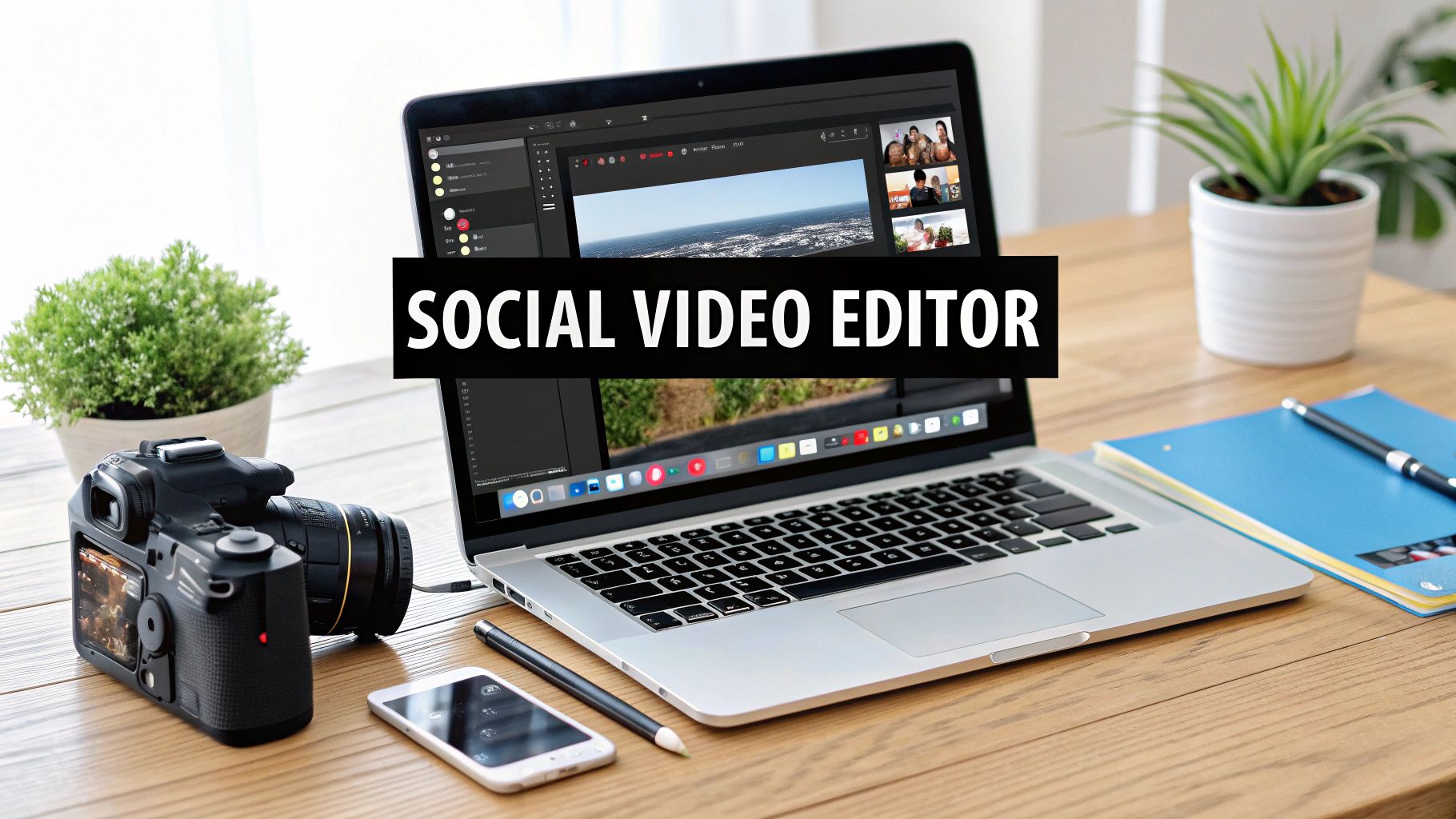
Social Media Video Editor: Streamline Your Content Creation
Learn how the social media video editor streamlines your workflow with AI tools, UGC strategies, and platform-specific tips to boost engagement.
Tired of juggling a dozen different apps just to create one social media video? I've been there. You have one tool for finding ideas, another for editing, a third for stock footage, and yet another for scheduling. It's a clunky, time-consuming mess that kills creativity.
A powerful all-in-one social media video editor brings everything into a single, cohesive workspace. It’s designed to handle the entire process from start to finish, saving you precious time and keeping your brand looking sharp.
Why an Integrated Video Editor Is Your New Secret Weapon
Keeping up with the relentless demand for high-quality social video feels impossible sometimes. The old way of doing things—sourcing clips here, editing there, adding captions in another app, and finally scheduling on a separate platform—is a massive bottleneck for any modern creator or marketer. It's slow, expensive, and a recipe for burnout.
An integrated social media video editor completely changes the game. Think about it: AI-powered idea generation, a simple drag-and-drop editor, a huge library of stock assets, and direct publishing all under one roof. This isn't just about convenience; it's a total reinvention of the content workflow.
The Real-World Impact on Speed and Quality
I once worked with a small e-commerce brand that was constantly missing their campaign deadlines. Their process was a patchwork of a freelance designer for graphics, a clunky video editing tool, and manual posting to each platform. The moment they switched to an all-in-one editor, they cut their campaign launch time in half. Seriously.
The real magic of a unified platform is that it puts professional-grade video creation in everyone's hands, no matter their technical skill. It turns a complex, multi-step headache into a few simple, guided actions.
And this speed doesn't come at the cost of quality. In fact, it often makes things better by:
- Locking in Brand Consistency: With saved brand kits (your logos, fonts, and colors), every single video looks and feels like it belongs to you.
- Putting Production on Overdrive: AI tools can generate scripts, find the perfect B-roll, and create accurate captions in minutes, not hours.
- Making Multi-Platform Posting a Breeze: One click is all it takes to resize your video perfectly for TikTok, Reels, and YouTube Shorts.
Here's a look at what a clean, modern editor's interface is all about. It's designed for an intuitive, frustration-free experience.

The layout puts the timeline front and center, with easy access to media libraries and export options. It’s all about removing the usual barriers that trip up new users.
The Growing Demand for Better Tools
This shift toward integrated tools isn't just a hunch; the numbers back it up. The global demand for social media video editing software has exploded, with the number of paid users for premium tools projected to hit 48.22 million by 2025. Cloud-based editors are at the heart of this growth, letting teams collaborate from anywhere in real-time.
To really appreciate why this shift is happening, it helps to see the two workflows side-by-side.
Traditional vs Integrated Video Editing Workflow
Here's a practical look at the time and resource savings you get when you stop jumping between disconnected apps and use a unified social media video editor instead.
| Task | Traditional Workflow (Multiple Tools) | Integrated Workflow (All-in-One Editor) | | :--- | :--- | :--- | | Ideation & Scripting | Brainstorming doc + separate AI writer like ChatGPT | Built-in AI idea/script generator | | Media Sourcing | Search stock sites (Pexels, Unsplash), download, then upload | Instant access to an integrated stock media library | | Video Editing | Edit in a desktop app (e.g., Premiere Pro), render file | Drag-and-drop cloud-based editor | | Branding | Manually add logos, colors, and fonts for each project | Apply pre-saved brand kit with one click | | Captions | Export video, upload to a captioning tool, export again | Auto-generated and customizable captions inside the editor | | Scheduling | Upload final video to a separate scheduling platform | Schedule and publish directly to social accounts |
The difference is night and day. What used to be a six-step, multi-tool marathon becomes a seamless sprint inside one platform.
Before you jump in, it's a good idea to compare video editing software to get a feel for the different options out there. This context really drives home the advantage of an integrated system. And for a deeper dive, our guide on the best video editing software for social media has detailed reviews and our top picks.
Ultimately, an editor with a unified workflow is the secret weapon for staying agile and creative in a world that never slows down.
Using AI to Spark Your Next Viral Video Idea
We’ve all been there. Staring at a blank project timeline, waiting for a brilliant video idea to strike. That creative paralysis is a total workflow killer. But what if you had a creative partner to kickstart the process? That's exactly what a modern, AI-powered video editor does. It’s no longer just a tool for cutting clips; it's your new secret weapon for instant ideation.
And this isn't some far-off future tech. It's happening right now. AI-driven video tools are exploding in popularity, with experts predicting that around 40% of video editors will be using them by 2025. In fact, 75% of video marketers are already using AI in their creation and editing process, which shows you just how essential these features have become.
Turning a Simple Prompt into a Full Script
Let's make this real. Say you need to whip up a 30-second promo for a local coffee shop's new fall latte. Instead of spending an hour brainstorming taglines and angles, you can feed a simple prompt into your editor's AI assistant.
A vague prompt like, "Make a video about a new coffee," won't get you very far.
But a detailed, powerful prompt changes everything. Try something like this:
- Product: "Caramel Pecan Crunch Latte."
- Target Audience: "Young professionals and college students, ages 20-35."
- Vibe: "Cozy, autumnal, and perfect for a study session or a relaxing break."
- Call to Action: "Come try one today and get a free pastry with your purchase."
The AI takes these details and almost instantly spits out a complete script. We're talking scene-by-scene breakdowns, visual suggestions, and even on-screen text ideas. It’s not here to replace your creativity—it's here to give it a massive head start, cutting your pre-production time from hours down to just a few minutes.
Sourcing Unique AI-Generated B-Roll
Okay, script's done. Now you need visuals. We all know the pain of scrolling through endless stock footage libraries, looking for that one perfect clip. It's a notorious time-sink.
An integrated social media video editor completely sidesteps this problem by letting you generate custom B-roll on the spot. Based on the scene descriptions in your new script, the AI can create unique, high-quality video clips or images that perfectly match your brand's look and feel.
Need a shot of steam rising from a latte in a dimly lit, cozy cafe? Just ask for it. This feature ensures your B-roll isn't just relevant but also completely original. You'll immediately stand out from competitors who are all pulling from the same tired stock libraries. For a deeper look at this, check out how AI social media content creation is simplifying these workflows.
Here’s a glimpse of what this looks like inside an AI-powered editor.
As you can see, the interface makes turning a line of text into a full visual sequence feel as simple as writing a blog post.
Creating a Compelling Voiceover Without an Actor
Last but not least: audio. A professional voiceover can make a video feel polished and authoritative, but hiring voice actors is often slow and expensive. With the AI tools built into modern editors, you can generate a natural-sounding voiceover from your script in seconds.
You can usually pick from a whole library of voices, tones, and accents to find the perfect fit for your brand. Need an upbeat, energetic voice for an Instagram Reel? Done. Or maybe a calm, trustworthy tone for a LinkedIn video? The AI can deliver that, too.
This isn't about those robotic, monotone voices from a decade ago. Today’s AI voices are stunningly human-like, with natural pacing and inflection that make pro-level audio accessible to literally everyone.
By combining AI scriptwriting, custom B-roll, and instant voiceovers, the whole ideation phase becomes a fast-paced, exciting process. For more tips, check out our guide on using AI for social media marketing to find other ways to streamline your work. You're no longer just an editor; you're conducting an entire creative orchestra from a single dashboard.
Creating UGC and AI Avatar Ads That Actually Convert
On social media, authenticity sells, but you need scalability to grow. The sweet spot is where they meet. This brings us to two of the most powerful ad formats right now: user-generated content (UGC) and AI avatar ads.
They sound like total opposites, right? Raw, unscripted customer videos versus polished, AI-driven presenters. But when you use them together inside your social media video editor, they become a seriously effective one-two punch for your marketing.
UGC provides that priceless, relatable social proof that builds instant trust. AI avatars, on the other hand, give you a consistent, perfectly on-brand messenger you can deploy anytime, anywhere. Let's dig into how you can create both and make them work for you.
Polishing Raw UGC into a Conversion Machine
So, a happy customer sent you a fantastic video testimonial. It’s gold. It’s real, it's compelling... but it's also a little shaky, and the sound isn't perfect. This is exactly where your video editor proves its worth, helping you turn that raw gem into a high-performing ad without losing its soul.
First thing's first: get that clip imported into your editor. The goal here is to make it easy to watch and visually sharp.
- Dynamic Captions Are a Must: A huge chunk of people watch videos on mute. Don't let your message get lost. Use the editor’s auto-captioning feature to get started, but don't just stop there. Customize the font and colors to match your brand. I'm a big fan of animated captions where words pop onto the screen—it's a simple trick that keeps eyes glued to the video.
- Frame It with Your Brand: A clean branded intro and outro makes the whole thing feel more professional. Just drag your logo from your brand kit and drop it into a corner. Then, add a final screen with a super clear call-to-action (CTA) like "Shop Now" or "Learn More," using your brand's fonts.
- Trim the Fat: Even the best testimonials have dead air or moments that drag. Use the trimming tool to snip off the start and end, and cut out any "ums" or "ahs" to keep the energy up. You're preserving the authentic message, just making it punchier.
The secret to great UGC ads isn't changing the customer's message; it's building a professional frame around it. Your job is to make their authentic voice as clear and compelling as possible.
This whole process, powered by AI, makes what used to be a tedious editing job feel like a breeze.
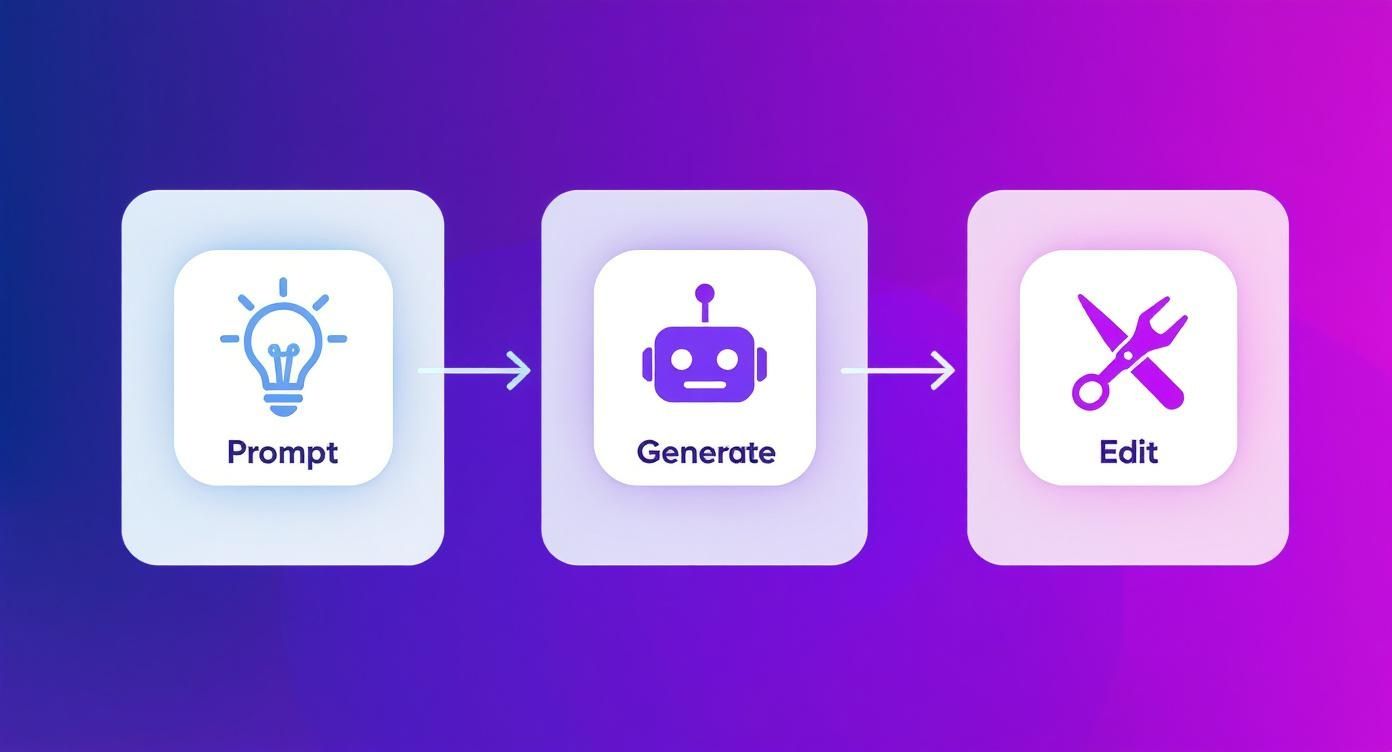
This workflow shows just how quickly you can go from a simple idea to a finished video ad. It’s a game-changer.
Building an AI Avatar Ad From Scratch
Alright, let's switch gears to scalability. AI avatars are your secret weapon for evergreen content, product tutorials, or A/B testing scripts without booking a single film shoot. And building one inside a modern video editor is way easier than you might think.
Your first move is to pick an avatar that fits your brand’s personality. Are you fun and quirky, or more professional and straight-to-the-point? Most editors offer a whole library of diverse avatars to choose from, so find one that will connect with your audience.
Got your avatar? Cool. Now it's time to give it a voice.
- Write a Killer Script: The AI needs a great script to work with. Keep it short, sharp, and focused on conversion. You need a hook in the first 3 seconds, a clear problem-solution arc, and a direct call to action at the end. No fluff.
- Dial in the Voice and Tone: Don't just pick the default voice. Most tools let you adjust the pitch, speed, and even the emotional delivery. Play around until it sounds natural and matches both the avatar and your brand's vibe.
- Add Supporting Visuals: An avatar just talking to a blank screen is a recipe for boredom. This is where you bring the ad to life. Use your editor’s stock library or AI B-roll generator to pull in relevant clips, screen recordings, or product shots that show what the avatar is talking about. It makes the entire ad way more dynamic.
There's a real art to creating these digital personalities. If you want to go deeper, our complete guide on using an AI avatar maker is packed with advanced tips.
By getting good at both UGC and AI avatar creation in one platform, you create a content engine that can do it all. You use UGC to build trust and then follow up with targeted AI ads to drive sales. It’s the perfect mix of human connection and machine efficiency.
How to Optimize Your Video for Every Social Platform
Nailing the creative is only half the job. The other half is making sure your video feels like it actually belongs on the platform where people are watching it.
Just slapping the same 16:9 video everywhere is a fast-track to getting scrolled past. Real results come from adapting your content to feel native to each social media environment.
This is more than just hitting a "resize" button. It’s about getting inside the unique culture of each platform and using your social media video editor to tailor your content. A chaotic, trend-heavy video that blows up on TikTok is probably going to fall completely flat on LinkedIn, and the reverse is just as true.
Adapting for Vertical Short-Form Platforms
TikTok and Instagram Reels are the undisputed champions of vertical video. The experience is fast, immersive, and almost always sound-on. But you've got maybe one or two seconds to hook someone before they're gone.
This is where your editor becomes your secret weapon.
- Reframe Your Shots: Start with the 9:16 aspect ratio preset. Don't just let the tool crop the center of your widescreen shot. You need to manually reframe the action to keep the most important subjects front and center.
- Add Dynamic Captions: Even though sound is on, big, animated captions are non-negotiable. They add a layer of visual energy and make your video easier to follow. Use your editor’s captioning tools to make words pop on-screen right in sync with the audio.
- Plan for Interactive Elements: On Instagram Reels, you can use your editor to leave some empty space for native stickers, polls, or question boxes. A simple graphic overlay that says "Poll Here" can be a great visual cue to drive engagement once you upload.
The numbers back this up. Short-form video consistently delivers the highest ROI for marketers, and it's all thanks to platforms like TikTok. In fact, 28% of marketers are planning to spend even more on TikTok next year, chasing engagement rates that can hit an average of 10.5% for top accounts. You can dig into more social media video trends to see just how dominant this format has become.
Optimizing for Facebook and Instagram Feeds
While Reels get all the hype, the good old-fashioned feeds on Facebook and Instagram still have massive reach. The viewing habits here are totally different, though. A lot of users are scrolling with the sound off, which makes visual clarity everything.
Your goal here isn't speed, it's immediate understanding.
The golden rule for feed videos is simple: your message must be 100% clear with the sound off. If I have to unmute to figure out what you're saying, you've already lost me.
Use your social media video editor to burn in permanent, easy-to-read subtitles. Forget the flashy, animated text from Reels—for the feed, you want clean subtitles styled with your brand's fonts and colors. It just looks more professional. Another pro tip? Add a progress bar. It’s a great visual cue that tells silent scrollers how long the video is and encourages them to stick around.
Tailoring Content for a Professional LinkedIn Audience
LinkedIn is a whole other universe. People are there for professional growth, industry news, and career advice. Your video needs to match that serious, value-first vibe.
- Choose the Right Format: Square (1:1) and vertical (4:5) videos perform way better on the LinkedIn feed. Why? Because they take up more screen real estate on a phone than a traditional widescreen video.
- Lead with Value: Edit your video to put the most important statistic, key insight, or problem you're solving right at the beginning. TikTok is for entertainment; LinkedIn is for credibility. You have to establish it instantly.
- Refine Your Export Settings: A professional platform demands professional quality. When you're ready to export, choose a higher bitrate (at least 10 Mbps) and make sure the resolution is set to 1080p. A crisp, clean video signals attention to detail, which is exactly what a business-focused audience respects.
Taking a few extra minutes in your editor to create platform-specific versions isn't just about making more content. It’s about making smarter content that respects the audience and gives you a much better shot at actually getting noticed.
Building a Content Machine with Templates and Automation
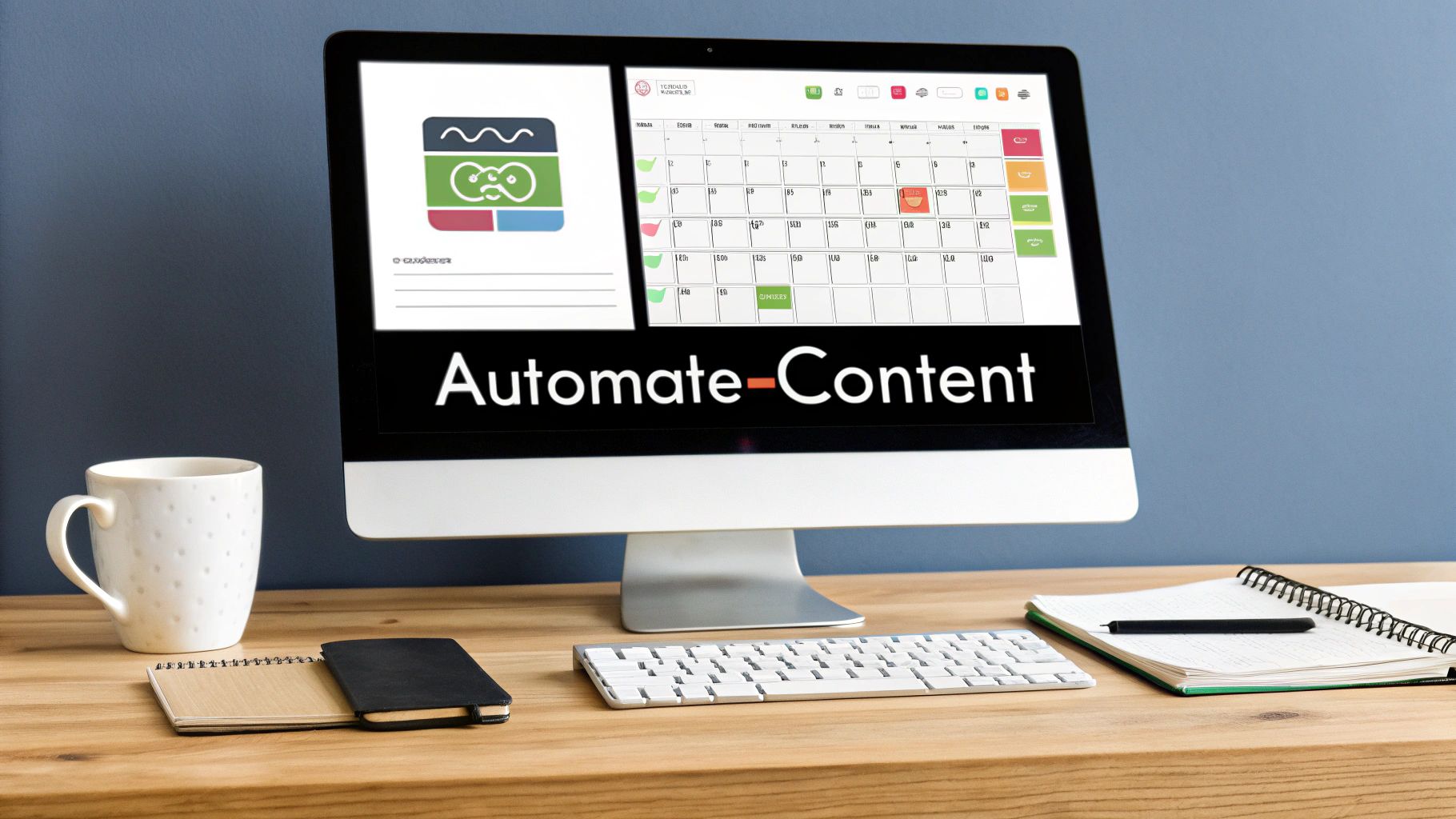
Making one great video is a win, but the real secret to growing on social media is consistency. The brands that win are the ones that show up week after week with solid content. This is also where most creators burn out.
It doesn't have to be that way. The final and most crucial step is to get out of the one-off video mindset and build yourself a sustainable content engine.
This is all about working smarter, not harder. Your social media video editor should be more than a creation tool—it should be your command center for planning, scheduling, and automation. By building reusable templates and scheduling your posts ahead of time, you can finally reclaim your time and keep your brand from ever going silent.
Master Your Workflow with Branded Templates
Think about your regular content. Do you have a "Tip Tuesday" series? A weekly Q&A? A monthly product spotlight? Instead of starting from a blank slate every time, build a branded template for each one. This is easily one of the biggest time-savers you can implement.
A good template is way more than just a correctly sized canvas. It's a fully pre-built video structure.
- Your Brand Kit: The template should automatically apply your logo, brand colors, and custom fonts. No more digging for hex codes or uploading your logo for the 50th time.
- Structural Elements: Your branded intro and outro animations are already baked in. Your title cards and lower-third graphics are already designed and just waiting for new text.
- Audio and Pacing: You can even save your go-to background music track right in the template, with markers showing where key moments should happen.
Let’s say you have that "Weekly Tip" series. Your template might have a 3-second intro, a placeholder for your main video clip, a pre-styled text overlay for the tip itself, and a 2-second outro with your call to action. Each week, all you do is drop in the new footage and change the text. You just turned a 30-minute job into a 5-minute one.
When you templatize your core content, you shift your energy from tedious setup to actual creative work. That consistency not only saves you hours but strengthens your brand identity with every single post.
Automate Your Posting with a Built-In Scheduler
Once your videos are ready to go, the last thing you need is another roadblock. Exporting files just to re-upload them to a different scheduling app is a clunky, time-wasting process. A good, integrated social media video editor gets rid of this by letting you schedule your finished content right from the platform.
After you've finalized a video, you can connect your social accounts—like Instagram and TikTok—and push it directly to your content calendar. This is where the real magic happens.
You can sit down and schedule your entire month of video content in a single session. This "batching" workflow is an absolute game-changer for productivity. Imagine spending one afternoon knocking out all your video content for the next four weeks, then just letting it go live automatically at the perfect times.
My Favorite Content Batching Workflow
Want to try it yourself? Here’s a dead-simple workflow to produce a month's worth of content in one go.
- Plan Your Pillars: First, decide on four weekly video topics. If you run an e-commerce brand, this might look like Week 1: UGC Testimonial, Week 2: Product Demo, Week 3: Behind-the-Scenes look, and Week 4: Answering a common customer question.
- Gather Your Assets: Get all your raw footage, images, and script notes for all four videos together before you even think about opening the editor.
- Create in Batches: Now, open your saved templates and create all four videos in one sitting. Since the branding and structure are already done, you can focus entirely on the new content.
- Schedule for Peak Times: Use the built-in scheduler to plan each video's release. Stagger them across different days and times to see what gets the best engagement, ensuring your feed stays active all month long.
This systematic approach frees you from the daily grind of content creation. You can finally focus on the bigger picture, knowing your social media video editor is handling the heavy lifting for you.
Got Questions? We've Got Answers
Jumping into a new video creation tool always brings up questions. It's totally normal. Getting the right answers is key to picking the best editor for your needs and actually using it to its full potential. Here are a few of the most common questions we hear from marketers and creators looking to level up their video game.
What Should I Actually Look for in a Good Social Media Video Editor?
Think of a great social media video editor as your all-in-one content command center. The absolute most important thing is an interface that feels intuitive—you shouldn't need a film degree to figure it out. You want to get in, create something awesome, and get out. No friction.
After ease of use, look for a deep, built-in library of stock assets. Having high-quality video clips, images, and royalty-free music right there without having to open another tab is a huge time-saver. Also, don't overlook powerful AI features. Things like script generation, text-to-video, and auto-captioning can seriously speed up your entire workflow.
And finally, the real game-changer is built-in scheduling. That’s the feature that pulls everything together, letting you manage your entire video strategy from a single dashboard.
Can I Make Professional-Looking Videos with Zero Editing Experience?
Yes, you absolutely can. Modern video editors aren't built for professional videographers anymore; they're designed for people like you—creators and marketers. The learning curve is much flatter now, thanks to a few key features that let beginners create polished, high-quality videos from day one.
Look for tools that offer:
- Professionally Designed Templates: These give you a solid, pre-built structure. All you have to do is swap in your own media and text, and you’re good to go.
- AI-Powered Assistance: Tools that generate scripts or suggest B-roll are like having a creative partner to guide you through the process.
- Drag-and-Drop Functionality: Forget complex timelines and keyframes. Modern editors let you just drag elements onto the canvas to build your video.
You bring the idea and your brand assets; the tool provides the framework to make it look incredible.
The real magic of an all-in-one editor is the combination of speed and brand consistency. Juggling separate apps for stock footage, editing, captions, and scheduling is a massive time-sink. It also makes it incredibly difficult to keep a consistent look and feel.
An integrated platform solves that. You can create, edit, pull from a saved brand kit, and schedule the final video across all your channels without ever leaving the app. This saves you hours and makes sure every single video is perfectly on-brand.
Are AI-Generated Videos and Avatars Actually Effective?
They are, but only when you use them strategically. AI tools are fantastic for scaling up your content production. They crush efficiency-driven tasks, like turning a blog post into a short video or creating consistent training videos with an AI avatar.
But their power really gets unlocked when you mix them with authentic, human-first content. For instance, you could run an AI avatar ad that clearly explains your product's features, and then follow it up with a user-generated content (UGC) ad showing a real customer’s genuine reaction.
Think of AI as a way to augment your content strategy, not completely replace it. Use AI-generated content to handle the volume and consistency, and save your human-centric content to build the trust and connection that turns viewers into loyal fans. It’s a balanced approach that gives you the best of both worlds.
Ready to stop juggling a dozen different apps and start creating content that actually converts? With ViewPrinter, you get a full suite of AI-powered tools to ideate, edit, and schedule all your social media videos from one simple platform. Start building your content machine today.