
The 12 Best AI Tools for Content Creation in 2025
Discover the best AI tools for content creation. Our list covers writing, video, and image generation to help you scale your marketing efforts.
The content creation process has been completely reshaped by artificial intelligence. What once took days of brainstorming, writing, shooting, and editing can now be accomplished in minutes, drastically improving efficiency for marketers, entrepreneurs, and creators. But with a new AI tool launching seemingly every hour, how do you separate the game-changers from the gimmicks? This guide cuts through the noise. We've compiled a definitive list of the best AI tools for content creation, categorized by their core strengths, from writing and image generation to video and automation.
This resource is designed to be actionable. We move beyond simple feature lists to provide honest assessments, practical use cases, and clear pricing information for each platform. Our goal is to help you build a powerful, efficient content engine that drives real results for your business or brand. Whether you're a social media manager looking to automate posts or an e-commerce entrepreneur needing product visuals, you'll find a solution here. While many powerful platforms require a subscription, it is worth noting the availability of free AI tools for social media content creation that can kickstart your efforts without an initial investment.
Inside, you will find detailed breakdowns of tools like OpenAI's ChatGPT, Midjourney, and Descript, complete with screenshots and direct links to get you started immediately. We'll explore all-in-one platforms like ViewPrinter and Canva Magic Studio alongside specialized powerhouses such as Adobe Firefly for imaging and Synthesia for creating AI avatars. Let's dive in and find the perfect tools to supercharge your workflow.
1. ViewPrinter
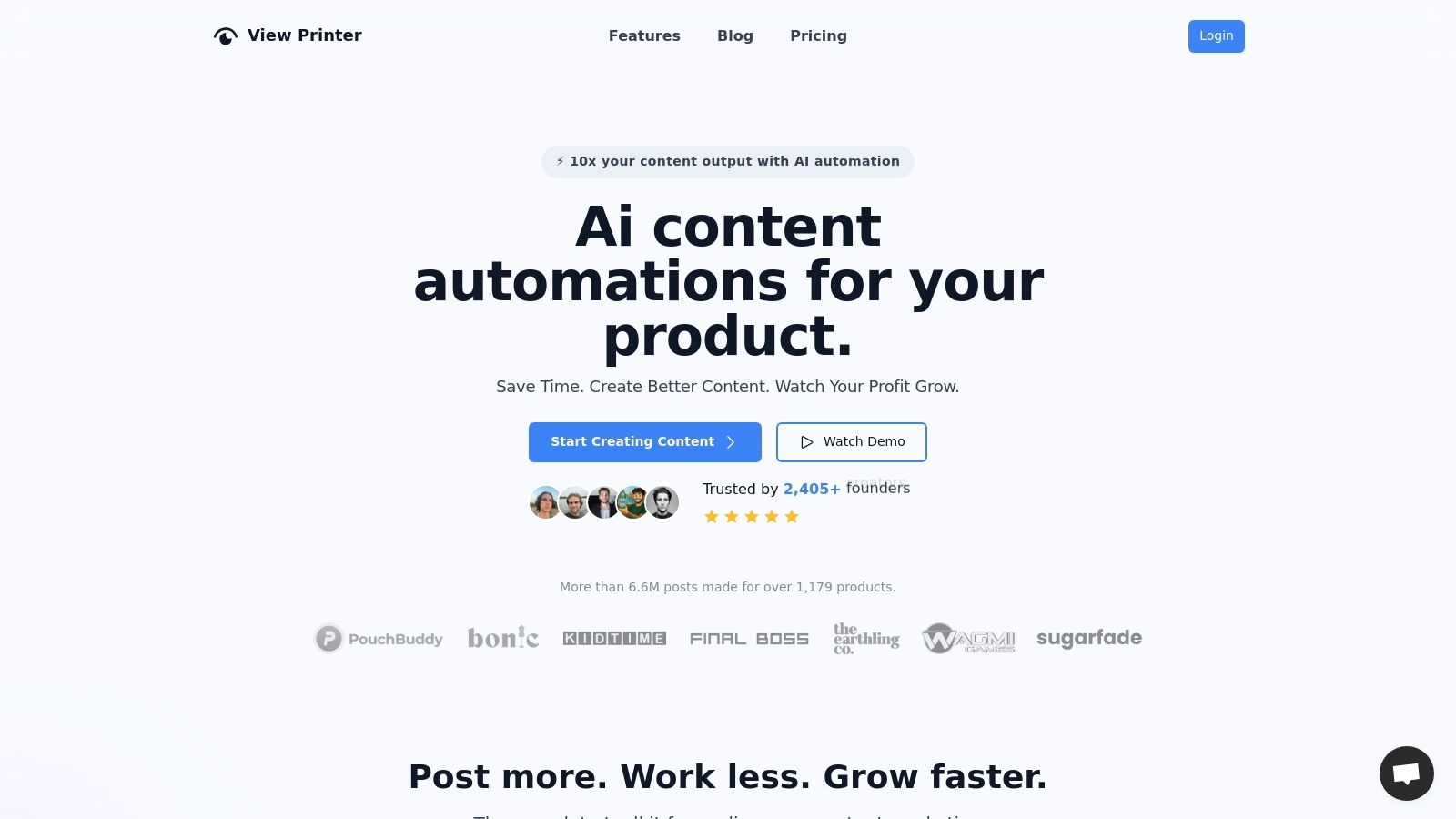
ViewPrinter positions itself as a comprehensive, all-in-one AI content engine, making it a powerful contender for the best AI tools for content creation, especially for e-commerce brands, agencies, and creators focused on social media. It consolidates multiple workflows into a single platform, handling everything from content generation and editing to cross-platform scheduling and campaign automation. This end-to-end approach allows users to produce a high volume of optimized social media content with remarkable speed.
The platform's core strength lies in its AI, which was trained on over 10,000 viral social media posts. This data-driven foundation enables ViewPrinter to generate attention-grabbing hooks, scripts, and calls-to-action that are pre-optimized for engagement. It essentially removes the guesswork from creating content that performs well on platforms like TikTok, Instagram, and YouTube Shorts.
Key Features and Use Cases
ViewPrinter excels in turning simple inputs, like product images or demo videos, into polished, ready-to-post assets.
- Slideshow & UGC Ad Studios: Quickly generate dynamic slideshow videos or AI-driven User-Generated Content (UGC) style ads. The UGC studio even allows you to create AI avatars tailored to your ideal customer profile, a unique feature for producing relatable ad creatives without hiring actors.
- Viral-First AI: The system automatically suggests proven formats, trending audio, and effective scripts, significantly reducing the time spent on creative strategy and A/B testing.
- Campaign Automation: For scaling content, users can set up automated campaigns that draft and publish content on a consistent schedule. This is ideal for agencies managing multiple clients or brands aiming for a constant social media presence.
- Cross-Platform Scheduling: Directly schedule and post content to TikTok, Instagram, X (formerly Twitter), and YouTube from one unified dashboard.
Pricing and Getting Started
ViewPrinter offers a highly accessible entry point with a $1 trial for 3 days, which includes 1,000 AI credits. Its pricing model is transparent, combining monthly subscriptions with a pay-per-use credit system for AI media generation.
- Pro Plan: $49/month for up to 3 social accounts and 10,000 AI credits.
- Premium Plan: $99/month for 10 accounts, campaign features, and 3 team seats.
- Unlimited Plan: $299/month for unlimited usage and a strategy consultation.
AI credits cost approximately $0.001 each, and you only use them when generating media with AI. Uploading and posting your own assets does not consume credits.
Pros and Cons
| Pros | Cons | | :--- | :--- | | End-to-end automation reduces content production time from days to minutes. | AI-dependency means heavy use can consume credits quickly. | | Proven viral-first AI increases the likelihood of high engagement. | Human oversight is still needed for brand voice and compliance. | | Flexible and transparent pricing with a low-cost trial. | Advanced features are locked behind higher-priced tiers. | | Strong social proof with millions of posts generated for thousands of users. | Platform-specific posting quirks may require a learning curve. |
Website: https://viewprinter.tech
2. Adobe Firefly
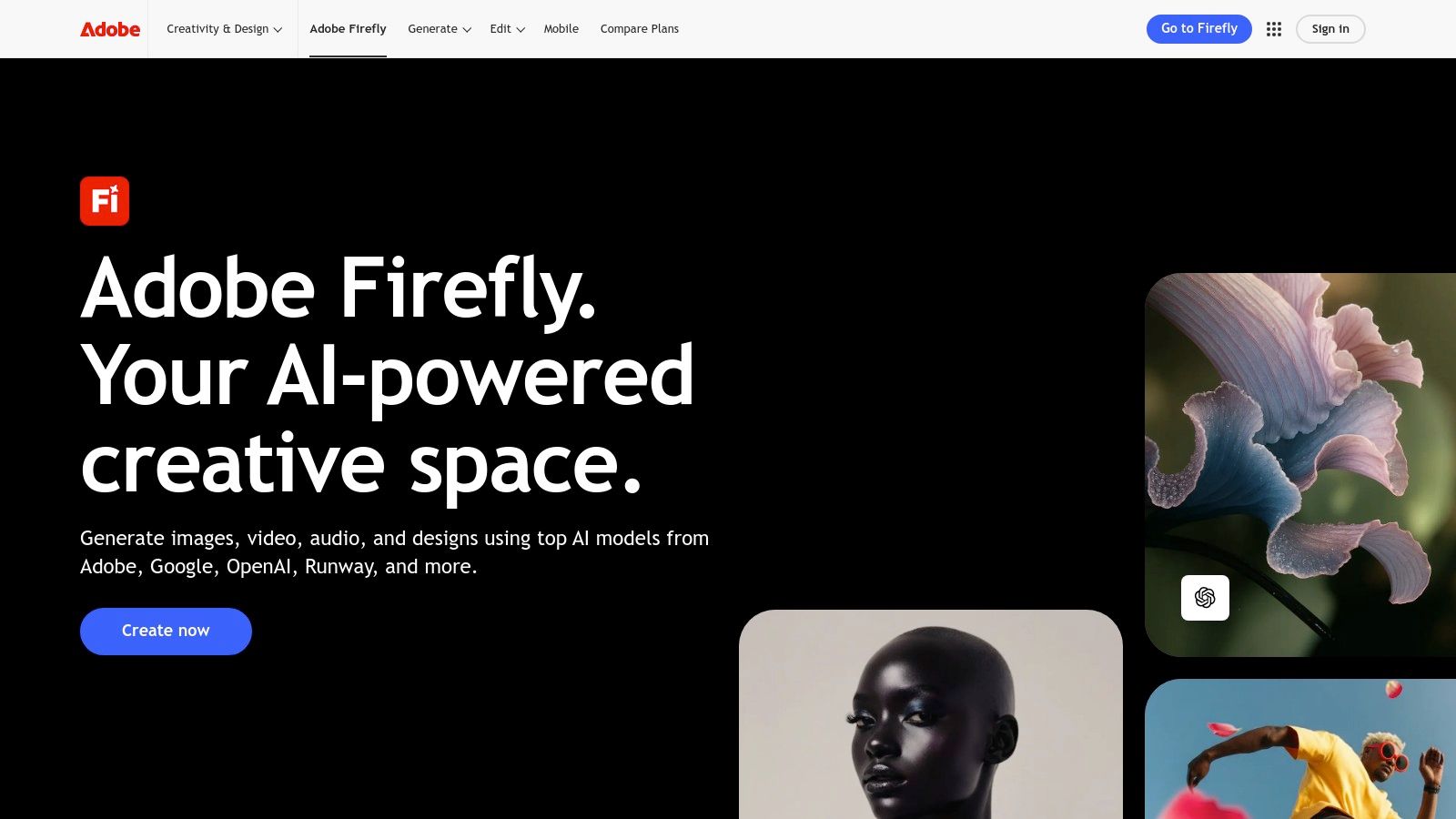
Adobe Firefly is the creative giant's answer to generative AI, positioning itself as a commercially safe and deeply integrated suite of tools for professional creators and teams. Rather than a standalone platform, Firefly’s power lies in its seamless integration within the Adobe Creative Cloud ecosystem, including flagship apps like Photoshop and Adobe Express. This makes it one of the best AI tools for content creation if you already operate within the Adobe environment, allowing you to enhance existing workflows instead of replacing them.
Its core features include text-to-image generation, Generative Fill for adding or removing objects, and Generative Expand for extending image canvases. Firefly is trained on Adobe Stock images, openly licensed content, and public domain content where copyright has expired, providing a layer of legal assurance for commercial projects that many standalone generators lack. This focus on enterprise-readiness and ethical sourcing is a major differentiator.
Key Features & Use Cases
- Best For: Creative professionals, marketing teams, and agencies already invested in the Adobe Creative Cloud.
- Pricing: Access is included with most Creative Cloud subscriptions, operating on a "generative credits" system. Plans like the single-app Photoshop subscription ($22.99/mo) include a monthly credit allocation. A free plan with limited credits is also available.
- Practical Tip: Use Generative Fill directly within Photoshop to create complex composite images without leaving the application. For example, you can select an empty space on a product photo and prompt Firefly to "add a subtle shadow and a green plant in a ceramic pot" to instantly stage your shot.
Pros and Cons
| Pros | Cons | | :--- | :--- | | Deep integration with Photoshop & Express | Credit system can be costly for high-volume users | | Commercially safe and ethically sourced model | Less stylistic flexibility than some niche models | | Transparent, credit-based pricing system | Advanced features may consume more credits |
Website: https://www.adobe.com/products/firefly
3. Canva Magic Studio
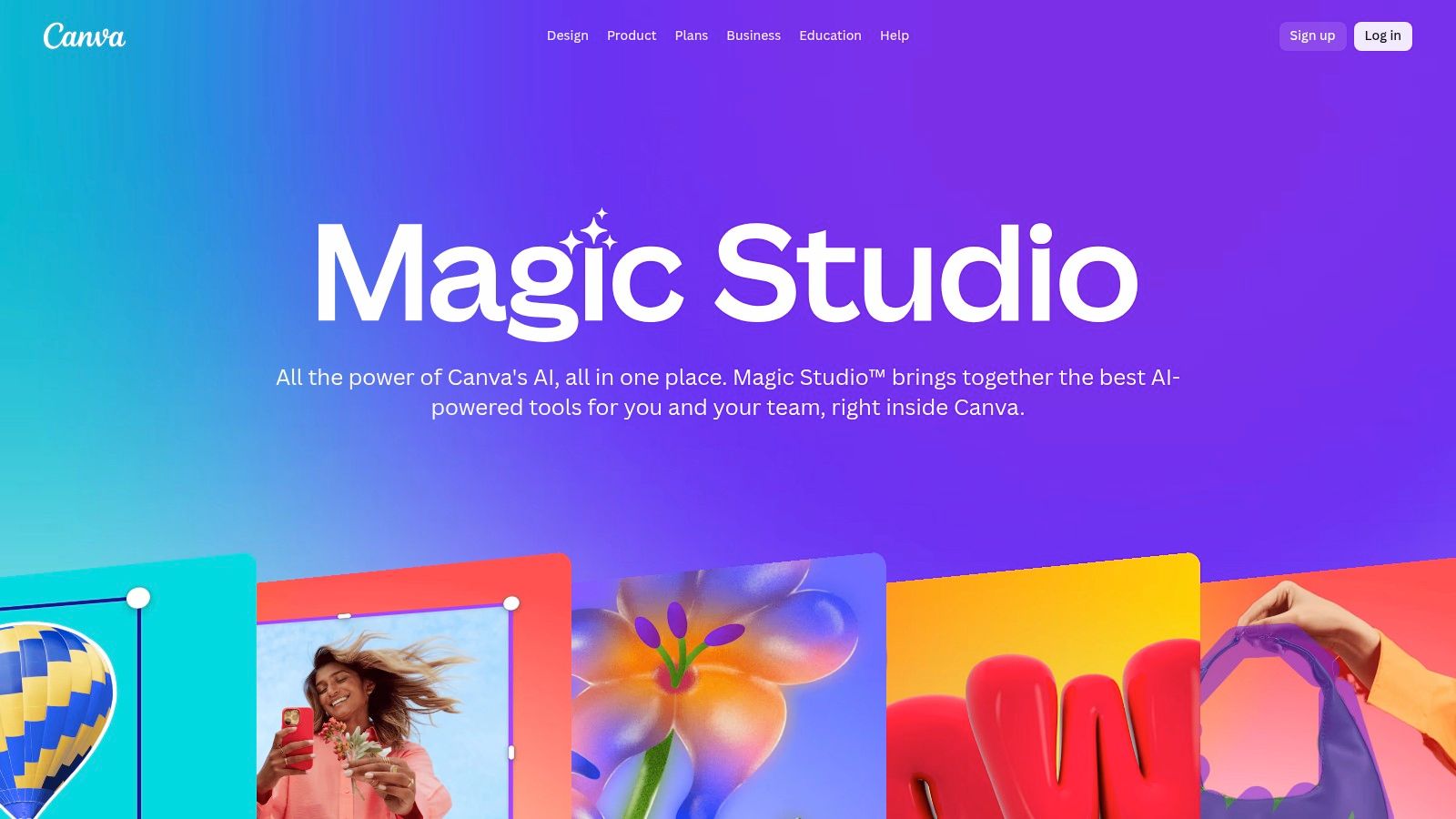
Canva Magic Studio is the platform's all-in-one AI suite, designed to supercharge the creation process for marketers, social media managers, and small businesses. Instead of being a separate tool, it integrates AI features like Magic Write, Magic Design, and Magic Media directly into the familiar Canva drag-and-drop editor. This makes it one of the best AI tools for content creation for users who need to produce a high volume of branded assets like social posts, presentations, and marketing materials quickly and without a steep learning curve.
The core strength of Magic Studio is its accessibility and speed. It leverages Canva’s massive library of templates and assets, allowing you to go from a simple text prompt to a fully designed, on-brand graphic in seconds. It excels at democratizing design, empowering non-designers to create professional-quality visuals, write copy, and even generate simple videos, all within a single, collaborative environment.
Key Features & Use Cases
- Best For: Social media managers, marketing teams, and entrepreneurs needing to create branded content quickly without deep design expertise.
- Pricing: A generous free plan includes limited access to Magic Studio features. Canva Pro ($14.99/mo) and Canva for Teams ($29.99/mo for 5 people) offer significantly more AI credits and advanced tools like Brand Kits.
- Practical Tip: Use Magic Design to instantly generate a set of customized, on-brand templates. Simply upload a product photo and enter a prompt like "Instagram post announcing a flash sale," and Canva will produce multiple editable options that incorporate your brand colors and fonts.
Pros and Cons
| Pros | Cons | | :--- | :--- | | Extremely fast from idea to publish with a low learning curve | Some AI features are limited to paid tiers | | Strong team features and brand management on paid tiers | Usage limits for AI credits vary by plan | | Large library of templates and assets for quick creation | AI-generated designs can sometimes feel generic |
Website: https://www.canva.com/magic/
4. OpenAI ChatGPT
OpenAI's ChatGPT is a foundational AI assistant that has become synonymous with generative AI, offering an incredibly versatile tool for the entire content creation lifecycle. From brainstorming blog post ideas and drafting social media captions to editing complex articles and generating code snippets, its conversational interface makes sophisticated AI accessible to everyone. It excels at handling a wide range of text-based tasks, making it one of the best AI tools for content creation for nearly any professional.
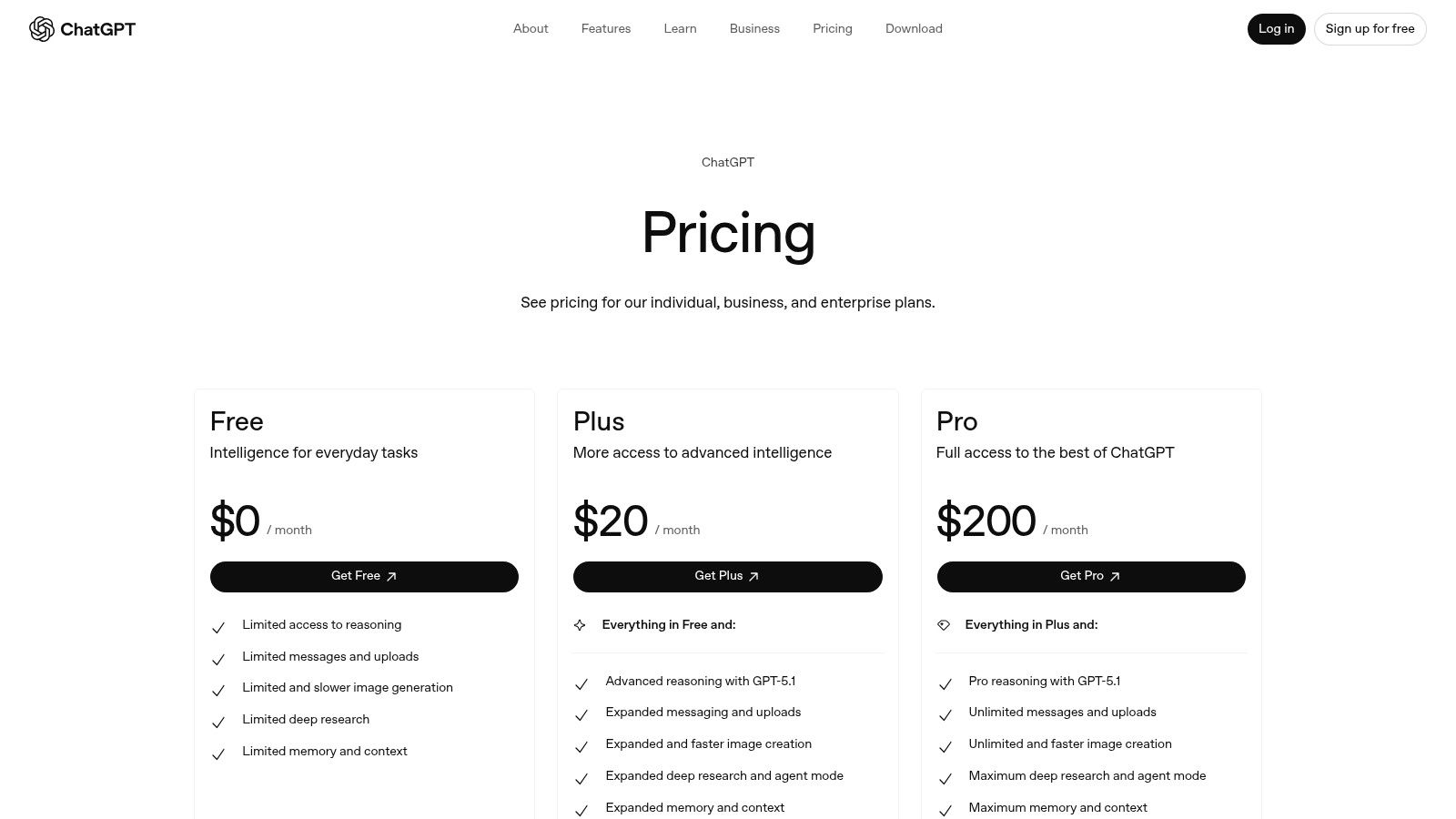
The platform scales remarkably well, catering to individual creators with its robust free version and serving large organizations through its Business and Enterprise tiers. These advanced plans add crucial features like enhanced privacy controls, Single Sign-On (SSO), and administrative dashboards, ensuring that content workflows remain secure and compliant. This scalability from solo use to enterprise deployment is a key differentiator. Learn more about the capabilities of AI content generation tools and how they fit into a modern workflow.
Key Features & Use Cases
- Best For: Solo creators, marketing teams, developers, and enterprises needing a versatile tool for writing, research, and workflow automation.
- Pricing: A powerful free version is available. Paid plans include Plus ($20/user/mo) for individuals and tiered Business/Enterprise plans with advanced security and admin features.
- Practical Tip: Use Custom GPTs to build a specialized "Brand Voice Editor." Feed it your company’s style guide and examples of on-brand content. You can then submit any draft and ask it to "edit this text to match our brand voice," ensuring consistency across all communications. To effectively measure the impact of content generated with OpenAI ChatGPT, consider exploring the best ChatGPT rank tracker tools for 2025.
Pros and Cons
| Pros | Cons | | :--- | :--- | | Broad capability across writing, research, and formatting | Advanced features and higher limits require paid plans | | Scales from individual creators to enterprises | Some enterprise features are only on higher tiers | | Intuitive and easy-to-use interface | Can sometimes produce generic or unverified information |
Website: https://openai.com/chatgpt/pricing
5. Jasper
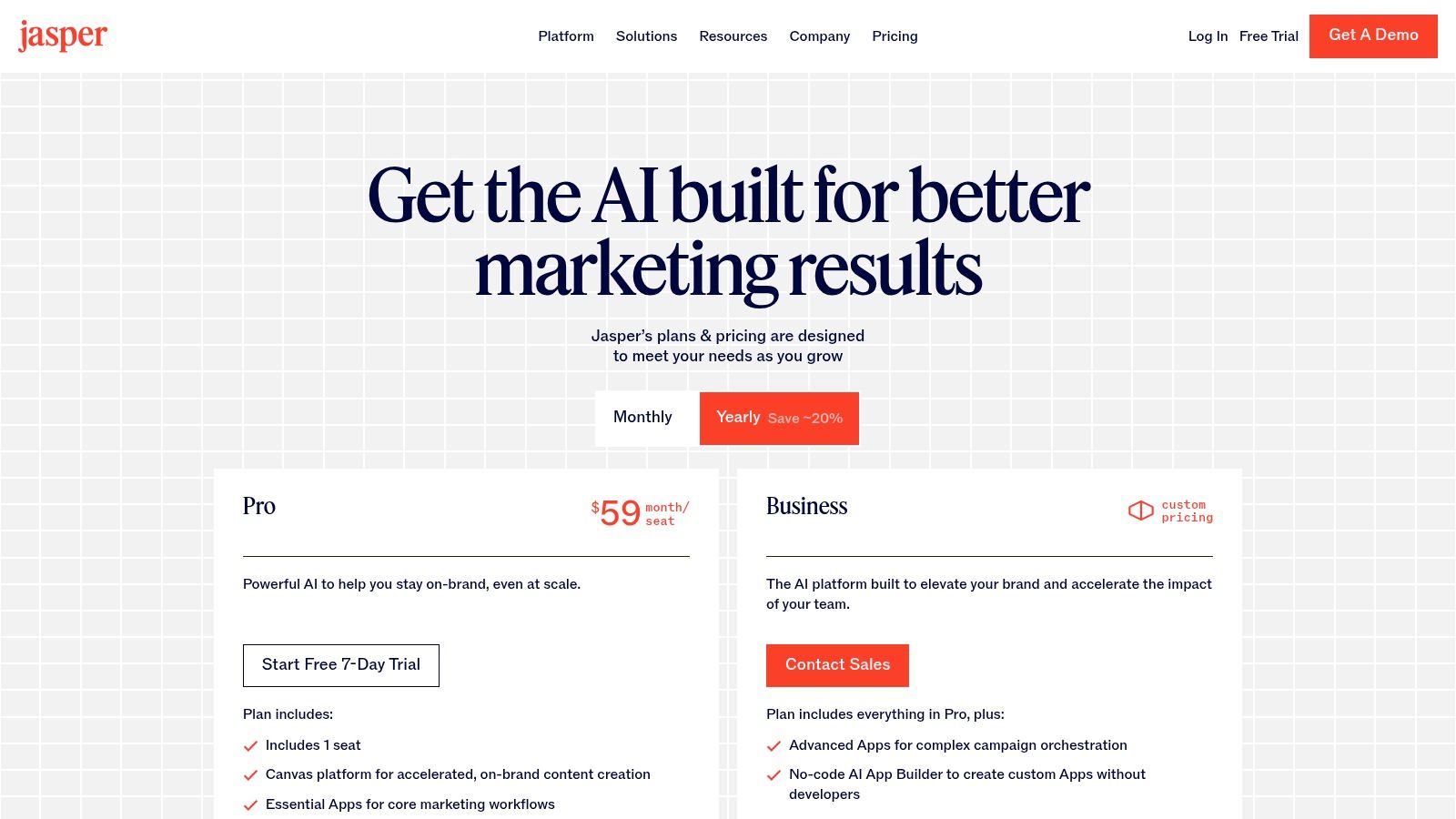
Jasper is a comprehensive AI content platform built specifically for marketing teams and agencies that need to produce on-brand, high-quality content at scale. It moves beyond simple text generation by incorporating sophisticated features like Brand Voice and a central Knowledge Base, ensuring every blog post, ad copy, or social media update remains consistent and accurate. This focus on governance and team-based workflows makes it one of the best AI tools for content creation in a corporate or agency environment where brand integrity is paramount.
The platform's strength lies in its ecosystem of tools designed for marketing campaigns. Jasper's Canvas allows for long-form content creation and campaign orchestration, while its no-code AI App Builder lets teams create their own custom tools. This, combined with its LLM-agnostic approach, gives businesses the flexibility to adapt as AI technology evolves, avoiding vendor lock-in and future-proofing their content strategy.
Key Features & Use Cases
- Best For: Marketing teams, content agencies, and businesses needing to enforce brand consistency across multiple writers and campaigns.
- Pricing: Plans are team-oriented, starting with the Creator plan at $49/mo per seat. The Pro and Business plans offer more advanced collaboration, brand voice, and analytics features.
- Practical Tip: Upload your style guides, product catalogs, and key messaging documents into Jasper’s Knowledge Base. When creating new content, the AI will reference this information to ensure product details are correct and the tone matches your established brand guidelines, drastically reducing editing time.
Pros and Cons
| Pros | Cons | | :--- | :--- | | Strong marketing use cases and collaboration tools | Higher price point than tools aimed at solo creators | | Admin and security options suitable for teams | May be more than required for lightweight content needs | | Excellent brand consistency features | Learning curve for mastering all campaign features |
Website: https://www.jasper.ai
6. Descript
Descript revolutionizes audio and video editing by treating media like a text document, making it an indispensable AI tool for podcasters, YouTubers, and marketers. Instead of navigating complex timelines, you edit the auto-generated transcript, and the corresponding audio or video edits itself. This text-based approach dramatically lowers the barrier to entry for professional-level media production, allowing creators to focus on their narrative rather than technical editing skills.
Its core AI features include one-click filler word removal ("um," "uh"), studio-quality sound enhancement, and an Overdub feature for cloning your voice to correct mistakes without re-recording. Descript combines recording, editing, and repurposing into a single, seamless workflow. The platform is designed for efficiency, making it one of the best AI tools for content creation for anyone who wants to produce polished video or audio content faster.
Key Features & Use Cases
- Best For: Podcasters, video creators, and marketing teams looking to streamline their audio/video editing and repurposing workflow.
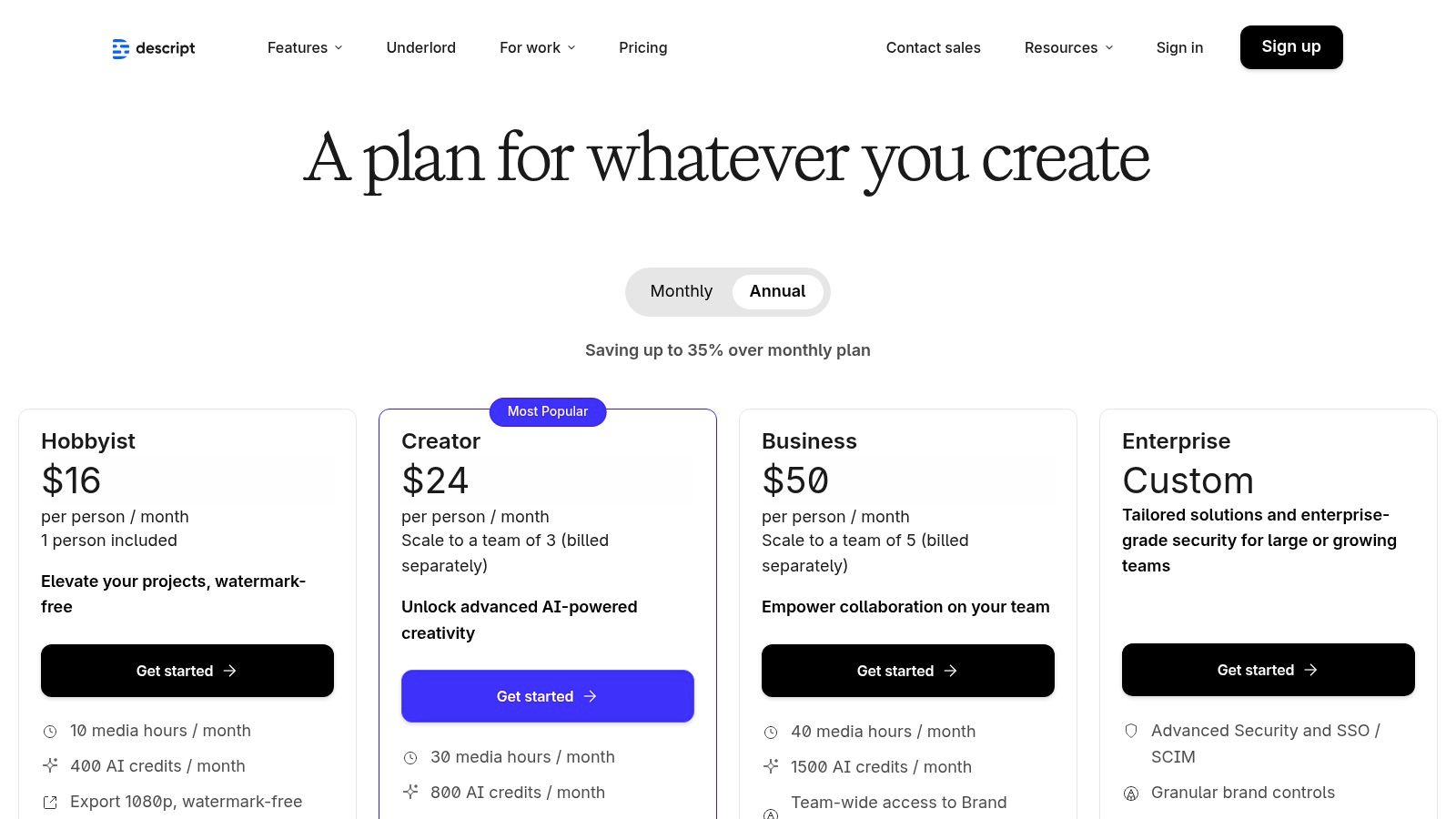
- Pricing: A free plan with limited transcription is available. Paid plans start with the Creator tier at $12/month (billed annually) and go up to the Pro tier at $24/month, which includes more transcription hours and advanced AI features.
- Practical Tip: After finalizing an episode, use the "Find clips" feature to ask the AI to identify potential social media shorts. Prompt it with "Find 5 clips under 60 seconds with a strong hook" to instantly generate shareable content for platforms like TikTok and Instagram.
Pros and Cons
| Pros | Cons | | :--- | :--- | | Dramatically speeds editing and repurposing workflows | New plan structure and credit system may require adjustment for legacy users | | Easy for non-editors to learn and use | Usage/credits model can complicate budgeting for heavy users | | All-in-one tool for recording, editing, and publishing media | AI features like Overdub require careful use to sound natural |
Website: https://www.descript.com/pricing
7. Runway
Runway has established itself as a go-to generative video and advanced AI media platform for creators who need more than just simple clips. It offers a suite of production-ready models like Gen-3 Alpha, alongside a timeline editor, positioning it as a powerful tool for creating short films, dynamic ads, concept videos, and engaging social media content. Runway’s strength lies in combining high-quality video generation with a robust post-production environment, making it one of the best AI tools for content creation that requires both generation and refinement.
The platform is built for creators and teams, offering features that go beyond basic text-to-video. Users can leverage image-to-video, advanced media tools like background removal and lip-sync, and a traditional timeline editor to assemble their creations. This workflow-oriented approach allows for greater control over the final product, distinguishing it from more simplistic, prompt-only video generators. The inclusion of multi-user workspaces makes it a viable option for collaborative agency or team projects.
Key Features & Use Cases
- Best For: Video creators, marketing agencies, and filmmakers who need a comprehensive AI video production and editing suite.
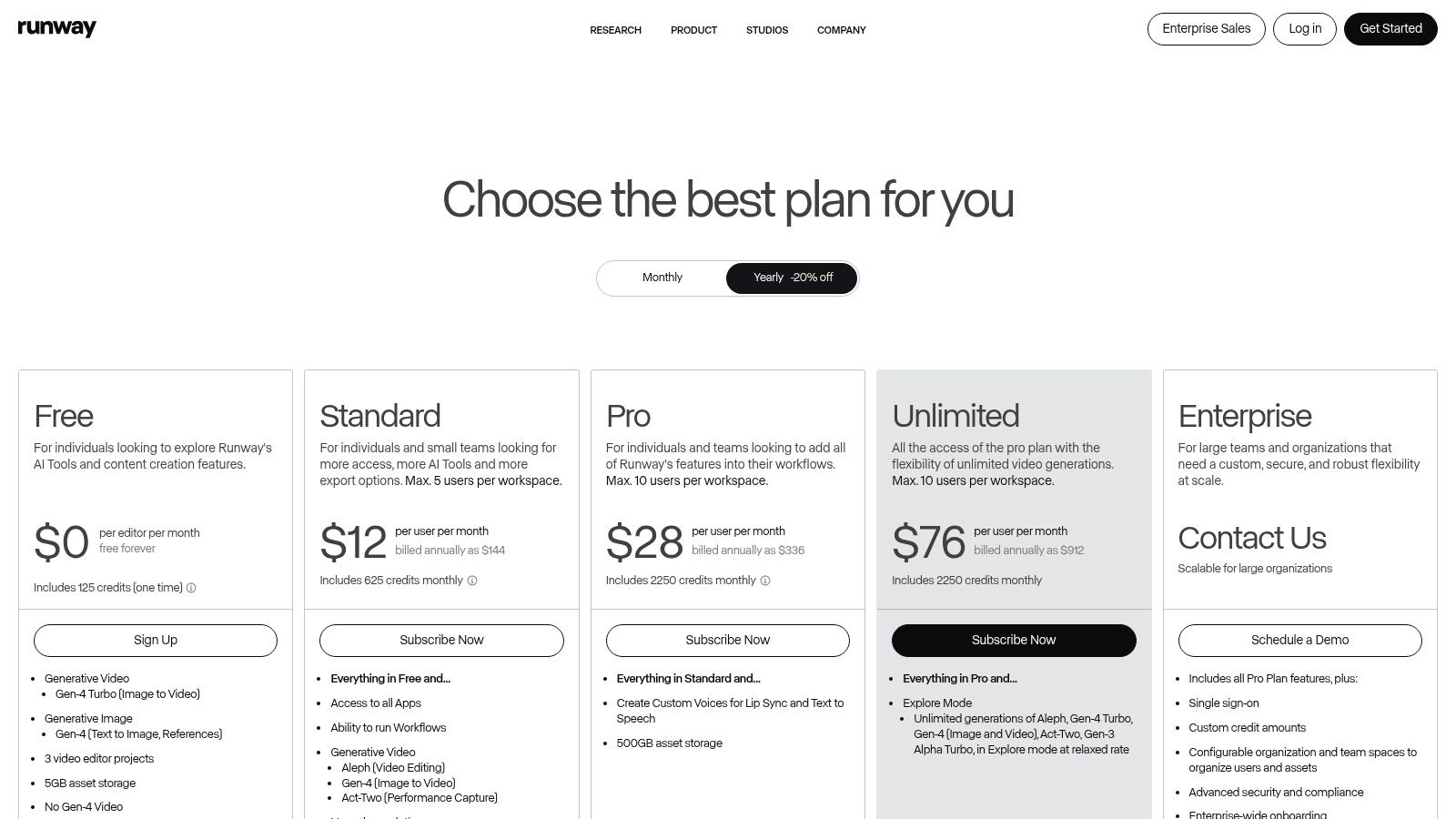
- Pricing: Operates on a credit-based system. The Standard plan starts at $12/user/month (billed annually) and includes a monthly credit allocation. A free plan with limited credits is available for trial purposes.
- Practical Tip: Start your workflow by generating several short clips from a single image or text prompt. Then, use Runway’s timeline editor to stitch these clips together, add audio, and apply effects to create a cohesive narrative without needing external editing software.
Pros and Cons
| Pros | Cons | | :--- | :--- | | Production-ready models and video quality | Credits can be consumed quickly for longer videos | | Good balance of editing tools and generative AI | Team credit sharing requires careful management | | Clear time and credit estimates for generations | The interface can have a learning curve for beginners |
Website: https://runwayml.com/pricing
8. Midjourney
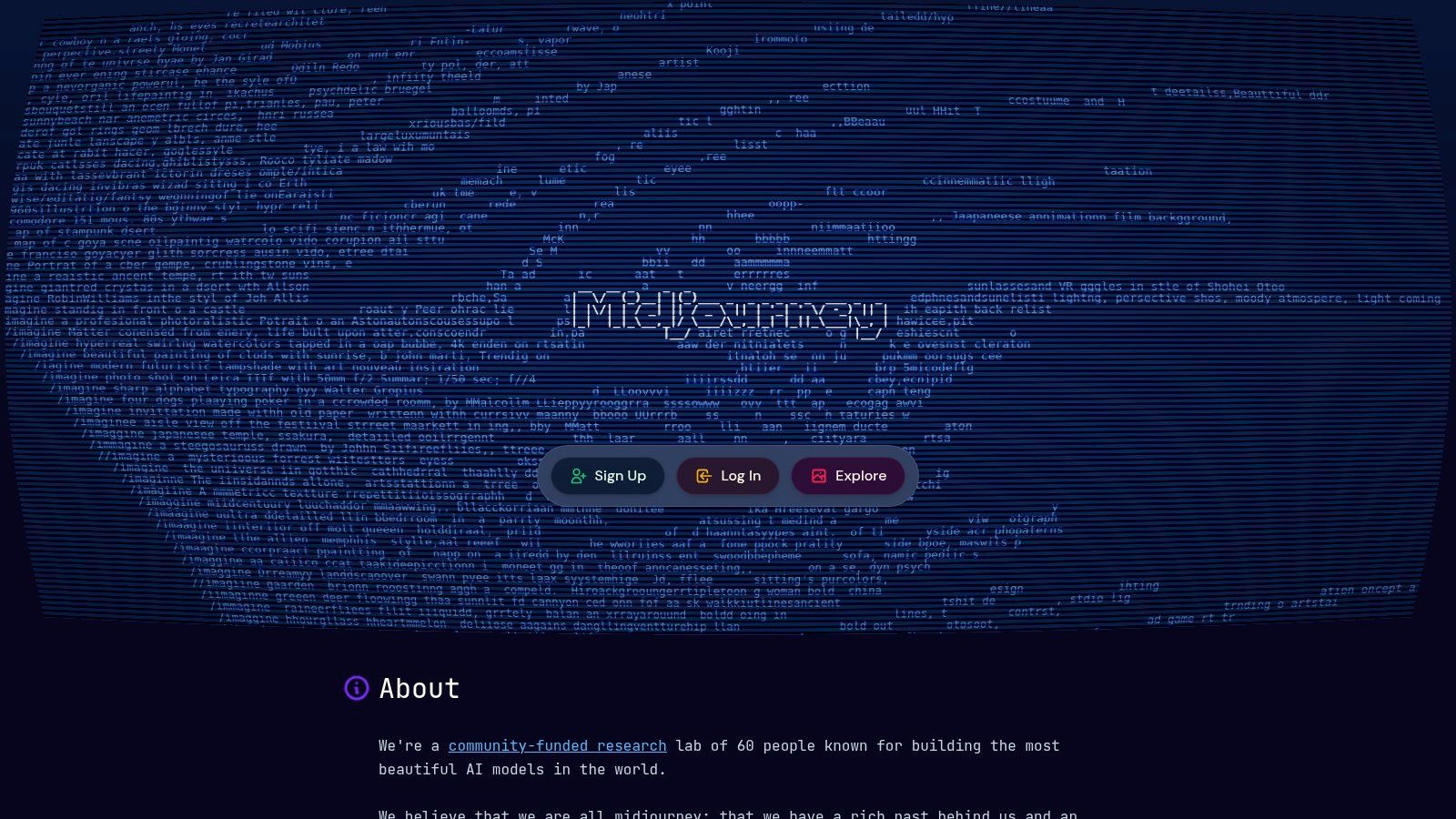
Midjourney is a research lab and generative AI platform renowned for producing exceptionally artistic and high-quality images from text prompts. Initially accessible only through Discord, it has cultivated a distinct aesthetic favored by concept artists, designers, and marketers for creating striking visuals for ad campaigns, social media, and conceptual work. Its sophisticated model excels at interpreting nuanced prompts to generate coherent, detailed, and often beautiful imagery, making it one of the best AI tools for content creation when visual quality is paramount.
The platform operates on a subscription basis, managing generations via GPU time. Its strength lies in its powerful artistic interpretation and the vibrant community that actively shares prompts and techniques, helping new users master the art of prompt engineering to achieve desired results. While it has a steeper learning curve than some alternatives, the visual output is frequently unmatched.
Key Features & Use Cases
- Best For: Concept artists, digital marketers, and creators needing high-fidelity, artistic images for campaigns and creative projects.
- Pricing: Subscription-based, starting with the Basic Plan ($10/mo) for limited fast GPU time. Higher-tier plans like Standard ($30/mo) and Pro ($60/mo) offer more GPU hours and access to a "Relax Mode" for unlimited, slower generations.
- Practical Tip: Use descriptive, artistic language in your prompts. Instead of "a car on a road," try "cinematic shot of a vintage red sports car on a winding coastal road at sunset, epic lighting, hyperrealistic." The more detail and mood you provide, the better the result. You can learn more about using Midjourney for product imagery and similar use cases.
Pros and Cons
| Pros | Cons | | :--- | :--- | | Produces high-quality artistic visuals | Best results require prompt engineering skill | | Active community and learning resources | Fast GPU minutes are limited on lower tiers | | Relaxed unlimited generation on select tiers | Primarily operates through Discord, which can be a hurdle |
Website: https://www.midjourney.com
9. ElevenLabs
ElevenLabs has established itself as the gold standard in generative voice AI, offering incredibly natural-sounding text-to-speech and voice cloning capabilities. Its platform excels at producing audio with realistic intonation and emotional depth, making it a go-to for creators producing podcasts, video narrations, and audiobooks. The technology moves beyond robotic narration, allowing users to clone their own voice for consistent branding or generate new, unique voices for different characters and projects, which is why it's one of the best AI tools for content creation in the audio space.
The platform is split into a user-friendly Studio for direct content creation and a powerful API for developers to integrate voice generation into their applications. Its core strength lies in its sophisticated models that capture subtle nuances in speech, alongside features like multilingual dubbing that automatically translate and adapt audio while preserving the original speaker's voice. This combination of quality, flexibility, and developer access sets it apart from more basic text-to-speech tools.
Key Features & Use Cases
- Best For: Podcasters, video creators, developers, and businesses needing high-quality voiceovers or multilingual audio content.
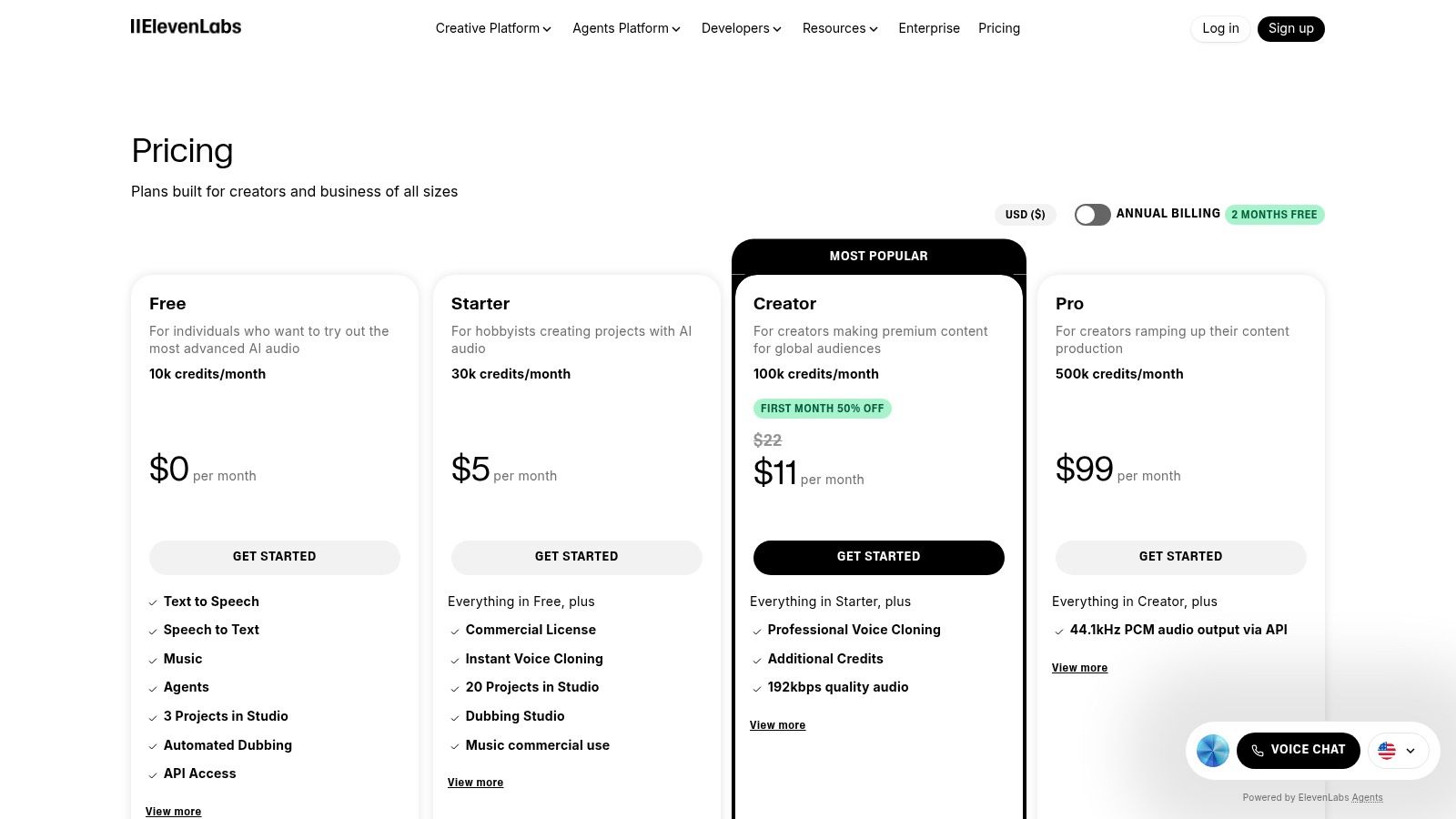
- Pricing: A free plan is available with 10,000 characters per month. Paid plans start at $5/mo for 30,000 characters and go up to enterprise-level solutions. Pricing is based on a character credit system.
- Practical Tip: Use the Professional Voice Cloning feature to create a digital replica of your own voice. You can then generate consistent audio for social media shorts, ad reads, or video narration without having to record new sessions each time, saving significant production hours.
Pros and Cons
| Pros | Cons | | :--- | :--- | | Hyper-realistic and emotive voices | Credit system can become costly for long-form content | | Powerful voice cloning and dubbing tools | Voice cloning requires a paid subscription | | Robust API for custom integrations | High-quality audio generation can be resource-intensive |
Website: https://elevenlabs.io/pricing
10. Synthesia
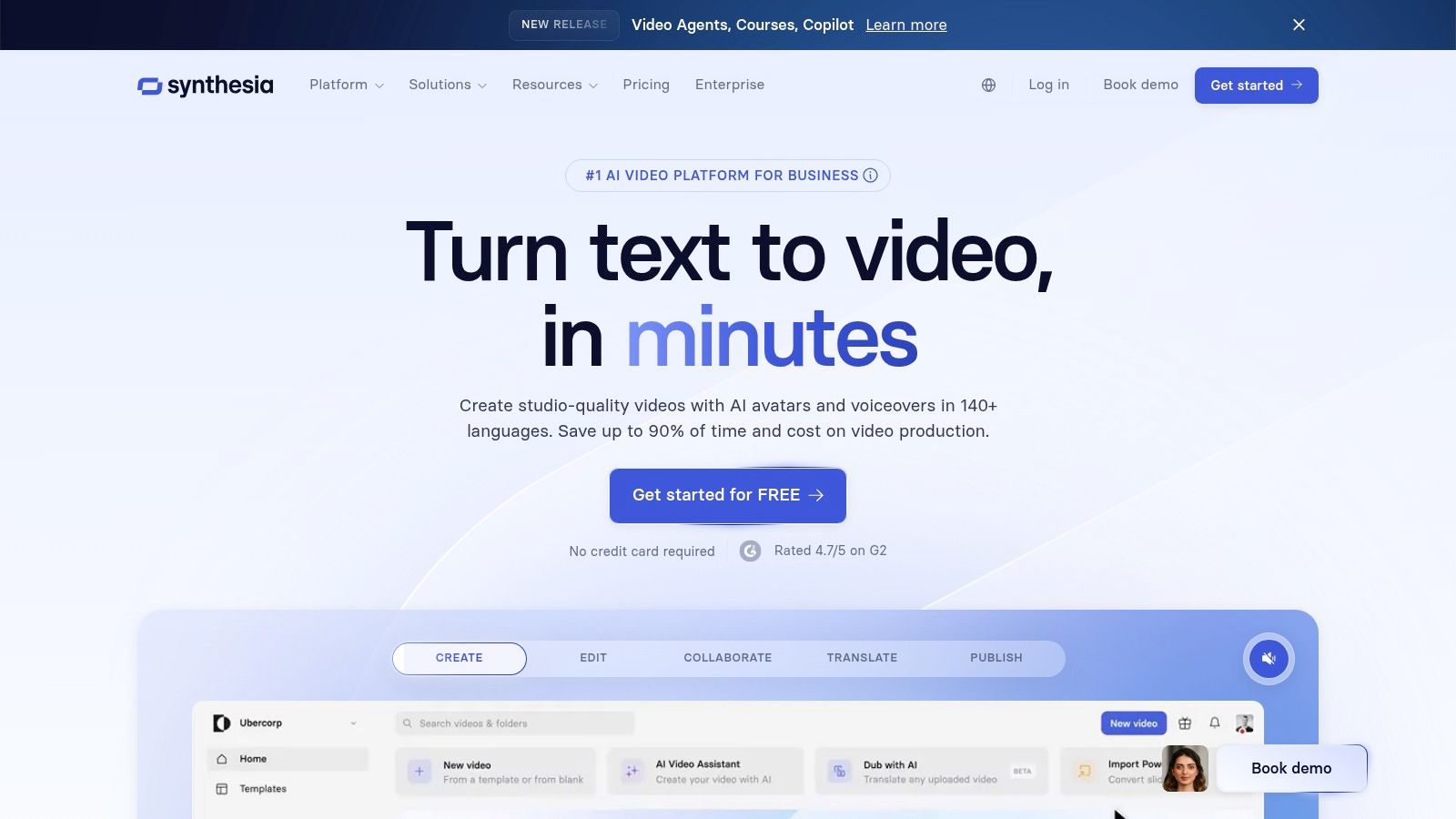
Synthesia is a leading AI video creation platform that transforms plain text scripts into professional-quality videos featuring AI avatars. This web-based tool is engineered to eliminate the need for cameras, microphones, and actors, making it one of the best AI tools for content creation for businesses looking to produce training materials, marketing videos, and corporate communications at scale. Its primary strength lies in its simplicity and speed, allowing non-technical users to generate polished, presenter-led videos in minutes.
The platform streamlines production by offering a script-to-video editor where you can select an avatar, choose a voice, and design the visual background. For organizations, Synthesia provides robust team collaboration controls, brand asset kits, and template-based workflows to ensure all video output remains consistent and on-brand. This makes it an invaluable asset for creating standardized content like employee onboarding guides or product explainer videos efficiently.
Key Features & Use Cases
- Best For: Corporate training departments, marketing teams, and businesses needing to create scalable explainer or instructional videos without a production crew.
- Pricing: Plans start with a free AI video generator for trial. Paid plans begin with the Starter plan at $22/month (billed annually) for 120 minutes of video per year. Creator and Enterprise plans offer more features and collaboration controls.
- Practical Tip: Use the brand and template workflows to create a master video format for a specific series, like weekly company updates or product tutorials. This ensures every video maintains a consistent look, feel, and branding with minimal effort. To go even deeper, you can learn more about how to make AI-generated video for different use cases.
Pros and Cons
| Pros | Cons | | :--- | :--- | | No filming required, dramatically speeding up video creation | Pricing for enterprise and creator tiers is not transparent | | Excellent for team collaboration and brand consistency | Avatar styles can feel generic without customization options | | Simple, web-based editor is accessible to all skill levels | Lip-syncing and expressions can sometimes lack natural nuance |
Website: https://www.synthesia.io
11. AppSumo (AI Tools Collection)
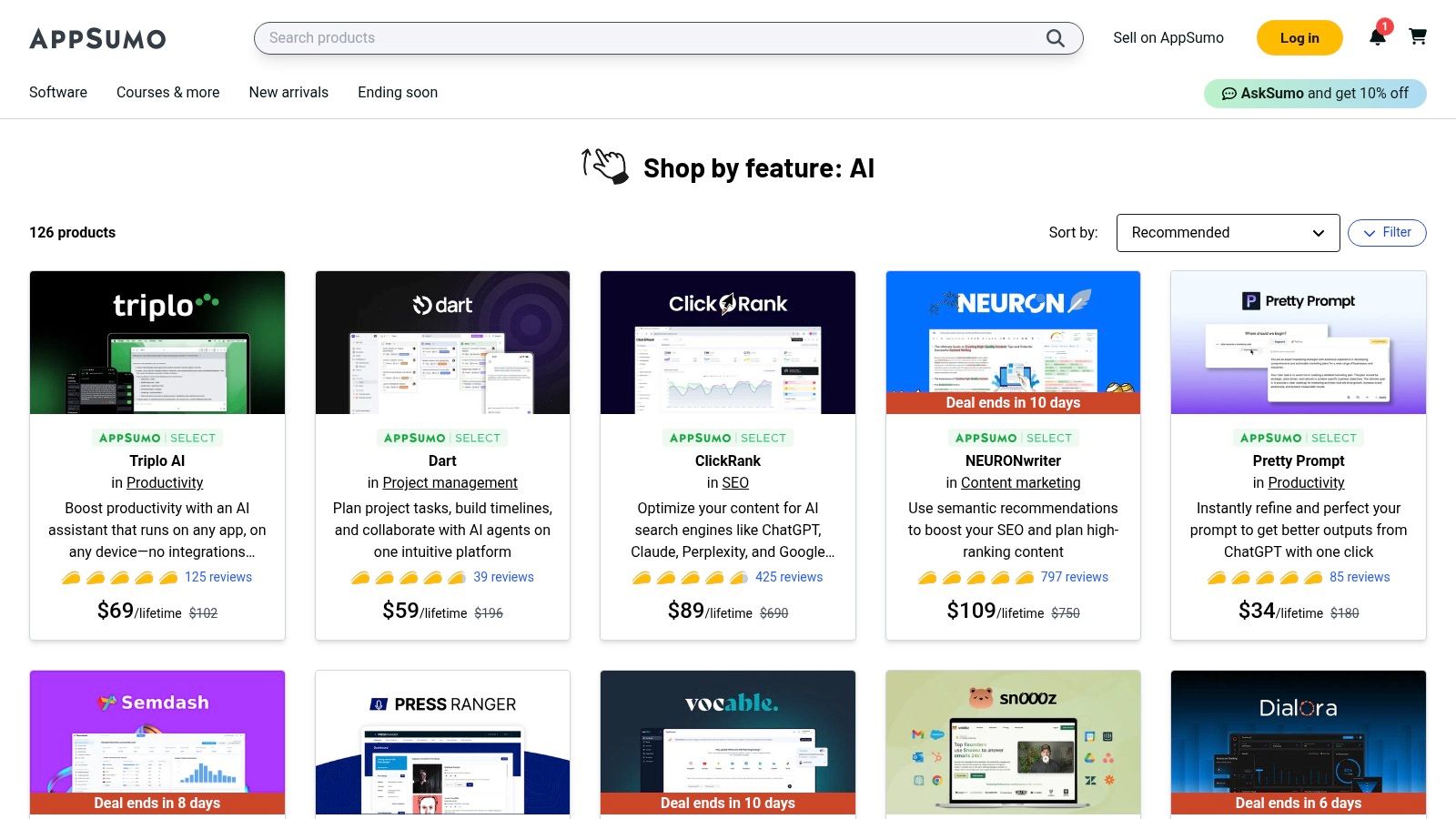
AppSumo isn't a single tool but rather a dynamic marketplace for software, making it a unique entry on our list of the best AI tools for content creation. It's a goldmine for entrepreneurs and small businesses seeking to build their tech stack without committing to recurring monthly subscriptions. The platform specializes in offering lifetime deals (LTDs) on a rotating collection of emerging and established software, including a vast array of AI-powered writing assistants, video editors, and SEO optimizers.
The core value of AppSumo lies in its cost-effectiveness and discovery potential. You can acquire powerful AI tools for a one-time fee that would otherwise cost hundreds or thousands per year. This model allows bootstrapped content creators and agencies to experiment with new technologies and find niche solutions that perfectly fit their workflow, all while managing a predictable budget.
Key Features & Use Cases
- Best For: Solopreneurs, SMBs, and agencies looking for budget-friendly AI tools and lifetime deals instead of subscriptions.
- Pricing: Varies significantly per deal, but most are one-time purchases ranging from $39 to several hundred dollars. A generous 60-day money-back guarantee is standard.
- Practical Tip: Check the AI collection page weekly, as new deals are added frequently and popular ones can sell out. Always read the user reviews and Q&A section on a deal page to gauge the tool's stability and the developer's responsiveness before purchasing.
Pros and Cons
| Pros | Cons | | :--- | :--- | | One-time pricing can be cost-effective long-term | Deal availability is time-limited and fluctuates | | Good for discovering niche or emerging AI tools | Some early-stage tools may sunset or change terms | | Generous refund policy reduces purchase risk | Top-tier, market-leading AI tools rarely appear |
Website: https://appsumo.com/collections/features/ai/
12. G2 (AI Writing Assistants category)
While not an AI tool itself, G2’s AI Writing Assistant category is an indispensable research platform for anyone serious about finding the right software. It aggregates hundreds of user reviews, rankings, and detailed feature comparisons, functioning as a meta-resource to validate your choices. Instead of relying solely on marketing copy, you can see how real users rate tools on usability, support quality, and specific use cases, making it one of the best ways to discover and compare AI tools for content creation.
The platform’s strength lies in its structured data and filtering capabilities. You can quickly compare pricing, deployment models, and supported languages, or see which tools are rated as "Leaders" versus "High Performers" for your specific business size. G2 provides a crucial layer of social proof and competitive analysis, helping you create a shortlist of vendors based on genuine feedback rather than just brand recognition. It’s the starting point for making an informed purchasing decision.
Key Features & Use Cases
- Best For: Marketing teams, business owners, and agencies performing due diligence before committing to a paid AI writing subscription.
- Pricing: Free to browse and compare tools. Vendors pay G2 for enhanced profiles and lead generation features.
- Practical Tip: Use the comparison feature to select up to four tools side-by-side. Focus on the "Ratings" section to see how they stack up on specific criteria like "Quality of Support" or "Ease of Use," which often reveals weaknesses not mentioned on their websites.
Pros and Cons
| Pros | Cons | | :--- | :--- | | Authentic user reviews provide real-world insights | Sponsored listings can sometimes crowd the results | | Powerful filters to narrow down options by company size | Reviews should be cross-referenced with vendor info | | Excellent for shortlisting and vendor comparison | The sheer volume of options can be overwhelming |
Website: https://www.g2.com/categories/ai-writing-assistant
Top 12 AI Content Creation Tools — Comparison
| Tool | Core features | Quality & Rating | Price / Value | Target audience | Unique selling points | |---|---|---:|---|---|---| | 🏆 ViewPrinter | Slideshow & UGC studios, avatar creator, cross‑platform scheduling, AI hooks/scripts | ★★★★☆ — viral‑tested, fast production | 💰 $1 3‑day trial; Pro $49/mo; credits $0.001/credit | 👥 E‑commerce brands, agencies, creators | ✨ Trained on 10k–15k viral posts; end‑to‑end automation | | Adobe Firefly | Text→image, generative fill/expand/upscale, CC integrations, video/audio | ★★★★☆ — production‑grade, enterprise ready | 💰 Credit‑based tiers; enterprise licensing | 👥 Pro designers, studios, enterprises | ✨ Deep Creative Cloud integration; commercial licensing | | Canva Magic Studio | Magic Write/Design/Media inside drag‑drop editor, templates, brand kits | ★★★★☆ — very fast, low learning curve | 💰 Free + Pro for brand management & extras | 👥 SMBs, marketers, non‑designers | ✨ Large template library + brand planner | | OpenAI ChatGPT | Ideation, drafting, custom GPTs, voice & file tools, multimodal | ★★★★☆ — versatile, scalable | 💰 Free→Business/Enterprise tiers; usage limits vary | 👥 Solo creators → enterprises | ✨ Custom GPTs, multimodal toolset | | Jasper | Long‑form & campaign Canvas, brand voice, governance, app builder | ★★★★☆ — marketing‑centric consistency | 💰 Subscription (team/agency pricing) | 👥 Marketing teams, agencies | ✨ Brand voice + governed workflows | | Descript | Text‑based audio/video editing, overdub, filler removal, social clips | ★★★★☆ — speeds editing/repurposing | 💰 Tiered plans + pooled minutes/credits | 👥 Podcasters, YouTubers, marketers | ✨ Overdub voice cloning & text edit workflow | | Runway | Generative video (Gen‑4 Turbo), image→video, timeline editor, lip‑sync | ★★★★☆ — production‑ready video models | 💰 Credit‑based; team workspaces | 👥 Video creators, studios, agencies | ✨ Gen‑4 Turbo & timeline + advanced media tools | | Midjourney | High‑quality image gen, subscription tiers, community resources | ★★★★☆ — artistic, high‑quality visuals | 💰 Subscription (Relaxed/Pro/Unlimited options) | 👥 Concept artists, creatives, marketers | ✨ Distinctive, high‑quality imagery; active community | | ElevenLabs | Natural TTS, voice cloning, dubbing, real‑time agents, API/studio | ★★★★☆ — highly natural TTS, multilingual | 💰 Minutes/credit pricing; studio & API plans | 👥 Podcasters, voiceover pros, localization teams | ✨ Industry‑leading voice cloning & dubbing | | Synthesia | Script→avatar video editor, brand templates, team controls | ★★★☆☆ — easy avatar videos without filming | 💰 Starter→Enterprise (some pricing via sales) | 👥 Training, marketing & comms teams | ✨ Fast avatar‑driven video creation | | AppSumo (AI deals) | Curated lifetime deals & discounts for AI tools | ★★★☆☆ — cost‑effective but variable quality | 💰 One‑time deals; rotating offers | 👥 SMBs, founders, bargain hunters | ✨ Lifetime deals & discovery of niche tools | | G2 (AI Writing category) | User reviews, leaderboards, buyer guides, filters | ★★★★☆ — peer validation & comparison | 💰 Free to browse; vendor features paid | 👥 Buyers, procurement, shortlisters | ✨ Live reviews, badges & buyer guides |
Choosing the Right AI Tool for Your Content Strategy
Navigating the expansive landscape of AI-powered content creation can feel overwhelming, but as we've explored, the right tools can revolutionize your workflow, amplify your creativity, and drive unprecedented results. We've journeyed through powerful specialized platforms like Midjourney for breathtaking visuals and Descript for intuitive audio and video editing. We’ve also examined comprehensive suites like Adobe Firefly and Canva Magic Studio that integrate seamlessly into existing creative ecosystems. The key takeaway is clear: there is no single "best" AI tool, only the best tool for your specific needs, budget, and strategic goals.
The journey to finding the best AI tools for content creation for your brand begins with a simple audit. Before you commit to a subscription, take a moment to pinpoint your primary content bottleneck. Is it the time-consuming process of writing engaging copy? Perhaps a tool like Jasper or ChatGPT is your ideal starting point. Is generating a consistent stream of high-quality, on-brand visuals your biggest challenge? Then exploring Adobe Firefly or Midjourney should be your priority. For those struggling with video production, Runway and Synthesia offer pathways to create professional-grade content without a film crew.
From Individual Tools to a Cohesive AI Stack
As you gain proficiency, the goal shifts from mastering a single tool to building a synergistic AI stack. This is where strategic integration becomes paramount. Your workflow might involve generating a script with ChatGPT, creating voiceovers with ElevenLabs, producing visuals with Midjourney, and editing it all together in Descript. While powerful, this multi-platform approach can quickly become complex and costly, requiring you to manage multiple subscriptions and transfer assets between different interfaces.
This is where all-in-one platforms demonstrate their immense value, especially for creators and businesses focused on efficiency and scale. A solution like ViewPrinter is engineered to solve the integration problem from the ground up. It consolidates the most critical functions-viral-focused media generation, multi-platform scheduling, and intelligent automation-into a single, unified dashboard. This approach isn't just about convenience; it's a strategic advantage that saves time, reduces subscription costs, and eliminates the friction of a disjointed workflow.
Making Your Final Decision: Key Factors to Consider
As you prepare to make your selection, consider these crucial factors:
- Primary Use Case: Are you focused on short-form video for social media, long-form blog posts for SEO, or high-fidelity images for e-commerce? Align the tool's core strength with your primary content format.
- Scalability: Consider your future needs. A tool that works for a solo creator might not support a growing team. Look for features like collaboration, asset management, and user permissions if you plan to expand.
- Budget and ROI: Evaluate the pricing models carefully. Is a monthly subscription or a credit-based system more cost-effective for your usage patterns? The goal is to invest in a tool that provides a clear return, whether through saved time, increased engagement, or direct sales.
- Learning Curve: Some tools, like Midjourney, have a steeper learning curve but offer unparalleled creative control. Others, like Canva Magic Studio and ViewPrinter, are designed for accessibility and speed, allowing you to get started with minimal training.
Ultimately, the era of AI-powered content is not about replacing human creativity but augmenting it. The tools we've discussed are powerful catalysts, designed to handle the repetitive, time-consuming tasks so you can focus on the strategic and creative elements that truly matter. Start small, identify your most significant pain point, and choose one tool to master. From there, you can build an intelligent, efficient, and unstoppable content engine that propels your brand forward.
Ready to consolidate your workflow and accelerate your social media growth? ViewPrinter is the all-in-one platform designed to help you create, schedule, and automate viral content effortlessly. Stop juggling multiple tools and start building a smarter content strategy today by visiting ViewPrinter.