Social Media Management Tools for Small Business Explained
Discover the best social media management tools for small business. Our guide explains key features, pricing, and how to choose the right platform to grow.
If you’re running a small business, you know the feeling. You’re juggling a dozen tasks at once, and social media often feels more like a time-sucking chore than the powerful marketing engine it’s supposed to be. This is where social media management tools for small business come in.
Think of these tools as the mission control for your entire online presence. They’re software platforms that pull everything together, letting you schedule posts, chat with customers, and see what’s working—all from a single screen.
Why Your Small Business Needs a Social Media Tool

Imagine trying to run a bustling café by taking every single order on a separate sticky note. You’d be scribbling coffee orders on one, sandwich requests on another, and just praying nothing gets lost in the shuffle. It wouldn't take long for orders to get missed, customers to get antsy, and you'd have zero clue which menu items are even popular.
That chaotic scene? That’s what managing social media manually feels like for most business owners. It's disorganized, incredibly stressful, and completely unscalable.
A social media management tool is like upgrading from sticky notes to a modern point-of-sale system for your digital storefront. It brings order to the chaos, puts repetitive tasks on autopilot, and gives you a clear picture of what’s actually connecting with your audience. Instead of frantically bouncing between Facebook, Instagram, and TikTok, you get one clean dashboard to run the show.
Overcoming Common Social Media Headaches
Without a proper tool, small businesses almost always run into the same brick walls. The good news is, these platforms are built specifically to break them down. A smart tool helps you:
- Maintain Consistency: Schedule your content weeks or even months out. This keeps your brand active and in front of customers, even when you're buried in other work.
- Never Miss a Message: A unified inbox pulls all your DMs, comments, and mentions into one feed. You can respond quickly and build real relationships with your followers.
- Prove Your ROI: Stop guessing. Get clear, straightforward analytics that show which posts are driving website traffic, bringing in leads, and actually helping your bottom line.
A strong digital presence isn't a "nice to have" anymore. These tools turn social media from a daily grind into a strategic, measurable, and scalable way to grow your business.
The difference an organized approach makes is huge. Social media is now a cornerstone of marketing, with a staggering 96% of businesses building it into their strategies. And what's the top benefit they see? Brand visibility, cited by 83% of businesses—which is exactly what these tools help you achieve across all your channels.
Ultimately, bringing one of these platforms into your workflow is about buying back your most valuable asset: your time. It frees you up to focus on running your business, confident that your social media is humming along efficiently in the background. For more ideas on how to structure your efforts, you might be interested in our guide to creating a winning small business social media strategy.
What Are These Tools Actually Doing? Let's Break It Down.
Jumping into the world of social media management tools for small business can feel like trying to read a different language. You'll hear words like "scheduling," "unified inbox," and "analytics" thrown around, but what do they really mean for your day-to-day grind? Let's decode these core features, not as tech jargon, but as real solutions to your biggest headaches.
Think of these features like different specialists on your marketing team. Each one has a specific job, but they all work together from one central command center, making your social media efforts feel smooth and purposeful. Getting to know their roles is the first step to picking the right platform.
Content Scheduling: Your 24/7 Marketing Assistant
At its heart, content scheduling is simply the power to get your social media posts ready ahead of time and have them automatically go live at the perfect moment. For a swamped small business owner, this is an absolute game-changer. It turns your social media from a frantic, last-minute chore into a calm, strategic part of your week.
Imagine having a tireless assistant who never takes a day off. You can block out a couple of hours on a Monday to plan and write a whole week's worth of content for Facebook, Instagram, and LinkedIn. The tool then becomes your round-the-clock publisher, pushing posts live at the best times to catch your audience's eye—even if that’s 10 PM on a Friday while you’re finally relaxing.
This kind of consistency is everything when it comes to building an audience and keeping them hooked. It makes sure your brand stays visible even when you're busy running the actual business. To really get this working for you, check out our guide on how to automate social media posts.
Unified Inbox: Your Central Customer Service Desk
As your social accounts grow, the notifications pile up. Comments on Facebook, DMs on Instagram, mentions on X—it’s a lot to juggle across a bunch of different apps. A unified inbox cleans up this mess by pulling all your incoming messages and notifications into a single, organized feed.
Think of it like this: you have one central customer service desk for all your social media channels. Instead of running back and forth between different platforms, every question, comment, and complaint comes to one spot. Nothing gets missed, and everyone gets a quick reply.
This isn't just about convenience; it's a huge piece of managing customer relationships. When you respond quickly to questions and engage with comments, you show people you're actually listening. That builds trust and serious loyalty.
Performance Analytics: The Story Your Data Is Telling
Putting content out there is only half the job. You have to know what's landing and what's flopping. Performance analytics dashboards are your window into what’s actually happening. They turn all that raw data into simple reports that tell the real story behind your social media activity.
Instead of just chasing likes and follower counts (we call those "vanity metrics"), these tools help you track the numbers that actually move the needle for your business.
- Reach: How many individual people actually saw your post? This shows you how far your message is spreading.
- Engagement Rate: Of the people who saw your post, what percentage bothered to interact with it (like, comment, share)? This tells you if your content is actually interesting.
- Click-Through Rate (CTR): How many people clicked the link in your post? This is a huge one for sending traffic to your website or online store.
- Follower Growth: Are you consistently gaining new followers over time? This signals the overall health and appeal of your profile.
Analytics takes the guesswork out of your strategy. You can clearly see what kind of content your audience loves, pinpoint the best times to post for a bigger splash, and make smart, data-backed decisions to get a real return on your social media efforts.
How to Choose the Right Tool for Your Business
Alright, you get what these tools do in theory. Now, let's talk about picking the right one. This isn't about grabbing the tool with the longest feature list or the one everyone's talking about. It's about finding the one that fits your business like a glove.
Think of it like choosing a delivery vehicle. If you're a freelance photographer delivering prints locally, an e-bike gets the job done—it's simple, cheap, and efficient. But if you’re a growing e-commerce brand shipping nationwide, you need the delivery van—something more robust, with more capacity and power. Your needs dictate the right choice.
Start with a Self-Assessment
Before you even glance at a pricing page, you need to get real about what you actually need. A little clarity upfront saves you from overpaying for features you'll never touch or, just as bad, picking a tool you'll outgrow in six months.
Kick things off by asking a few honest questions:
- How many social profiles do you actually manage? A tool that’s a dream for 3 accounts can turn into a nightmare at 10.
- How big is your team? If it’s just you, collaboration features are dead weight. If you've got a team, you'll need things like user permissions and approval workflows.
- What’s your real budget? Figure out a monthly number you’re comfortable with. This alone will slash your list of options down to a manageable size.
This quick audit acts as your filter, helping you focus only on the social media management tools for small business that are a genuine fit.
Balancing Cost with Must-Have Features
Here’s the real challenge: finding that sweet spot where what you pay is dwarfed by the value you get. A free tool looks great on paper, but if it's missing a unified inbox, the time you'll waste hopping between apps to check DMs will cost you more than a paid plan.
On the flip side, the priciest tool isn't automatically the best. Paying for enterprise-level analytics when all you need are basic engagement numbers is like buying that delivery van just to drop off a single letter down the street.
The right tool is an investment, not an expense. It should pay for itself in saved time, less stress, and real, measurable growth. You've found the right one when the monthly fee feels like a bargain for what it does for your business.
To make sense of it all, remember the three pillars: scheduling, inbox management, and analytics. They’re the foundation of any solid platform.
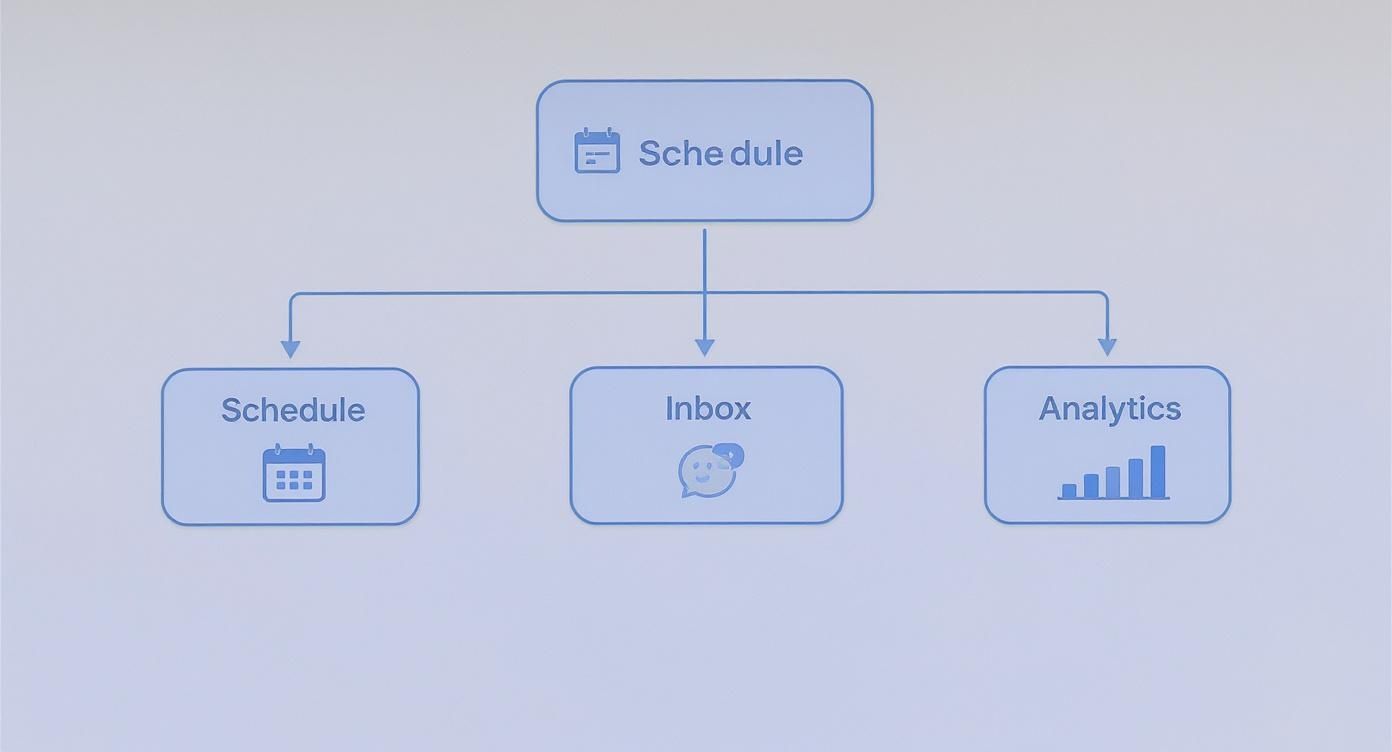
While scheduling is what gets most people in the door, a tool that nails the inbox and analytics is what will actually make a difference in your day-to-day.
To help you compare apples to apples, use this simple checklist during your free trials. It forces you to think through what matters to you before you get distracted by shiny objects.
Feature Checklist for Selecting Your Social Media Tool
Use this checklist to evaluate different social media management tools based on the features most critical to your small business operations.
| Feature | Essential for My Business (Yes/No) | Tool A Notes | Tool B Notes | Tool C Notes | | :--- | :--- | :--- | :--- | :--- | | Social Network Support (e.g., FB, IG, X, LI) | | | | | | Content Scheduling & Calendar | | | | | | Unified Social Inbox | | | | | | Team Collaboration (User Roles, Approvals) | | | | | | Analytics & Reporting | | | | | | Content Creation Tools (AI, Canva integration) | | | | | | Mobile App (iOS/Android) | | | | | | Customer Support (Live Chat, Email) | | | | | | Listening/Monitoring | | | | | | Scalable Pricing Tiers | | | | |
Once you've filled this out, the best option for your business should be much clearer. It’s less about which tool is "best" and more about which one checks your specific boxes.
Prioritize User Experience and Support
For a small business without an IT department, two things are non-negotiable: an intuitive interface and customer support you can count on. A tool can have all the power in the world, but it’s useless if you can’t figure out how to use it.
When you’re in a free trial, pay attention to how it feels to use the platform.
- Is the dashboard clean? Can you find what you need without digging through a dozen menus?
- How fast can you connect your accounts? This should be a quick, painless process, not a technical headache.
- Can you schedule your first post in under five minutes? If the most basic task feels clunky, it’s a major red flag.
Finally, test their support. Pop a question into their chat or help desk. Fast, helpful support is a lifesaver when things go wrong on a busy day. Don’t settle for anything less.
Alright, you've got a handle on the what and the why. Now, let's talk about the who. The market for social media management tools is packed, but a few key players always seem to rise to the top.
Think of this less like a formal review and more like a guided tour. I want to introduce you to the personalities behind the platforms so you can find the one that just clicks with how you work. Some tools are like a Swiss Army knife—loaded with a gadget for every conceivable situation. Others are more like a perfectly balanced chef's knife, designed to do one or two things flawlessly.
Let's find your match.
Hootsuite: The All-In-One Powerhouse
Hootsuite is one of the original players in this space, and it shows. It’s a true all-in-one platform built to be the single dashboard for your entire social media world—from scheduling and engaging to deep-dive analytics and social listening.
- Who it's for: Established small businesses or small agencies juggling a ton of social accounts. If you need serious team collaboration features and reports that can prove ROI, Hootsuite is a heavyweight contender.
- Its biggest strength: The sheer depth and breadth of its integrations. You can manage dozens of profiles across a huge range of networks, track mentions of your brand across the web, and build custom reports that speak the language of stakeholders.
- What to expect on price: Hootsuite’s plans are tiered to grow with you. It’s definitely on the pricier side, but for businesses where social media is a core part of lead generation and customer service, the investment often pays for itself.
Think of Hootsuite as the command center for a complex mission. It gives you eyes and ears everywhere, making it perfect for managing a broad, active social media presence from one spot.
Buffer: The Champion of Simplicity
If Hootsuite is the command center, Buffer is the beautifully designed, minimalist cockpit. Its entire reputation is built on a clean, intuitive interface that makes scheduling content feel less like a chore and more like a creative process. Buffer strips away the clutter to focus on getting your content out there consistently.
This simplicity makes it incredibly inviting for anyone just getting started. It's no surprise that Buffer is a favorite among newcomers, especially with a free plan that lets you manage up to three social channels. This is a game-changer for startups and solopreneurs looking to build a rhythm without an upfront cost.
- Who it's for: Solopreneurs, creators, and small businesses who value a clean, uncluttered workflow above all else. If your main goal is to schedule posts and track basic performance without feeling overwhelmed, Buffer is your best friend.
- Its biggest strength: Simplicity is its superpower. The platform is unbelievably easy to navigate. You can genuinely queue up an entire week's worth of content in minutes.
- What to expect on price: Buffer has a fantastic free tier, and its paid plans are affordable. They add features like a unified inbox and better analytics, letting you scale up as your business grows.
SocialPilot: The Cost-Effective Team Player
SocialPilot has cleverly carved out a spot for itself by offering powerful, agency-level features at a price point that small businesses can actually afford. It strikes a fantastic balance between a rich feature set—including bulk scheduling and client management—and a sensible price tag.
This makes it a dream for teams. For small businesses in 2025, SocialPilot is a standout because you get a lot of bang for your buck. While a tool like Hootsuite is incredible, its team plans can start around €99 per month. SocialPilot often delivers similar firepower at a fraction of the cost. If you want to dig deeper into these comparisons, you can discover more insights about top-rated social media tools.
- Who it's for: Growing small businesses and marketing agencies that need robust collaboration and scheduling tools without paying enterprise prices.
- Its biggest strength: Incredible value for money. SocialPilot is packed with features like a social inbox, content suggestions, and even white-label reports, making it a tool that can truly grow with you.
- What to expect on price: The plans are extremely competitive. You'll often find you get more users and more social accounts for your money compared to the big names, which is a smart financial move for any budget-conscious team.
Setting Up Your New Tool for Success
Picking the right social media management tool is a big win, but it’s just the first step. The real magic happens when you weave it into your daily operations. Think of it like buying a top-of-the-line oven for a professional kitchen—you still need to organize your ingredients, prep your stations, and perfect the recipes.
This is where your new software goes from being a monthly subscription to a core part of your business system. A little bit of thoughtful setup upfront makes all the difference, helping you shift from scrambling for posts to executing a real strategy from day one.
The Initial Onboarding Checklist
Getting started shouldn't feel like a technical nightmare. Most tools walk you through the basics, but focusing on these three steps will build a rock-solid foundation for everything that comes next.
-
Securely Connect Your Social Accounts: This is job number one. The tool will ask you to authorize access to your Facebook Page, Instagram Business profile, LinkedIn Company Page, and any others you use. Make sure you’re always using the official, secure login pop-ups to keep your accounts safe.
-
Configure Your Workspace: Take a few minutes to make the dashboard your own. If you have a team, this is when you assign roles and permissions to decide who can publish content or answer messages. It’s also a good idea to tweak your notification settings so you don't get pinged for every single like.
-
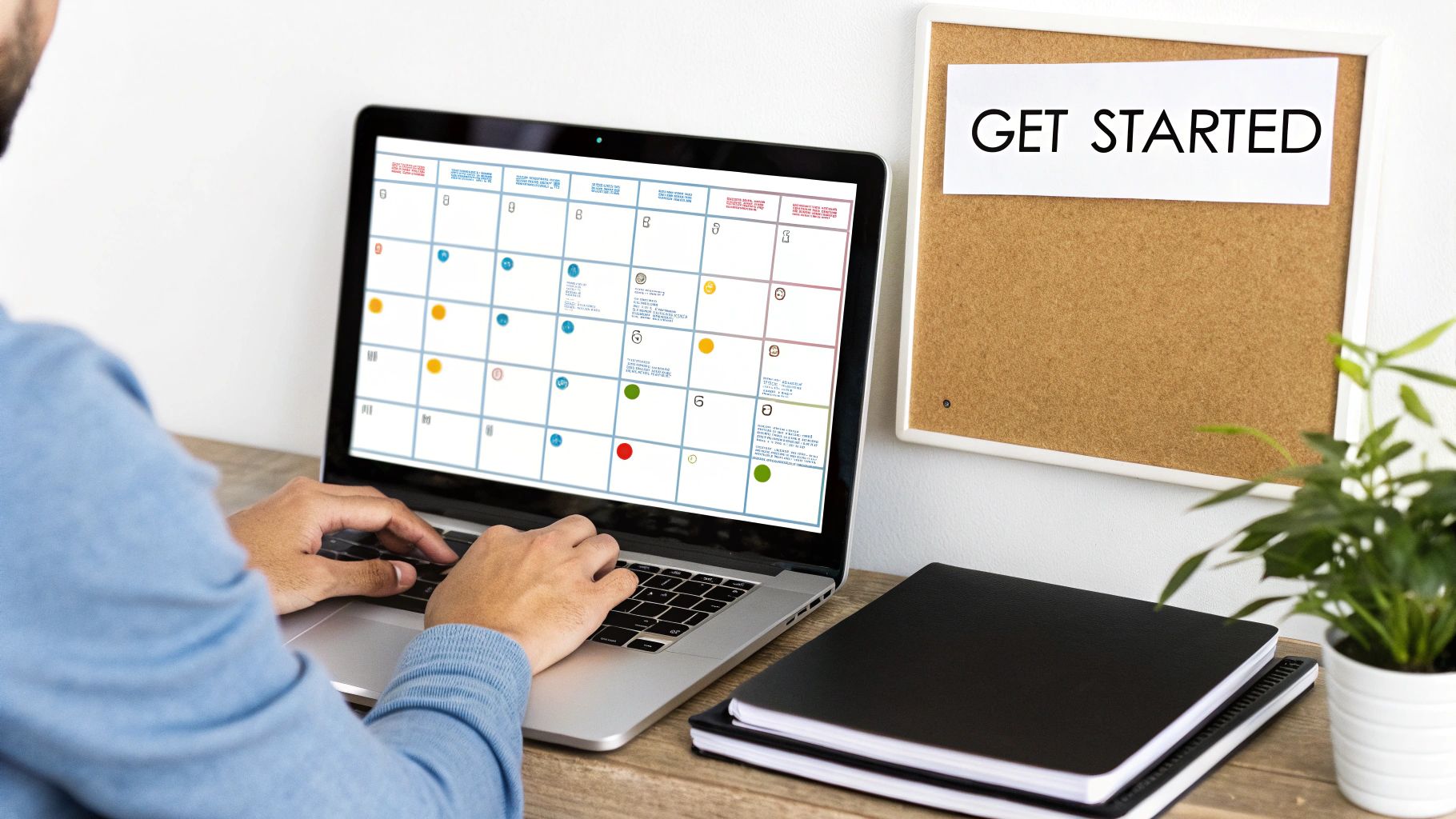
Build Your First Content Calendar: Don't just dive in and schedule random posts. Pull up the calendar view and start mapping out your content for the next week. This visual planner is the heart of your new workflow and a key feature of any decent management tool.
Designing Your Daily Workflow
Okay, the techy part is done. Now it's time to build the habits that make the tool truly powerful. A structured workflow saves an incredible amount of time and gets rid of that daily "what should I post?" anxiety.
Start by defining your content pillars—these are the three to five core topics your brand will consistently talk about. For a local coffee shop, they might be Behind-the-Scenes Brewing, Customer Spotlights, and Local Events. This simple framework makes brainstorming a breeze and keeps your brand message tight.
Of course, a tool is only as good as the strategy behind it. This ultimate social media strategy template is a fantastic resource for guiding your planning.
A great tool doesn't just automate tasks; it enables better habits. The goal is to create a repeatable system that produces high-quality content consistently, freeing up your mental energy for bigger-picture strategy.
This leads us to the game-changing power of content batching. Block off a couple of hours once a week—say, every Monday morning—to create all your visuals and write all your captions for the entire week. Then, upload everything to your tool's media library and schedule it all out. Just like that, the daily scramble is gone.
Establishing Your Daily Routine
Finally, lock in a simple, repeatable daily check-in. This whole process shouldn't take more than 15-20 minutes a day.
- Morning Inbox Check (10 mins): First thing, open up the unified inbox. Reply to all the comments, DMs, and mentions that came in overnight. This small step makes your community feel heard and keeps engagement high.
- Performance Glance (5 mins): Take a quick look at your analytics dashboard. Are any posts taking off? See what's working so you can do more of it.
- Calendar Confirmation (5 mins): Give your scheduled posts for the day a final once-over. You just want to make sure everything still looks good and is relevant.
This simple routine turns social media from a chaotic, time-sucking task into a controlled, strategic part of your business. The tool handles the grunt work, and you get to focus on what matters: connecting with your audience.
Measuring Your Social Media ROI with Analytics
So, you've invested in one of the many social media management tools for small business. Smart move. But how do you actually prove it’s paying off? The answer is hiding in plain sight: your analytics dashboard.
This is your command center for connecting the dots between your social media activity and real business results. It’s time to stop chasing vanity metrics like "likes" and start focusing on what truly matters.
Likes and follower counts feel good, but they don't pay the bills. The real value is in tracking the Key Performance Indicators (KPIs) that show a tangible return on investment (ROI). These are the numbers that prove your social media efforts are actually helping your bottom line.
Moving Beyond Vanity Metrics
To really measure success, you have to track the metrics that line up with your actual business goals. Instead of just counting followers, let's focus on the data that tells a story of growth and customer action.
- Website Click-Through Rate (CTR): This is a big one. It shows you how many people saw your post and were interested enough to click the link to your website. A high CTR means your content is hitting the mark and driving traffic where you want it.
- Conversion Rate: This is the ultimate KPI. It tracks how many of those website visitors actually did what you wanted them to do—like signing up for a newsletter, downloading a guide, or, best of all, making a purchase.
- Lead Generation: This measures how many potential new customers you’re capturing through social media. Think contact forms in your bio or links in specific campaign posts.
These are the metrics that turn your social media report from a simple activity log into a powerful business case. You can dive deeper into translating these numbers into dollars and cents in our guide on how to measure social media ROI.
Using Your Tool's Reporting Features
The good news is your management tool’s built-in analytics are designed to make this easy. You can generate straightforward reports that visualize your performance, helping you see which platforms, content types, and posting times are getting you the best results. This data-first approach helps you justify the tool's cost and, more importantly, sharpen your strategy.
The market for these tools is exploding for a reason: businesses are seeing a clear return. The global social media management market was valued at $27.03 billion in 2024 and is projected to hit $32.48 billion in 2025. It's not just a trend; it's a core business function.
By consistently tracking the right KPIs, you turn your social media presence from a hopeful experiment into a predictable, profit-driving engine for your business.
While the built-in analytics are great, you can get even more granular insights by exploring dedicated social media analytics tools. These can help you fine-tune your campaigns with even greater precision.
Ultimately, measuring your ROI is about making smarter decisions. It ensures every post you create and every dollar you spend is pushing your business forward.
Common Questions Answered
Picking the right social media management tool often brings up a few key questions. It's a big decision, so getting clear on the details helps you invest your time and money where it really counts. Let's tackle some of the most common things people ask.
How Much Should a Small Business Actually Budget for These Tools?
The price range is huge, but you can get started for free. Lots of platforms have free plans that are perfect if you're only handling one to three social profiles. From there, paid plans for small businesses usually fall somewhere between $15 and $100 per month.
Honestly, your budget comes down to what you need. If you're looking for deep analytics, features for team collaboration, or the ability to connect a ton of social accounts, you should expect to be on the higher end of that range.
My best advice? Always, always take advantage of a free trial. It's the only way to know for sure if a tool is a good fit for your workflow before you put a credit card down.
Can These Tools Just Create Content for Me with AI?
Not exactly. While most tools won't write a post from scratch in your voice, many now have incredibly helpful AI assistants built-in. Think of them less as a content creator and more as a creative partner designed to make your job faster.
Here’s what AI is actually good for:
- Rewriting a post to fit the vibe of different platforms.
- Helping you brainstorm when you're stuck for ideas.
- Finding relevant hashtags to get more eyes on your content.
- Generating a few different caption options to get you past writer's block.
It's there to speed things up, not to replace your unique brand personality.
Is Using a Scheduler Going to Hurt My Engagement?
This is a stubborn myth that just won't go away. Let's bust it for good. Reputable social media management tools are official partners with the big networks like Meta and X (formerly Twitter). They use approved APIs, which is the proper, sanctioned way to schedule posts.
There is absolutely no evidence that using an authorized scheduling tool hurts your reach or engagement. What really tanks your performance is bad content, posting inconsistently, or ignoring your audience. A good tool actually helps you post at the best times for your followers, which can give your engagement a serious boost.
Ready to stop juggling platforms and start creating viral content effortlessly? ViewPrinter combines AI-powered media generation, a powerful editor, and seamless scheduling into one platform. Start your free trial and see the difference today.