
what is a content calendar: A Practical Guide for Marketers
Discover what is a content calendar and how it can streamline your content strategy, boost collaboration, and hit your marketing goals.
A content calendar is a strategic roadmap that outlines what, when, and where you plan to publish upcoming content. But it's so much more than a simple schedule. Think of it as the central nervous system for your entire content marketing strategy, making sure every single piece has a clear purpose.
Your Guide to Strategic Content Planning
Imagine your content calendar as the GPS for your marketing team. Without it, you're just posting sporadically, hoping something sticks. With it, you get a clear, turn-by-turn guide that transforms random acts of marketing into a cohesive, goal-oriented journey.
This living document becomes your team's single source of truth for planning, collaborating, and tracking performance. It's the one place where you can see the big picture—like a major product launch campaign—and zoom into the tiny details, like the exact time an Instagram post should go live.
Moving Beyond Simple Scheduling
A modern content calendar is way more than a list of dates. What started as a simple spreadsheet has evolved into a powerful tool built to manage the complex demands of multi-channel marketing.
And that level of organization is non-negotiable today. With audiences spread across so many different platforms, a central plan is essential. In fact, by 2025, the average social media user will engage with nearly seven different platforms each month, according to insights from Sproutsocial.com. A calendar is what keeps your brand voice consistent and your reach maximized across all of them.
A great content calendar doesn't just tell you what to post next week. It connects your daily tasks to your quarterly goals, making sure every blog post, video, and tweet is a deliberate step toward a bigger objective.
This strategic alignment is what separates okay marketing from great marketing. For teams juggling multiple platforms, a robust calendar helps coordinate every moving part. You can see exactly how this plays out in our guide on building a content strategy for social media marketing.
Ultimately, a content calendar ensures your efforts are intentional, efficient, and actually make an impact.
Core Functions of a Content Calendar at a Glance
To really get a feel for what a content calendar does, it helps to break down its core roles. This isn't just about scheduling; it's about building a smarter, more effective marketing machine from the ground up.
| Function | What It Achieves | | :--- | :--- | | Strategic Planning | Aligns content with marketing goals, campaigns, and audience needs. | | Team Collaboration | Creates a single source of truth for writers, designers, and marketers. | | Workflow Management | Tracks content from idea to publication, ensuring deadlines are met. | | Consistency | Maintains a regular publishing cadence and consistent brand voice. | | Performance Tracking | Provides a framework for measuring what works and what doesn't. |
Seeing it laid out like this makes it clear: a content calendar is the backbone of any serious content operation, providing structure and clarity every step of the way.
The Essential Parts of an Effective Content Calendar
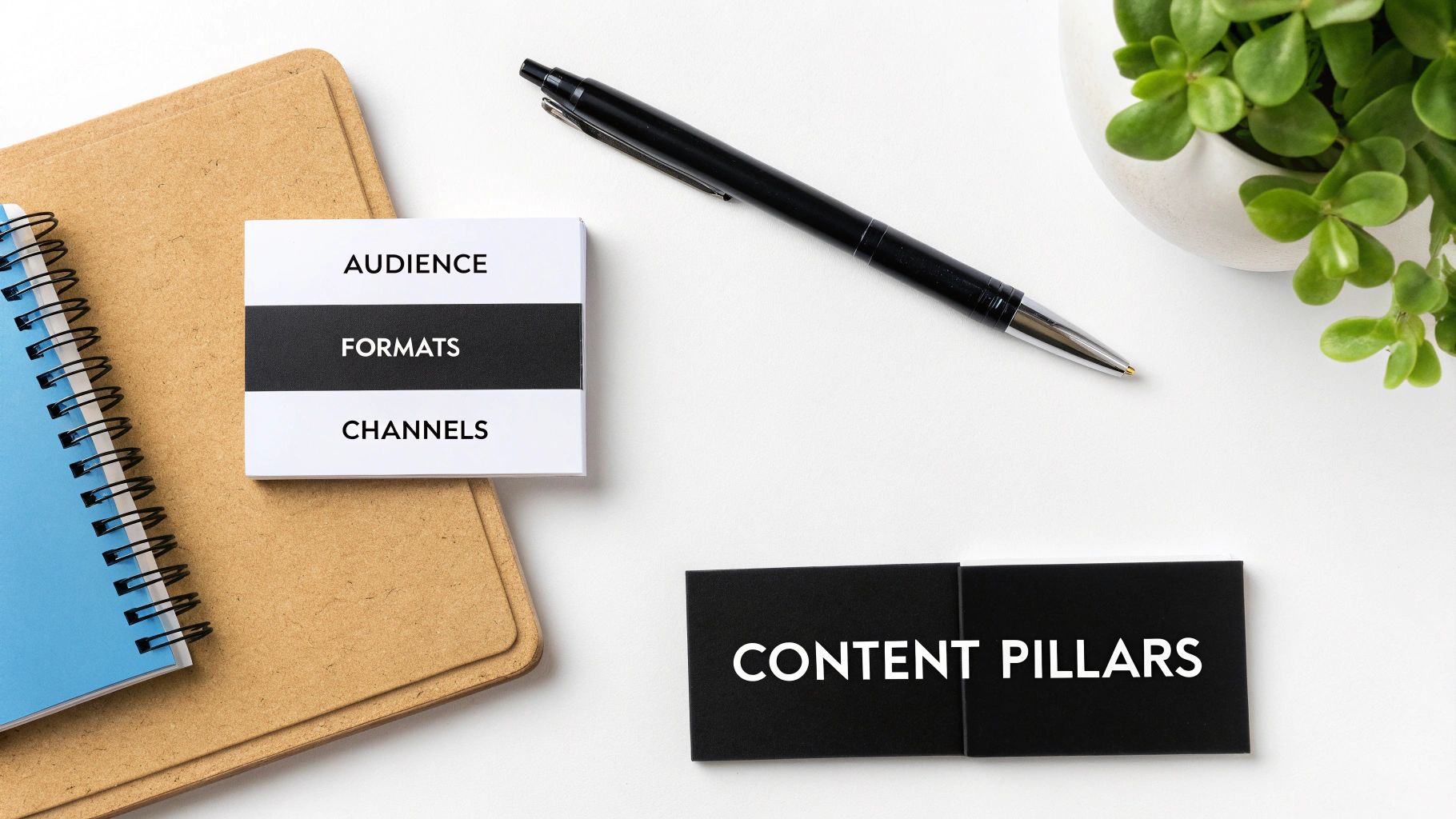
So, what separates a basic to-do list from a high-powered content calendar? It’s all in the details. A truly great calendar is a blueprint for your entire content operation, where every single element has a job to do.
Think of it this way: a simple calendar just tells you what to post and when. An effective one, however, adds layers of strategic information that turn those simple ideas into tangible, measurable results. It’s the difference between just making noise and making an impact.
Core Strategic Components
First, let's talk strategy. These are the foundational pieces that give your content direction and purpose. Without them, you’re just creating content for the sake of it, hoping something sticks.
These are the "why" and the "who" behind every post, video, or article. They connect your day-to-day work with your bigger business goals.
- Content Pillars: These are the 3-5 core themes your brand owns. Think of them as the main channels on a TV network. For a SaaS company, pillars might be "Productivity Hacks," "Team Collaboration," and "Future of Work."
- Target Audience: Get specific. Who is this exact piece of content for? A blog post on "Beginner's Guide to SEO" is for a totally different person than an article on "Advanced Schema Markup."
- Distribution Channels: Where is this content going to live? A single idea can look completely different as a long-form blog post, an Instagram Reel, a LinkedIn text post, or a YouTube short. Define it upfront.
If you need a spark of inspiration for what to post where, our guide is packed with social media content calendar ideas to get you started.
Operational and Tracking Elements
Once the strategy is set, you need the moving parts—the operational elements that get the content made, published, and measured. This is the "how" and "what happened next" of your content machine.
For any team that needs to collaborate and prove their content is actually working, tracking these details isn't optional. It’s essential.
An effective content calendar doesn't just plan what you'll do; it creates a framework for tracking progress and measuring impact, turning your content marketing into a data-informed operation.
These fields bring clarity to every step of the process.
- Content Format: What is it, exactly? Is it a single-image post, a carousel, a long-form article, a short-form video, or an infographic?
- Key Performance Indicators (KPIs): How will you know if it worked? Define your primary success metric ahead of time. Is it clicks? Engagement rate? Leads generated? Brand awareness?
- Workflow Status: This is your production pipeline at a glance. Simple statuses like "Idea," "Drafting," "In Review," "Scheduled," and "Published" keep everyone on the same page and the work moving forward.
Here's the rewritten section, crafted to sound like an experienced human expert.
Why Your Marketing Team Needs a Content Calendar
Ever been on a marketing team that runs on pure chaos and last-minute panic? Blog posts get slapped together the night before they’re due, social media feels like a random afterthought, and nobody seems to know who’s handling the next email newsletter. It’s exhausting. Worse, it’s completely ineffective.
This is what happens when there's no central plan. A content calendar is what turns that stressful scramble into a smooth, strategic operation. It's the difference between fumbling around in the dark and flipping on the lights.
By giving everyone a clear roadmap, the calendar shows what’s coming, who’s responsible for what, and when it's all due. This single source of truth cuts through the confusion and helps your team finally work together like a well-oiled machine.
From Chaos to Coordinated Impact
When you plan your content ahead of time, you give your best ideas room to breathe. Instead of just rushing to get something out the door, your team gets the time and mental space to create the right thing. This shift from reactive to proactive immediately elevates the quality of your work.
It also lets you manage your resources way better. You can book your writers, designers, and video editors for projects weeks or even months in advance. No more surprise projects or overloaded team members. This kind of foresight is what makes big, integrated campaigns possible, where every single piece of content works together to hit a larger goal.
A content calendar isn't about killing creativity with rules. It’s about building the structure that lets real creativity thrive. It changes the daily question from, "Ugh, what are we posting today?" to "How does this piece get us closer to our quarterly goals?"
Spotting Gaps and Seizing Opportunities
Once your whole content plan is laid out visually, you can spot the holes in your strategy almost instantly. Are you talking way too much about one topic and totally ignoring another? Is your blog content living on an island, completely disconnected from what’s happening on social? A calendar makes these problems impossible to miss.
This bird's-eye view also helps you find smart opportunities to repurpose a great piece of content, build out a content series, or time your posts to match upcoming holidays and industry events.
A good content calendar helps marketing teams pull all their efforts together, much like how various proven mobile app marketing strategies are essential for driving app downloads and hitting key metrics. Ultimately, it’s about making your marketing more intentional, saving a ton of time, and getting much better results.
Alright, let's get this done. Building your first content calendar can feel like a huge project, but it's really just about breaking it down into a few simple, common-sense steps. You're moving from a pile of scattered ideas to a real, strategic plan that actually works.
The journey is pretty straightforward: you start in chaos, use the calendar to create order, and that order leads directly to growth.
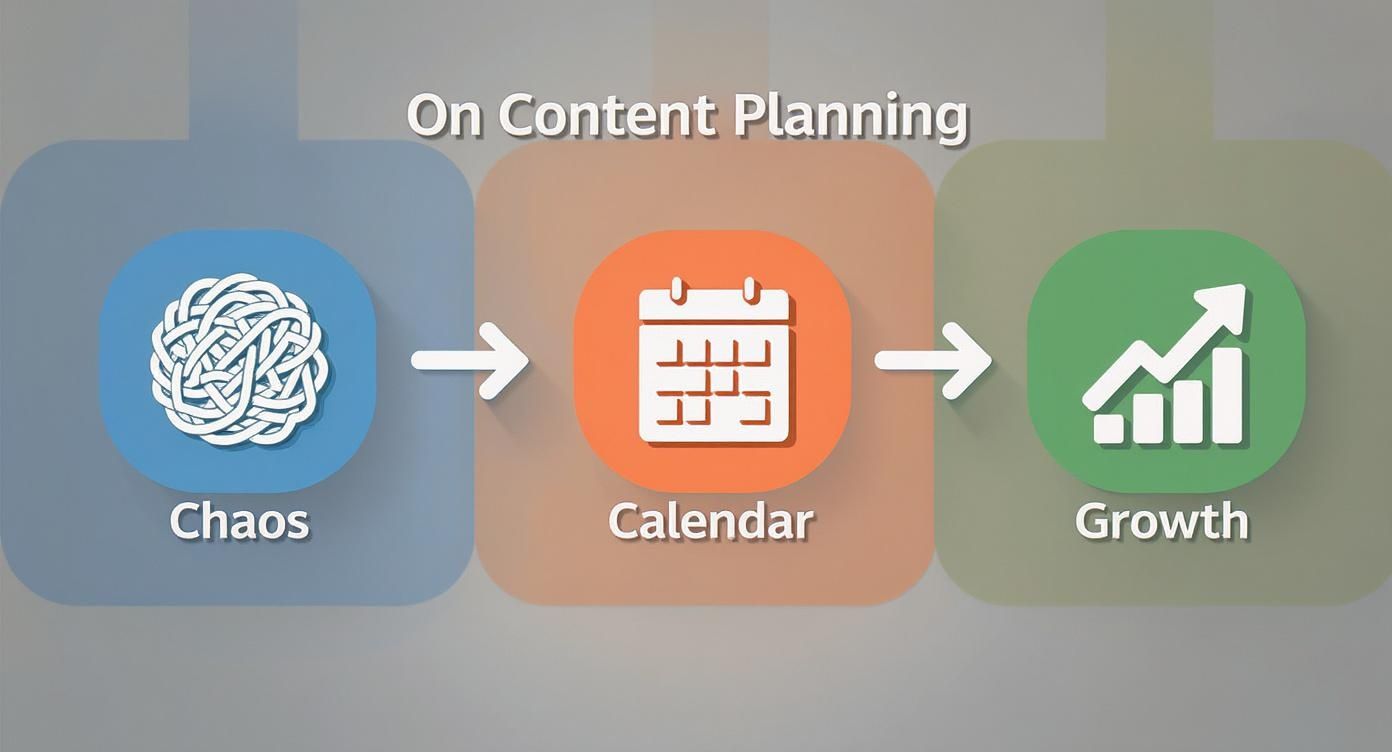
As you can see, the calendar is the bridge. It connects all that messy brainstorming to real, measurable results.
Step 1: Start With Your Goals
Before you even think about a single topic or a deadline, you have to answer one big question: What are we trying to achieve?
Seriously, don't skip this. A content calendar isn't just a to-do list; it's the road map for your business strategy.
Are you trying to get more people to your website? Generate better leads? Or just get your brand name out there? Each of those goals needs a completely different kind of content. Nail down your main objectives first, then figure out how you'll measure success (your KPIs).
For example:
- Goal: Bump up website traffic by 20% this quarter.
- KPI: Keep an eye on organic search impressions, click-through rates, and unique page views.
Doing this first ensures every single piece of content you create has a point.
Step 2: Do a Quick Content Audit
You’re not starting from scratch. Take a look at what you’ve already created. A quick and dirty content audit will show you what’s already working with your audience and what’s falling flat.
Just look at your best-performing stuff from the last six months—the blog posts with the most reads, the social posts with the most engagement, the emails with the highest open rates. Ask yourself:
- What topics got people excited?
- Which formats worked best (videos, lists, deep-dive guides)?
- Are there any old winners you could update or turn into something new?
This gives you a starting point backed by actual data, so you stop wasting time on content that nobody cares about.
A content calendar isn't just about planning for the future; it's also about learning from the past. Your existing content is a goldmine of data on what your audience truly cares about.
Step 3: Brainstorm and Organize Your Topics
Now for the fun part. Using what you learned from your goals and your audit, start throwing ideas around. What are your audience's biggest problems? Their most common questions? What are they genuinely interested in?
Once you have a list, group these ideas around a few core themes, or "content pillars." This keeps your messaging tight and consistent.
For most people, a simple spreadsheet is the perfect tool for this. If you need a solid starting point, our guide on creating a social media calendar template in Excel is a great framework. It helps you organize everything by date, platform, and status.
Step 4: Pick Your Publishing Cadence
Last but not least, be honest about how often you can create high-quality content. Consistency is way more important than frequency. It's much better to publish one amazing blog post every week than four mediocre ones.
Look at your team, your budget, and your time. Settle on a schedule you know you can stick to, no matter what.
This is more important than ever. With over 80% of marketers globally now using AI to help create content, the internet is getting noisier. A reliable, well-planned calendar helps you cut through that noise and deliver a timely message that resonates.
Choosing the Right Content Calendar Tools
https://www.youtube.com/embed/NuHt84jv4ZI
Okay, so you're sold on the idea of a content calendar. But where should it actually live? This is a bigger question than it seems. The right tool can make your entire workflow feel effortless, while the wrong one adds friction you just don't need.
The best choice boils down to your team's size, budget, and the complexity of your content machine.
Think of it like choosing a vehicle. A solo creator might only need a reliable scooter (a simple spreadsheet) to zip around town. A large, coordinated marketing team, on the other hand, needs a full-sized bus (a dedicated platform) to get everyone and their equipment where they need to go. Both get the job done, but they're built for completely different scales.
Let's break down the three main options.
Versatile Spreadsheets
For many of us, the journey starts with a simple spreadsheet. Tools like Google Sheets or Microsoft Excel are free, accessible, and you can bend them to your will. If you're a solo entrepreneur or a tiny team, you can build a perfectly functional calendar to track topics, deadlines, and publishing dates without spending a dime.
But that simplicity is also their biggest weakness. As your team grows, that once-perfect spreadsheet can quickly turn into a tangled mess of version control nightmares. They lack automated pings, advanced collaboration features, and integrations, making real-time management a serious headache.
Collaborative Project Management Software
The next step up the ladder is a project management tool. Think Trello, Asana, or Notion. These platforms were literally built for team collaboration and are a massive upgrade from a basic spreadsheet.
Here, you can create a card or task for each piece of content, assign it to someone, slap a due date on it, and watch it move through visual stages like "To Do," "In Progress," and "Done." It's satisfying and incredibly effective.
These tools hit the sweet spot between structure and flexibility. They give a growing team everything they need—comments, file attachments, notifications—without the hefty price tag of more specialized software. They're the perfect middle ground when you've outgrown a spreadsheet but aren't ready to commit to an enterprise-level beast.
Your content calendar tool should reflect your team's reality. Don't pay for a complex system if a well-organized Trello board does everything you need. The goal is clarity and efficiency, not feature overload.
Dedicated Content Marketing Platforms
Finally, we have the big guns: dedicated content marketing platforms like CoSchedule or Loomly. These are the all-in-one command centers for your content operation.
They go way beyond simple scheduling. We're talking built-in social media automation, content ideation tools, deep performance analytics, and formal approval workflows.
While incredibly powerful, these platforms come with a steeper learning curve and a bigger price tag. They're really meant for mature marketing departments juggling multiple campaigns across various channels who need a single source of truth to keep everyone aligned. For those teams, the investment pays for itself in coordination and insight.
Choosing Your Content Calendar Tool
Deciding where your calendar should live is a crucial step. The table below breaks down the common options to help you figure out what makes the most sense for your team's current needs.
| Tool Type | Best For | Pros | Cons | | :--- | :--- | :--- | :--- | | Spreadsheets (Google Sheets, Excel) | Solo creators, freelancers, and very small teams with simple workflows. | Free, highly flexible, and easy to get started with. | Lacks automation, becomes clunky at scale, poor for real-time collaboration. | | Project Management (Trello, Asana, Notion) | Growing teams that need better organization and collaboration features. | Visual workflows, great for assignments and deadlines, good balance of features and cost. | Can require setup to work as a calendar, may lack content-specific features. | | Dedicated Platforms (CoSchedule, Loomly) | Large marketing teams and organizations managing complex campaigns. | All-in-one solution with analytics, automation, and approval workflows. | Expensive, steeper learning curve, can be overkill for smaller teams. |
Ultimately, the best tool is the one your team will actually use consistently. Start simple, see what works, and don't be afraid to graduate to a more powerful solution as your content engine grows.
Your Content Calendar Questions, Answered
Alright, you've got the concept down, but putting a content calendar into practice always brings up a few more questions. That's totally normal. Let's walk through some of the most common things people ask so you can move forward with confidence.
Think of this as the final pre-flight check—we're clearing up any last-minute turbulence before you take off.
How Far in Advance Should I Plan My Content?
There’s no magic number here, but I’ve found a sweet spot that works for most teams. Aim to have the next month planned out in detail, while keeping a broader, bird's-eye view of the entire quarter. This quarterly view should map out your major themes, product launches, or big campaigns.
This approach gives you a solid road map to follow without boxing you in. It's structured enough to keep you on track but agile enough to let you jump on a sudden trend.
Timelines can also shift depending on what you’re creating:
- Social Media: Planning just one to two weeks out is perfect. It keeps your content timely and lets you stay part of the daily conversation.
- Major Content: For the big stuff—like in-depth blog posts, videos, or case studies—you’ll want topics locked in 2-3 months in advance. This buffer is crucial for proper research, production, and all the review rounds.
The real goal is to find that perfect balance between long-term vision and short-term wiggle room.
What's the Difference Between a Content Calendar and an Editorial Calendar?
Great question. People often use these terms interchangeably, but there's a subtle distinction that can actually make your planning a lot clearer.
An editorial calendar is usually more focused. It's the deep-dive plan for your long-form content—think blog posts, articles, white papers, and video series. It’s all about the big, foundational stories you’re telling.
A content calendar, on the other hand, is the whole shebang. It’s the master plan that includes every single thing your brand publishes, across every channel. We’re talking every social media post, email newsletter, ad, and, yes, the blog articles from your editorial calendar.
Think of your editorial calendar as a detailed chapter in a much larger book. The content calendar is the entire book, orchestrating everything to tell a cohesive story.
Once you see it this way, it’s easier to understand how your big, thoughtful editorial pieces fit into your day-to-day, multi-channel marketing rhythm.
How Do I Keep My Calendar Flexible for Trending Topics?
A content calendar should be a guide, not a straitjacket. Its purpose is to create order, not kill creativity. The best way to stay nimble is to build flexibility right into your schedule from the start.
Don't book every single time slot weeks ahead. Instead, leave a few "wildcard" slots open each week. These are your designated spots for jumping on a trending meme, sharing awesome user-generated content, or reacting to breaking industry news.
Another pro-tip? Keep a backlog of quality evergreen content on deck. If a post you had planned for Tuesday suddenly feels tone-deaf or irrelevant because of something happening in the world, you can easily swap in one of these timeless pieces without scrambling.
How Often Should I Review and Update My Content Calendar?
Your calendar is a living document, not a stone tablet. You have to check in on it regularly to keep it working for you. I've found a two-tiered review process works wonders.
- Weekly Check-ins: Get the team together for a quick huddle each week. Look at the upcoming schedule, make any small tweaks, confirm who's doing what, and clear any immediate roadblocks. Keep it short and sweet.
- Monthly Strategic Review: At the end of each month, take a deeper look back. Dive into your analytics. What content totally crushed it? What flopped? Why? Use those hard numbers and real insights to make your plan for the next month even smarter.
This simple rhythm of planning, doing, and analyzing is what turns a good content calendar into a great one over time.
Ready to stop the chaotic scramble and start building a powerful content engine? ViewPrinter provides an all-in-one platform to create, schedule, and automate your social media content with advanced AI. Go from idea to viral post in minutes and manage your entire strategy from a single, intuitive dashboard. Explore how ViewPrinter can transform your content workflow.