Your Guide to Creating a High-Converting AI Avatar Video
Learn how to create a compelling AI avatar video that engages your audience and drives results. This guide covers scripting, tools, and optimization.
At its core, an AI avatar video is just a digital character, powered by artificial intelligence, delivering a message from a script. Think of it as a way to scale up your video content without the usual headaches of traditional production—no actors, no cameras, no physical sets needed.
Why AI Avatars Are Reshaping Video Content
The move toward AI-driven video isn't just about chasing a new trend. It’s a smart, strategic pivot for brands that need to get high-quality content out the door faster and for a fraction of the cost. Traditional video shoots are notoriously slow, expensive, and a pain to update.
With an AI avatar, you can create, edit, and even translate a video with a few clicks.
Imagine you need to update a training module or a product demo. Instead of booking a studio and reshooting the whole thing, you just edit the script. The AI avatar instantly generates a new, perfectly lip-synced version. It’s that simple. This also gives your brand a consistent "face" without being tied to a single human presenter.
The Strategic Edge of AI Video
The upsides go way beyond simple convenience. For anyone creating content, AI avatars open up a whole new world of efficiency and global reach.
Here’s where it gets really powerful:
- Slash Production Costs: You can cut way down on your budget by removing the need for actors, film crews, and studio rentals.
- Scale at Lightning Speed: Produce dozens of videos in the time it would take to film a single one. This is a game-changer for big projects like localized ad campaigns or building out an e-learning library.
- Localize Effortlessly: Translate your video into multiple languages and accents without a single reshoot. The AI takes care of the voice and lip-syncing for every language automatically.
- Lock in Your Branding: Use the same custom avatar across all your content, from social media ads to internal training, to keep your brand identity tight and consistent.
The market is exploding for a reason. Valued at roughly USD 7.41 billion today, the global AI avatar market is expected to rocket to USD 118.55 billion by 2034. That kind of growth shows just how much demand there is.
Key Takeaway: The real magic of an AI avatar video is how it blends the efficiency of automation with the relatable touch of a human presenter. It’s a seriously effective tool for modern communication.
Where AI Avatars Are Making an Impact
So, where are people actually using these ai avatar video tools? All over the place. In the corporate world, HR teams use them to standardize employee onboarding and compliance training, making sure every new hire gets the exact same clear message. Customer support teams are deploying them as virtual assistants in help centers to offer 24/7 guidance. If you're curious about creating a custom digital persona for your own brand, check out our guide on AI-generated avatars.
It’s not just for internal stuff, either. E-commerce brands are spinning up dynamic product demos and personalized video ads that speak to different customer segments. A fashion retailer, for instance, could generate unique ads with an avatar styled for different regional tastes, all from one script.
This kind of flexibility makes AI avatars a huge asset for any organization trying to connect with its audience on a deeper level. To give you a clearer picture, here’s a quick breakdown of how different industries are putting them to work.
AI Avatar Video Use Cases by Industry
This table summarizes some of the most common applications for AI avatar videos across different business sectors, highlighting the main benefit for each.
| Industry | Primary Use Case | Key Benefit | | :--- | :--- | :--- | | E-commerce | Personalized product demos & ads | Increased conversion rates & engagement | | Corporate/HR | Employee onboarding & training | Consistency & scalability | | Healthcare | Patient education & explainers | Clear, accessible information | | Education | E-learning modules & course intros | Engaging & cost-effective content | | Real Estate | Virtual property tours & agent intros | 24/7 availability & wider reach | | Marketing | Social media ads & content | Rapid, high-volume content creation |
As you can see, the applications are broad and deliver tangible results. Whether it's saving time on training or creating more effective ads, AI avatars offer a practical solution.
Bringing Your AI Avatar Video to Life
Alright, you've got your strategy and you know what these AI avatars can do. Now for the fun part: actually making one.
Turning a simple idea into a polished ai avatar video is a mix of art and science. It’s about blending a sharp script, thoughtful design, and a little technical know-how to create a digital presenter that actually connects with people.
This isn't just about dumping text into a generator and hitting "render." It's about crafting an experience that feels authentic, even if the person on screen isn't human. Let's break down how it's done.
Scripting for an AI Voice
Here’s something you learn quickly: writing for an AI is not the same as writing for a person. AI voices have gotten incredibly good, but they still take everything literally. Forget about sarcasm or subtle emotional cues—those will fly right over the AI's head.
Your script needs to guide the AI to a natural-sounding delivery.
- Keep it clean and direct. Complicated sentences, industry jargon, and vague language will trip up the text-to-speech engine. Simple is better.
- Spell it out. If you have a brand name or a technical term the AI keeps butchering, just spell it out phonetically in the script. Think "res-uh-may" for "résumé." It works.
- Use punctuation for pacing. Commas, periods, and even ellipses are your best friends. A well-timed pause can add a ton of emphasis and make the whole thing feel less robotic.
Think of it like giving directions to a very smart but very literal assistant. The clearer you are, the better the result.
Designing Your Digital Persona
The avatar is the face of your video, so you've got to get it right. You generally have two ways to go: use a pre-made stock avatar or build your own from scratch.
Stock avatars are your fast and easy option. They come in a huge range of looks, ages, and ethnicities, which is perfect when you need to get content out the door without a big design budget. Most platforms, including ViewPrinter, have massive libraries you can pull from.
On the other hand, a custom avatar gives you total brand control. You can design a character that perfectly matches your company’s vibe and speaks directly to your audience. This could be as simple as uploading a photo to create a digital version of someone, or it could mean working with a designer on a completely unique 3D model. If you want to take a static image and really make it dynamic, learning the basics of animating pictures with AI can be a game-changer.
Expert Tip: If you're going custom, nail the small details. It’s the little things, like realistic eye movements and subtle facial expressions, that build trust and make the avatar feel truly present.
So, which should you choose? If you’re making a batch of internal training videos, a stock avatar is probably all you need. But if you’re launching a big campaign, a custom avatar ensures your digital spokesperson is 100% unique to your brand.
Directing the Performance
Once you have your script and your avatar, you get to play director. This is where you tweak the delivery until it hits the right note. Modern AI video tools give you a surprising amount of control.
You can usually adjust things like:
- Tone of Voice: Is this a "friendly" and casual message, or does it need to be more "professional" or "enthusiastic"? A simple switch can completely change the mood.
- Gestures and Body Language: Adding a simple head nod or a hand gesture can stop your avatar from looking like a stiff mannequin. It makes them feel much more dynamic.
- Facial Expressions: Need to drive a point home? Try adding a smile, a raised eyebrow, or a more focused expression. It helps convey emotion and keeps your audience locked in.
Don't be afraid to experiment here. Generate the same line a few times with different tones and gestures. You’ll be surprised how a tiny tweak can completely change how your message lands.
Post-Production and Final Touches
The raw video file from the AI generator is your starting point, not the finish line. Post-production is where you add the polish that turns a simple clip into a great piece of content. This is your chance to add branding, music, and other visual aids.
This diagram gives a good sense of the workflow—it all starts with a solid script and a well-designed character.
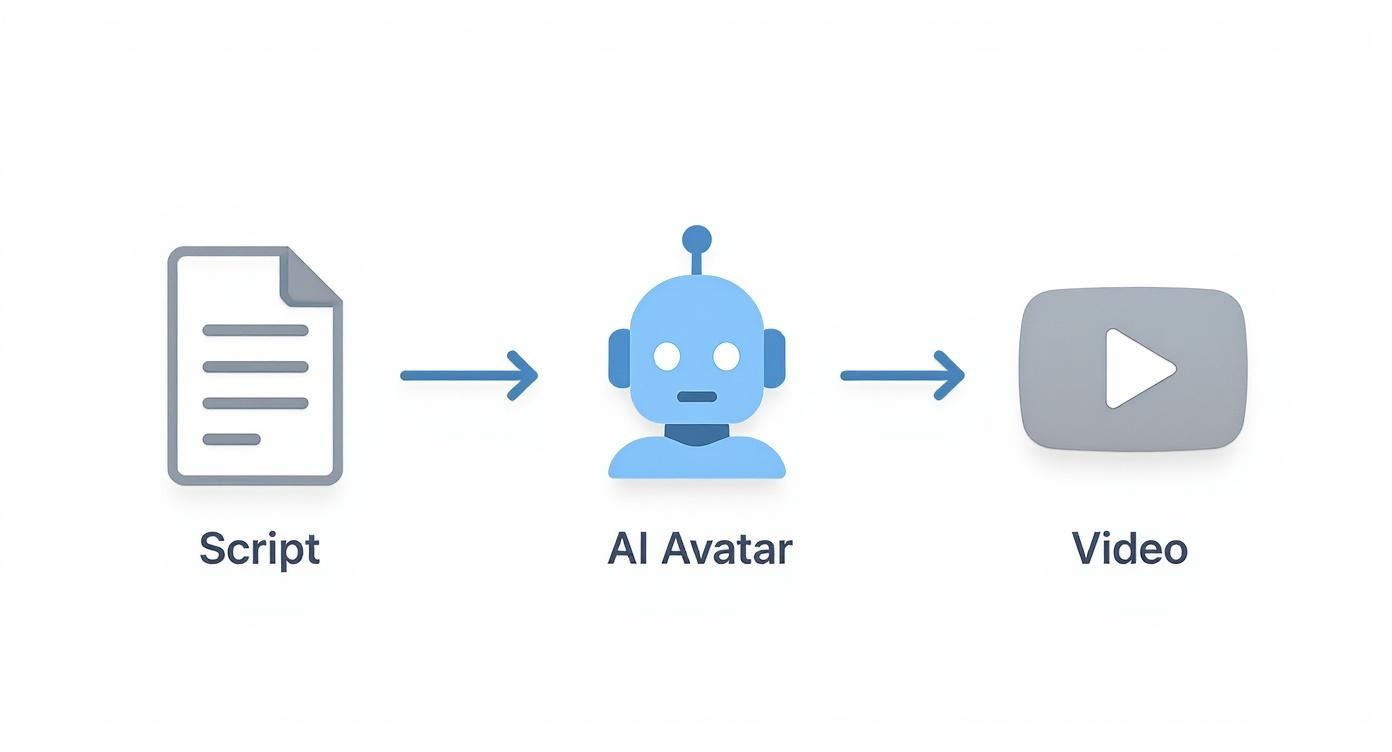
Here are a few post-production must-haves:
- Background Music: A subtle track does wonders for setting the mood and filling dead air.
- On-Screen Text: Use text overlays to call out key stats, quotes, or a call-to-action.
- Branding: Your logo and brand colors should be consistent across all your videos.
- B-Roll: Cut in relevant stock footage or product shots. It breaks up the "talking head" format and makes the video way more engaging.
There’s a reason this market is taking off. A 2024 report showed that video-based avatars grabbed the biggest piece of the revenue pie in the AI avatar market, and they’re expected to grow the fastest in the near future. It’s a clear signal that brands are all-in on using digital people in their video content.
By moving step-by-step through scripting, design, directing, and post-production, you can create a high-quality ai avatar video that gets your message across and looks completely professional.
Choosing the Right AI Video Generation Tool

Diving into AI avatar video creation can feel a lot like walking into a massive electronics store. The options seem endless, and every tool promises to be the next big thing. The trick isn't finding the single "best" platform—it's finding the one that actually fits your goals, budget, and technical skills.
The right tool can supercharge your content production. The wrong one just leads to headaches and videos that fall flat. To make a smart choice, you have to look past the flashy marketing and focus on the features that will genuinely impact your final product.
And make no mistake, this market is exploding. Valued at around USD 614.8 million in 2024, the AI video generator space is on track to hit a staggering USD 2.56 billion by 2032. This isn't just hype; it's a sign of massive adoption, with North America currently leading the charge with a 40.61% market share.
Evaluating Core Features
When you start comparing tools, a few features are absolutely non-negotiable for creating a quality ai avatar video. You need to prioritize the platforms that nail the fundamentals.
Here’s what I always look for first:
- Avatar Realism and Diversity: How lifelike do the avatars actually look? A good platform offers a wide range of high-quality, diverse stock avatars. But the real game-changer is the ability to create a custom avatar—that’s how you maintain true brand consistency.
- Voice Quality and Language Support: Give those AI voices a close listen. Do they sound human, or do they have that tell-tale robotic drone? The best tools offer a spectrum of voices and emotional tones. If you have a global audience, multilingual support is a must.
- Customization and Control: How much can you actually direct the performance? Look for features that let you fine-tune gestures, facial expressions, and pacing. That's what separates a stiff, generic video from something dynamic and engaging.
Matching The Tool To Your Needs
The perfect platform for a solo creator pumping out quick social media clips is totally different from what a big company needs for its training modules. Your primary use case should be your guide.
A beginner, for example, will probably get the most value from a simple, template-driven interface. A seasoned video editor, on the other hand, will want granular timeline controls and deep integration options. For more professional use cases, it's worth exploring advanced tools like Synthesia, which pack in extensive features for high-end results.
Key Insight: Don't get distracted by a laundry list of features you'll never touch. Zero in on the tools that solve your immediate problems. If your goal is to create ads quickly, a platform with a built-in ad template library is way more valuable than one with obscure animation controls.
Your choice should ultimately make your workflow easier, not more complicated. The good news? Most platforms offer free trials. Use them. Test the exact same script on two or three different tools and compare the output and user experience side-by-side.
Comparison of Top AI Avatar Video Platforms
To cut through the marketing noise, it helps to compare your top contenders directly. A simple feature-by-feature rundown makes it much clearer which platform is the right fit for your specific needs.
| Platform (e.g., ViewPrinter) | Key Feature | Ideal User | Pricing Model | | :--- | :--- | :--- | :--- | | ViewPrinter | Integrated workflow from script to final video | Marketing teams & content creators | Subscription-based tiers | | Synthesia | High-realism custom avatars | Enterprises for corporate training | Per-user subscription, custom pricing | | HeyGen | Fast, template-driven ad creation | Small businesses & social media managers | Freemium, credit-based plans | | D-ID | API-first for developers, still-image animation | Developers & creative tech artists | API credits, subscription plans |
By methodically checking each tool against what you actually need, you can confidently pick an AI video generator that works for you. While you're at it, you might want to explore a broader list of AI tools for content creators to see the full landscape. This way, you’re not just buying a tool—you’re investing in a core part of your content strategy.
Optimizing Your Video for Maximum Reach and Impact
So, you’ve made a killer AI avatar video. That's a great start, but it's only half the job. If no one sees it, all that time you spent nailing the script and designing the perfect avatar was for nothing. The real win comes from a smart distribution strategy that puts your video right where your audience lives online.
This is where you need to switch hats from creator to marketer. It’s not about making one video and spamming it across every platform. It’s about thoughtfully adapting your content to the unique culture and technical specs of each social channel.
A video that crushes it on LinkedIn will almost certainly bomb on TikTok if you just copy and paste. Every platform has its own unwritten rules, and learning to play by them is the only way to get real reach and a solid return on your effort.
Tailor Your Video for Each Platform
One size never fits all in social media. The first, most critical step is reformatting your video to match the aspect ratio of each platform. A standard landscape video (16:9) might look great on YouTube, but it’s going to get awkwardly cropped and scrolled past on Instagram Reels or TikTok, where vertical (9:16) is the only way to go.
Here’s a quick cheat sheet for the most common formats:
- TikTok & Instagram Reels: Always go with 9:16 (vertical). This isn't a suggestion—it's a requirement for a full-screen, immersive experience.
- YouTube (Standard & Ads): Stick with the classic 16:9 (horizontal), perfect for desktop and TV viewing.
- LinkedIn & Facebook Feeds: Both 1:1 (square) and 4:5 (vertical) work really well here. Square videos actually take up more precious screen real estate in the feed than landscape ones.
Beyond just resizing, you have to think about pacing. On TikTok, you have roughly three seconds to grab someone's attention. That means your most interesting point, shocking question, or eye-catching visual has to be right at the very beginning. For a LinkedIn audience, you can usually get away with a slightly more measured, informative opening.
Craft a Hook and Call to Action
Your video’s opening line—the hook—is probably the single most important part of your script. It has to stop the scroll instantly and give someone a reason to stick around.
A great hook usually does one of three things: it asks a challenging question, states a surprising fact, or hits on a common problem your audience has. For instance, instead of "Hi, I'm here to talk about our new software," try something like, "Still wasting hours on manual data entry every single week?" The second one connects with a real pain point and hints at a solution.
Just as crucial is your call to action (CTA). What, exactly, do you want people to do after they watch? Be specific. Be direct.
Pro Tip: Don't just say "Click the link." Tell them why they should click. Use action-driven language like "Download your free guide now" or "Start your 14-day trial today" to give them a clear next step.
The Power of A/B Testing
One of the best things about AI avatar videos is how easy it is to tweak and test them. You can spin up multiple versions of the same ad with small, strategic changes to see what your audience actually responds to. This process, known as A/B testing, is the key to optimizing your ad performance.
You don't need a massive budget to run good tests. The trick is to change just one thing at a time. That way, you know for sure what's causing the change in results.
Here are a few high-impact elements you should be testing:
- The Hook: Try two completely different opening lines. Maybe one is a question and the other is a bold statement.
- The Avatar: Does a male or female avatar get better engagement? What about different clothing styles or backgrounds?
- The CTA: Compare the click-through rates on "Learn More" versus something more direct like "Sign Up Now."
- Video Length: Pit a punchy 15-second version against a more detailed 30-second edit.
By testing these elements systematically, you're gathering real-world data on what your audience wants. You stop guessing and start making decisions based on facts, which is how you create an AI avatar video that doesn't just get views—it gets results.
Using AI Avatars Responsibly and Ethically
When you start creating genuinely compelling AI avatar videos, you inevitably wade into the deeper waters of ethics and responsibility. This isn't just about following the rules; it's about building and keeping the trust of your audience.
The line between a real person and a digital creation is getting blurrier by the day. As a brand, you absolutely need clear guidelines for how you use AI. If you don't, you're not just risking confusion—you're risking your credibility.
Navigating Transparency and Disclosure
The heart of using AI ethically is simple: don't mislead people. If your audience thinks they're watching a real employee or a happy customer when it's actually an AI avatar, that trust is gone in an instant. The fix? Straightforward disclosure.
This doesn't mean you need a giant, distracting disclaimer splashed across the screen. A subtle but clear heads-up is usually all it takes.
- Simple On-Screen Text: A small tag like #AIAvatar or "Generated with AI" in a corner of the video works perfectly.
- Video Description: Just add a line to your caption. Something like, "This video features our digital presenter, created with AI to share the latest updates."
- Verbal Cue: For longer videos, the avatar can even introduce itself as an AI assistant right at the start.
The goal isn't to brag about your tech stack; it’s just to be honest. This kind of proactive transparency shows you respect your viewers and helps build a much stronger relationship.
Key Takeaway: Disclosure isn't a legal chore—it's a trust-building exercise. Being upfront about using an AI avatar video protects your brand's integrity and sets the right expectations from the get-go.
Understanding the Legal Landscape
Beyond just being transparent, there are real legal lines you have to walk. The laws around digital likeness, voice cloning, and AI-generated content are still catching up, but some core principles are already locked in. You can't afford to be ignorant here.
One of the biggest legal concepts is the right of publicity. This protects a person's name, image, and likeness from being used for commercial gain without their permission. This is especially critical if you're creating custom avatars based on real people.
Always get explicit, written consent before you create a digital double of an employee, actor, or anyone else. That consent form needs to be crystal clear about how their digital likeness and voice will be used, for how long, and on which platforms.
Here’s a quick checklist to keep you on the right side of the law:
- Secure Explicit Consent: Always get written permission before creating a custom avatar based on a real person. No exceptions.
- Use Licensed Assets: Stick to the commercially licensed stock avatars and voices you get from trusted platforms like ViewPrinter. They've already done the legal legwork for you.
- Avoid Deceptive Practices: Never, ever use AI avatars to fake testimonials, impersonate people without their consent, or spread misinformation.
- Copyright Your Content: While the avatar might be generated by AI, your final video—the script, branding, and editing—is your creative work. Make sure you understand how copyright applies to AI-assisted creations.
By treating these ethical considerations as a fundamental part of your creative workflow, you can innovate with confidence. Using AI responsibly lets you tap into its incredible power without breaking the trust you’ve worked so hard to build.
How to Measure Your Video's Performance

Creating a slick ai avatar video feels like a win, but the real work begins after you publish. If you aren't tracking performance, you're just guessing. You can't prove your video's value or make smarter decisions for the next one.
The trick is to look past the "vanity metrics" like raw view counts. Sure, a big number looks nice, but it tells you nothing about whether your video actually connected with people or pushed them to do something. To really get a handle on your ROI, you have to dig into the metrics that actually matter.
Identifying Your Core KPIs
Before you even glance at a dashboard, you need to know what "success" means for this specific video. Your Key Performance Indicators (KPIs) have to connect directly to your original goal. Were you trying to build brand awareness? Generate leads? Drive sales?
For instance, a top-of-funnel video meant to get your name out there should be judged on Reach and Watch Time. But a bottom-of-funnel video designed to sell something? That’s all about Click-Through Rate (CTR) and, ultimately, Conversions.
Let's get into the essential KPIs you should have your eye on:
- View-Through Rate (VTR): This is the percentage of people who watched your entire video. A high VTR is gold—it means your script, avatar, and pacing kept people hooked.
- Average Watch Time: This tells you how long people stick around before clicking away. If you see a big drop-off at the 15-second mark, you need to go back and see what's happening there. That's where you're losing them.
- Click-Through Rate (CTR): For any video with a call to action, this is non-negotiable. It shows what percentage of viewers actually clicked your link, proving your CTA was clear and compelling enough to act on.
Interpreting the Data to Drive Strategy
Pulling numbers is easy. The real skill is understanding the story they're telling you. Analytics aren't just a report card; they're a roadmap showing you exactly what to fix next time.
Key Insight: Don't look at numbers in a vacuum. A low CTR isn't just a "bad" number; it's a clue. Maybe your offer isn't strong enough, or maybe the button you want them to click is buried.
Let's say you have a high watch time but a terrible conversion rate. That tells you people are interested in the content, but your CTA isn't motivating them. That's a perfect signal to A/B test a different offer or rephrase your call to action to create more urgency. Getting the hang of these nuances is crucial, and you can learn more about the most important social media metrics to track in our full guide.
Using Platform-Native Analytics
You don't need to shell out for expensive tools, especially when you're starting. Every major social platform gives you a powerful analytics dashboard for free.
Here’s where to find the good stuff:
| Platform | Analytics Tool | Key Metric to Watch | | :--- | :--- | :--- | | YouTube | YouTube Studio | Audience Retention to see the exact second people are bailing. | | Facebook/Instagram | Meta Business Suite | 3-Second Video Plays to check if your initial hook is working. | | LinkedIn | Campaign Manager | Completion Rate by Demographics to confirm you're reaching the right pros. | | TikTok | TikTok Analytics | "For You" Page Traffic Source to see if the algorithm is picking you up. |
By checking these dashboards regularly, you'll start to see patterns and get a clear picture of what's working and what's not. This data-driven feedback loop is what separates good content from truly great campaigns. It lets you fine-tune your scripts, pick better avatars, and pour your energy into the strategies that deliver real, measurable results for your next ai avatar video.
Ready to create high-performing AI avatar videos and track their success all in one place? ViewPrinter provides an integrated suite of tools for generating, scheduling, and analyzing your content. Start your journey with ViewPrinter today and turn insights into impact.